How to create a website using WordPress/How to use plugins/No-code construction blog



How to set up QR code ordering for restaurant and dining reservation website creation using WordPress [WP Cafe]
At HanamiWEB Online School,
●Ask questions in real-time in the virtual study room!
●Ask as many questions as you want via chat!
●E-learning materials that you can learn as much as you want, 24 hours a day!
All included for just 2,500 yen/month!
How to create a website with reservations for restaurants and other food service establishments using WordPress.
[WP Cafe] We will explain how to set up QR code ordering using a plugin.
This is a Pro version feature
WP Cafe QR Code Order Settings
- WP Cafe
- General Settings
- QR Code Order
Set it in.
- Table ID
- Menu page URL
Enter the code to generate a QR code. Multiple codes can be generated.
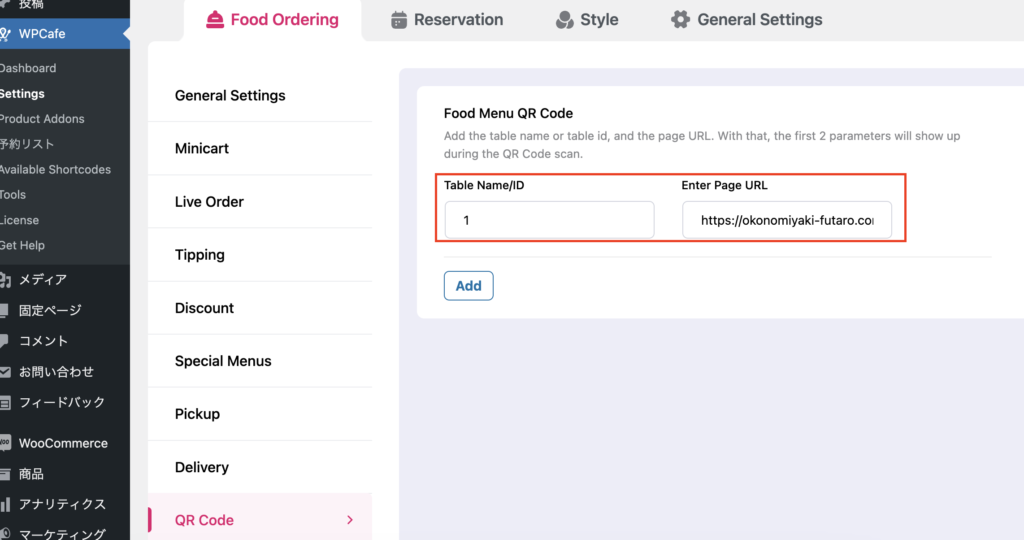
This is how the QR code was generated.
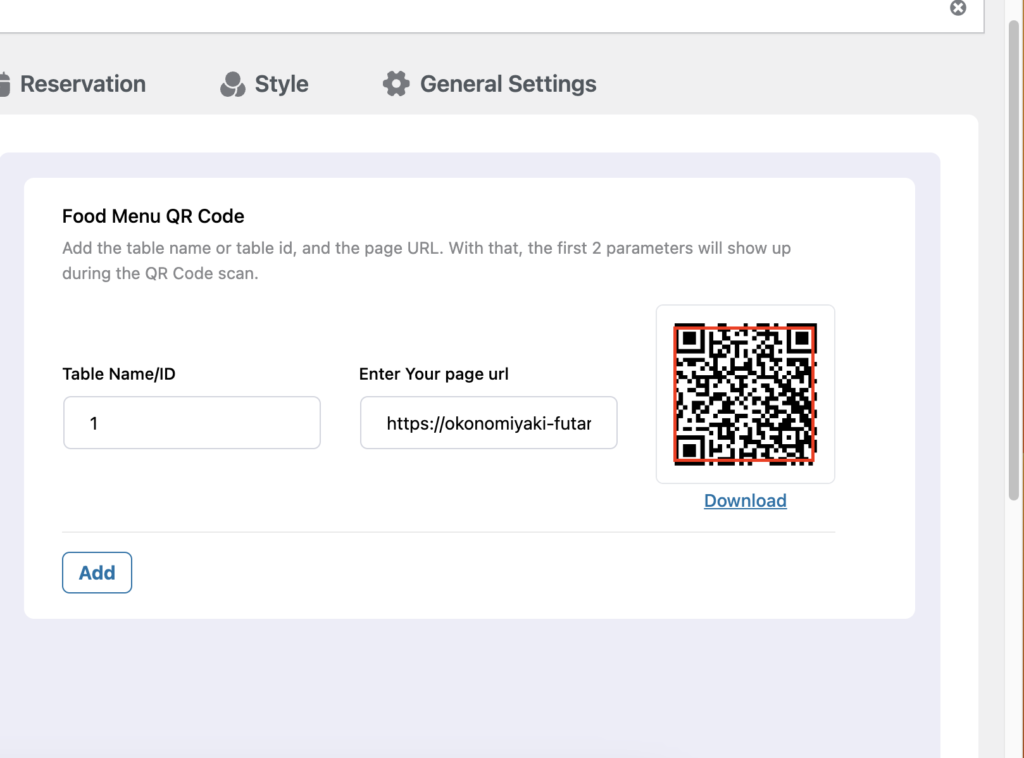
Try QR code ordering
When you scan the QR code to place an order, the order will be linked to the table ID.
Even if you have set up takeout or delivery, the option to choose takeout or delivery will not be displayed when accessed via QR code.
When you place an order, it will be added to the WooCommerce order. There is also an add product section, so you can add products manually when you receive an order directly.
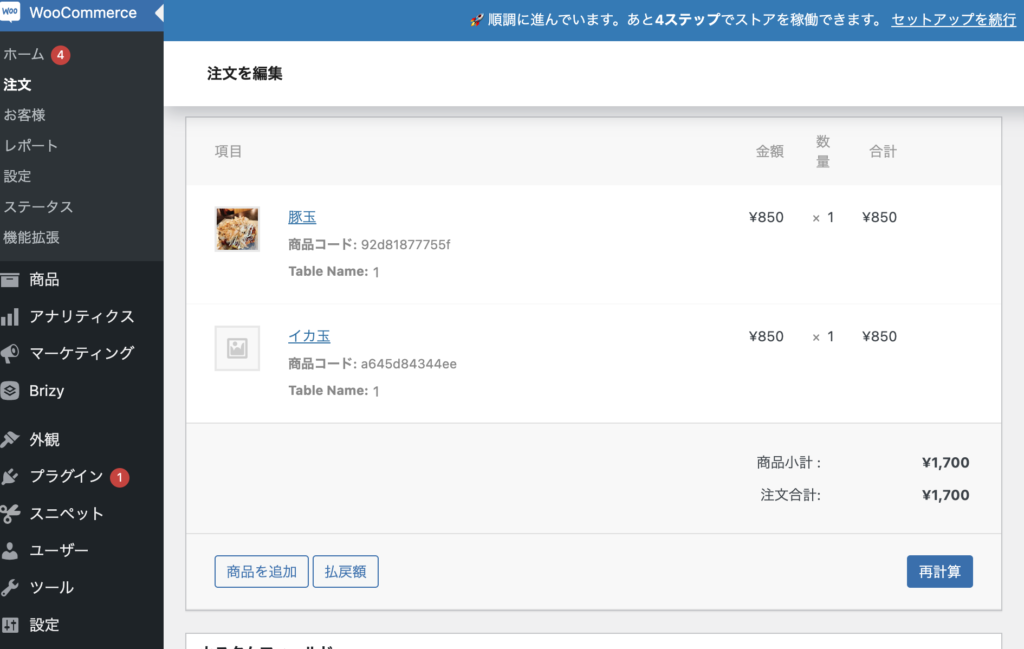
If you place an additional order via QR code, the order will be separated.


We are available on weekends and holidays!
Please contact us if you have any problems with your website!

- Unable to log in to WordPress
Malware infection?
- The homepage suddenly stopped displaying!
- A PHP error is occurring.
We also offer support on weekends and holidays for those who need assistance.
If you are in a hurry, please call us now at 03-6694-7024.
Latest Articles


Timing and Process for Renewing Your Recruitment Website | Key Points to Review to Increase the Number of Applications

7 Key Points for Creating a Recruitment Website | How to Create a Recruitment Site That Job Seekers Will Choose

What is the average cost of a recruitment website? A thorough explanation of pricing by production method.
 English
  日本語
日本語