How to create a website using WordPress/How to use plugins/No-code construction blog



[Illustrated & Video Explanation] Simple Memberships Membership Registration Plugin - List of Shortcodes
At HanamiWEB Online School,
●Ask questions in real-time in the virtual study room!
●Ask as many questions as you want via chat!
●E-learning materials that you can learn as much as you want, 24 hours a day!
All included for just 2,500 yen/month!
A WordPress teacher will carefully explain how to set up Simple Memberships, which allows you to easily create a membership site with WordPress and create content exclusive to members!
Here is a list of short codes you can use:
Display the login screen
Use this when you want to display a login screen in the sidebar, etc.
[swpm_login_form]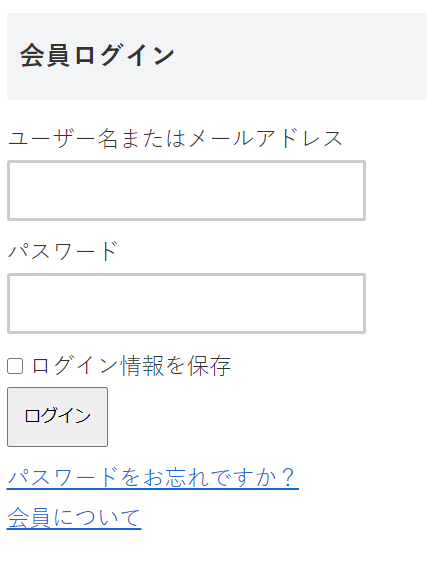
Login screen mini version
[swpm_mini_login]
Payment button
[swpm_payment_button id = 75]You can also add text
[swpm_payment_button id = 75 button_text = "Register Now"]Stripe payment button custom style
You can now add class names and set css.
[swpm_payment_button id = 75 button_text = "Pay Now" class = "my-stripe-button"]Register as a user immediately after registering as a paid member
[swpm_thank_you_page_registration]Shortcode used on the welcome page
This is usually a shortcode set on the automatically added [Register] page. If you accidentally delete this page, you can output the registration page using the following shortcode.
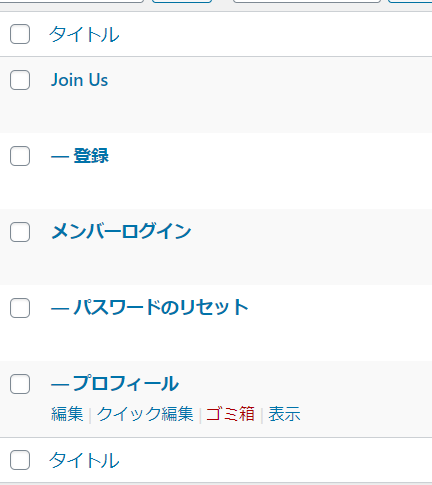
Join Free
[swpm_registration_form]Login page
[swpm_login_form]profile
[swpm_profile_form]Password reset
[swpm_reset_form]
We are available on weekends and holidays!
Please contact us if you have any problems with your website!

- Unable to log in to WordPress
Malware infection?
- The homepage suddenly stopped displaying!
- A PHP error is occurring.
We also offer support on weekends and holidays for those who need assistance.
If you are in a hurry, please call us now at 03-6694-7024.
Latest Articles

What happens when you add AI-generated articles to a new website that had zero traffic for one month after launch? We investigated using real data.

A PHP error is displayed on my WordPress site, preventing the site from displaying (wp-includes/block-patterns.php on line 38).

Nerima Ward: Ranked 2nd in website creation | Explanation of how to create a website that gets cited by AI
What is website update outsourcing? A clear explanation of costs, market rates, and how to request their services.
 English
  日本語
日本語