How to create a website using WordPress/How to use plugins/No-code construction blog



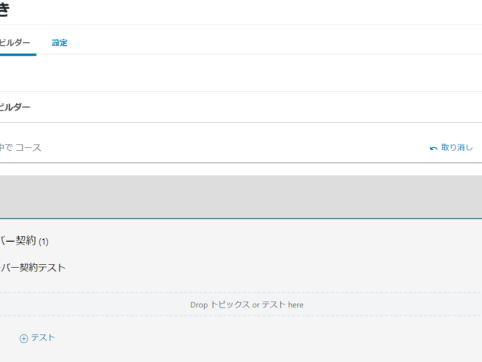
How to use the LearnDash Course Builder LMS plugin
At HanamiWEB Online School,
●Ask questions in real-time in the virtual study room!
●Ask as many questions as you want via chat!
●E-learning materials that you can learn as much as you want, 24 hours a day!
All included for just 2,500 yen/month!
We explain LearnDash, a paid LMS (Learning management system) plugin that allows you to build an e-learning system using WordPress.
This time, we will explain how to use the course builder, which is essential for creating courses.
Launch Course Builder
It may be easier to understand the Course Builder if you think of it as the table of contents page at the beginning of a book.
Main heading → Each lesson
This is for creating course content. You can also add tests.
- LearnDash LMS
- course
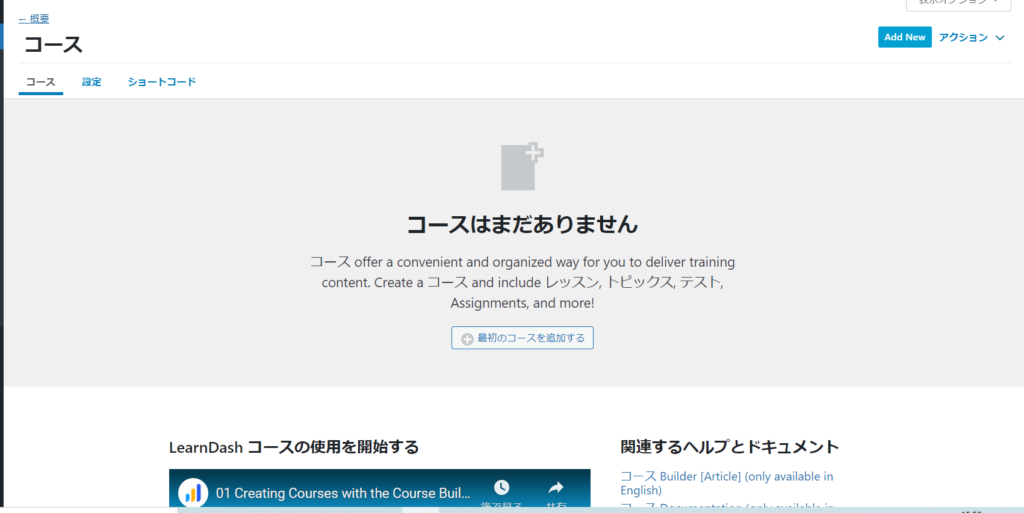
If you haven't created a course yet, add one by clicking on [Add your first course].
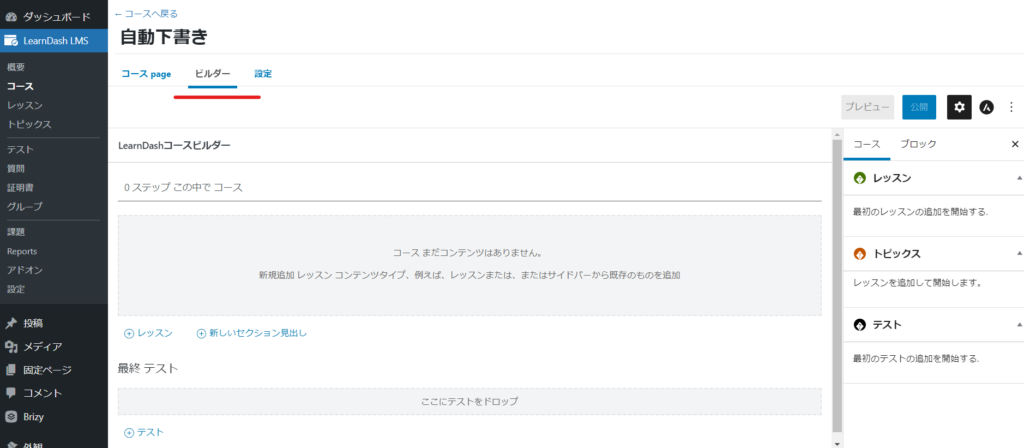
Click the Builder tab.
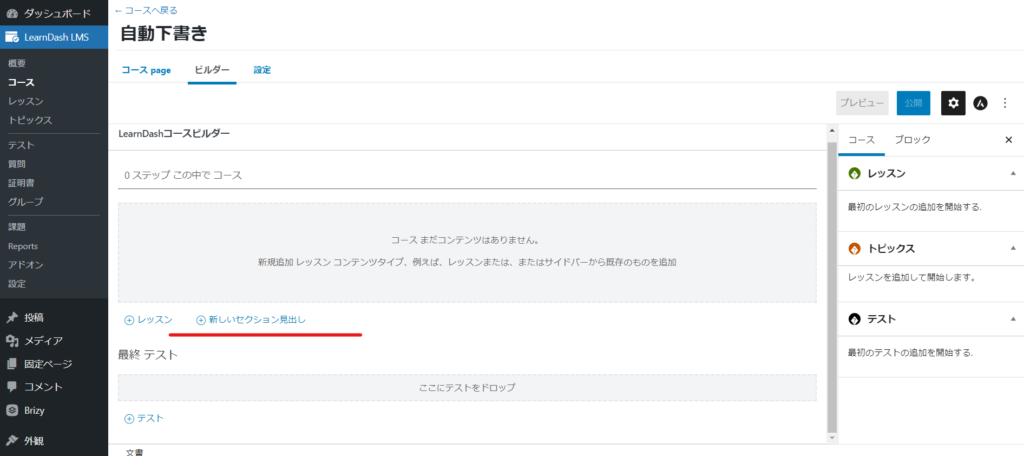
Headline Creation
Create headings for each course. Click [New Section Heading].
Create a heading for each lesson.
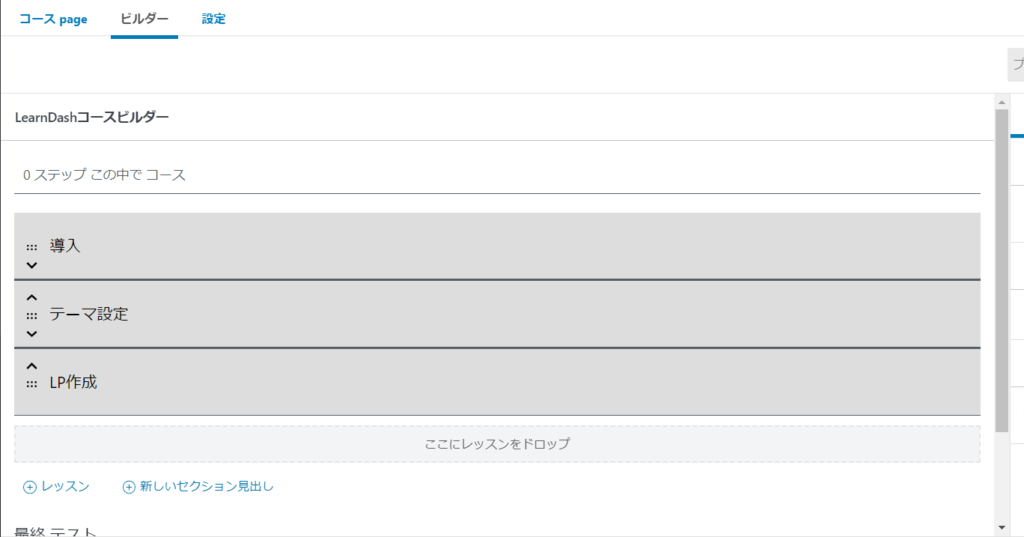
Add Lesson
The lessons are where you put the actual content. Lessons should be placed under the main heading.
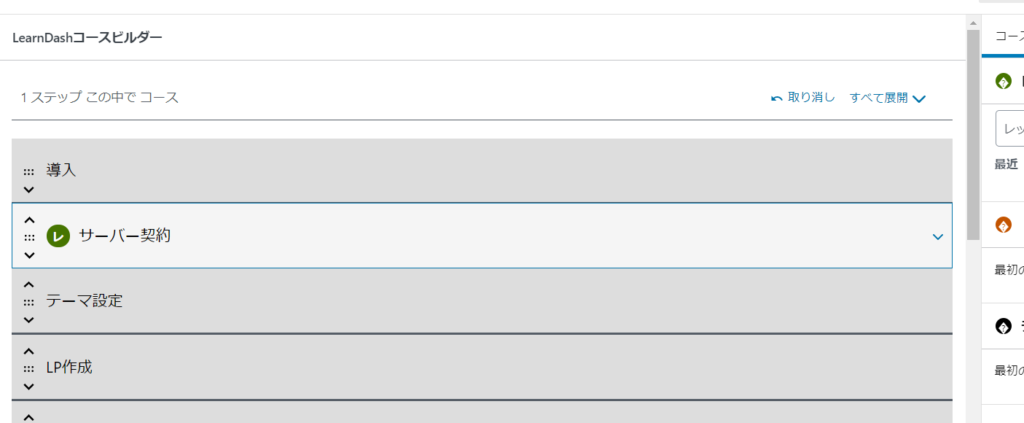
Create tests along the way
You can create tests during the course to gauge students' progress.
You can add [Topics] and [Tests] by clicking the right arrow on the course.
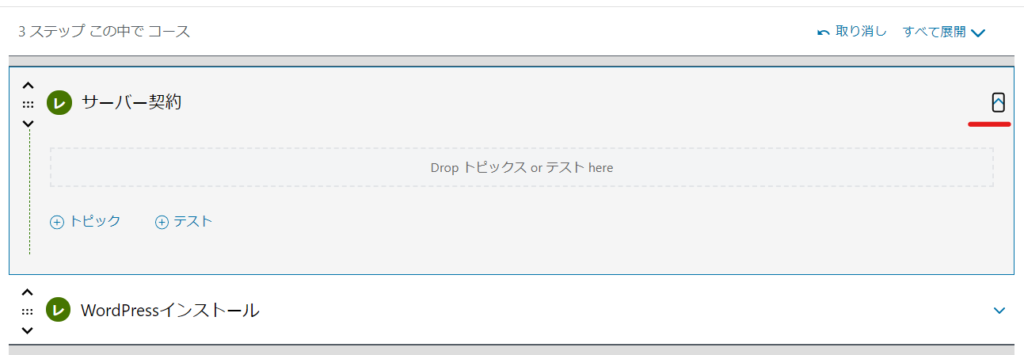
In this way, you can create a sequence of heading → course → test.
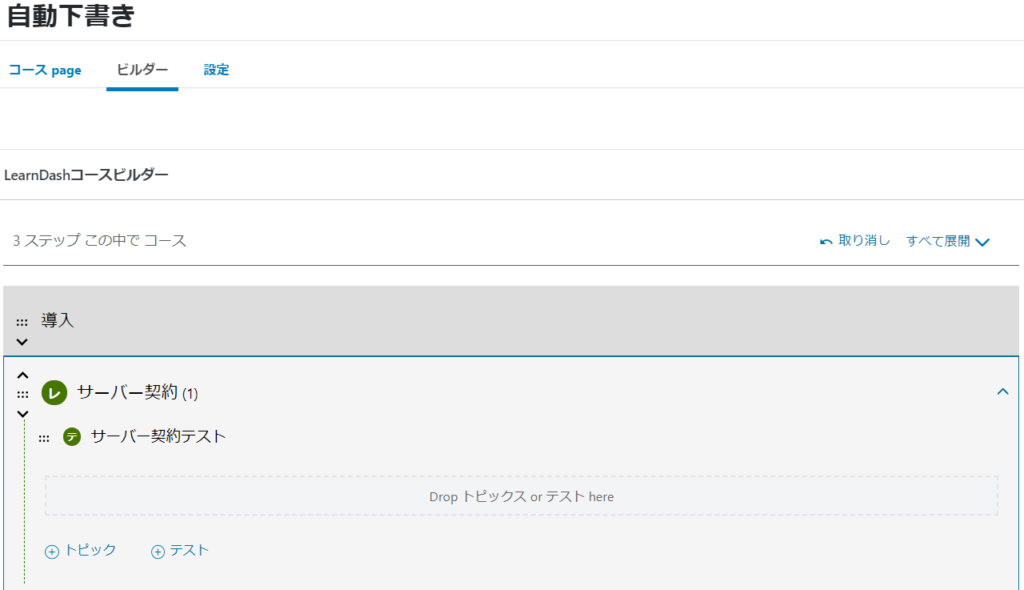
Final test creation
Create a final test to end the course.

Sort
Headings, courses, etc. can be rearranged by dragging.
summary
You can intuitively create course content! It's fun because it's quick and easy!

We are available on weekends and holidays!
Please contact us if you have any problems with your website!
- Unable to log in to WordPress
Malware infection?
- The homepage suddenly stopped displaying!
- A PHP error is occurring.
We also offer support on weekends and holidays for those who need assistance.
If you are in a hurry, please call us now at 03-6694-7024.
Latest Articles

A PHP error is displayed on my WordPress site, preventing the site from displaying (wp-includes/block-patterns.php on line 38).

Nerima Ward: Ranked 2nd in website creation | Explanation of how to create a website that gets cited by AI

What is website update outsourcing? A clear explanation of costs, market rates, and how to request their services.

 English
  日本語
日本語