How to create a website using WordPress/How to use plugins/No-code construction blog




A PHP error is displayed on my WordPress site, preventing the site from displaying (wp-includes/block-patterns.php on line 38).
At HanamiWEB Online School,
●Ask questions in real-time in the virtual study room!
●Ask as many questions as you want via chat!
●E-learning materials that you can learn as much as you want, 24 hours a day!
All included for just 2,500 yen/month!
Is this due to the update to WordPress 7.0?wp-includes/block-patterns.php On line 38We received a request for help regarding a PHP error that prevented a website from displaying, so we will explain how to fix it.
Cause of the WordPress block-patterns.php error
This error register_block_pattern_category() The error message indicates that the function was not found, and this function is WordPress 5.5 and laterSince it was added in [location], one of the following is the cause:
- The WordPress version is outdated.(Less than 5.5)
- WordPress core files are corrupted or incomplete.
This site was regularly updated once a month, so it's unlikely that the WordPress version is outdated.
Since this error occurred while the WordPress 7.0 automatic update was in place, it's possible that the core files are corrupted or incomplete.
Overwrite WordPress core files
Since you cannot access the administration panel, this method involves overwriting the WordPress core files via FTP.
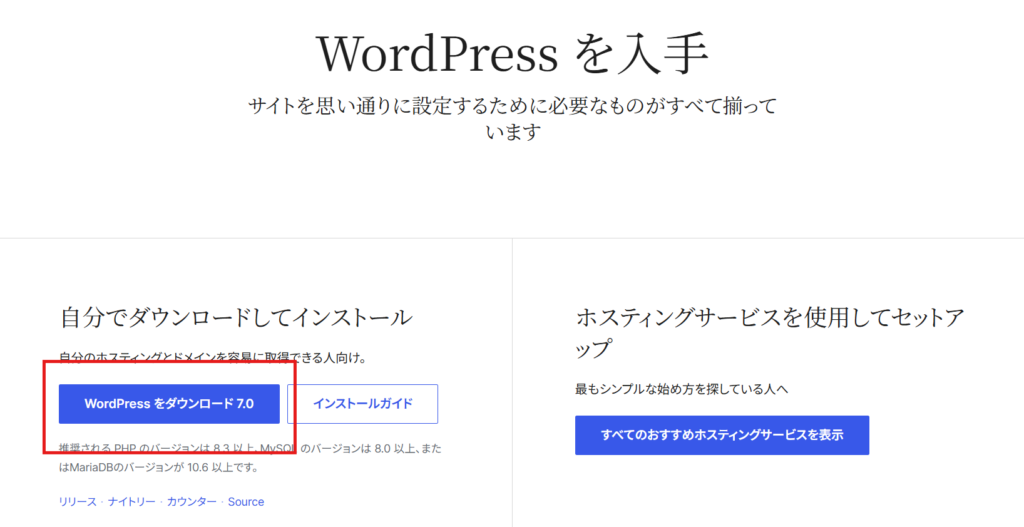
Download WordPress core files from the official website.
This is what it looks like when you access the official WordPress core file distribution page.
Download the latest version of the WordPress file you want to your PC.
Access the server via the file manager and overwrite the file.
While it's possible to overwrite files using the server's file manager, bulk uploads aren't supported, so you'll need to use FTP software to upload files to the server.
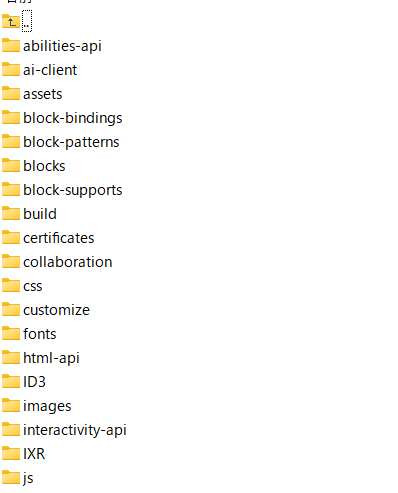
The file I'm trying to upload is currently experiencing an error./wp-includes/ をOverwrite uploadTo do.
The wp-includes folder contains many folders and files.
This will upload and overwrite all files at once.
How to use server backup
Another method is to restore the server to a state before the error occurred, using a backup.
It's possible that the update was performed in an incomplete state due to bad timing, so the error might not occur if you try updating again with a better network connection.
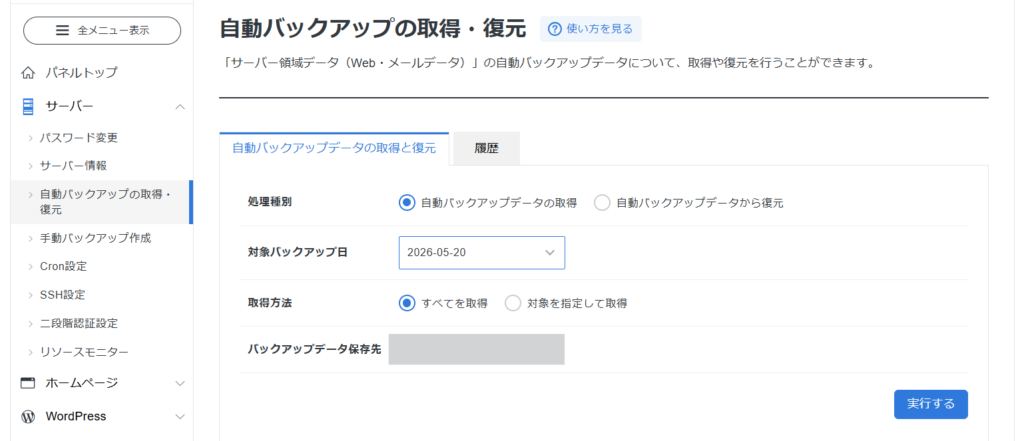
How to restore from a server backup in the case of Xserver
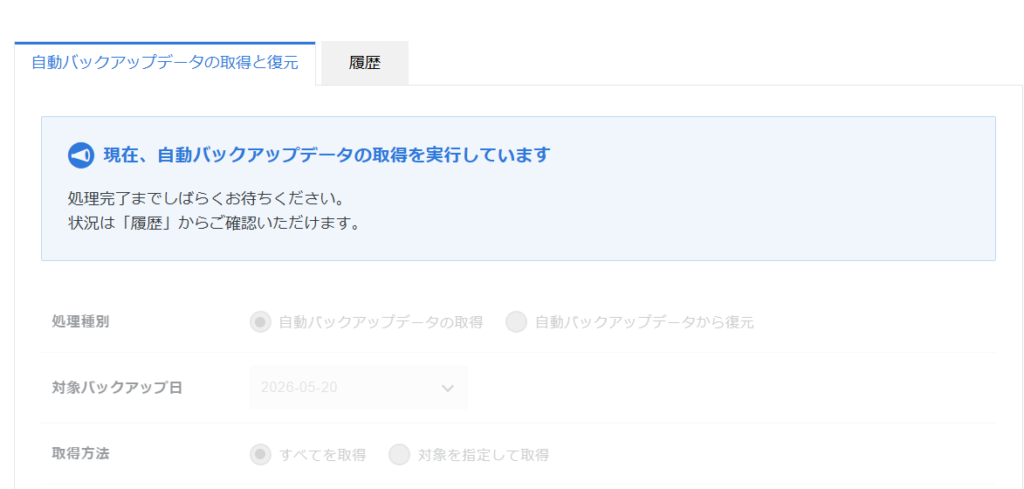
From Server > Automatic Backup Acquisition/Restore, specify the date you want to restore and click the [Execute] button. This will take some time, so please wait until it is finished.
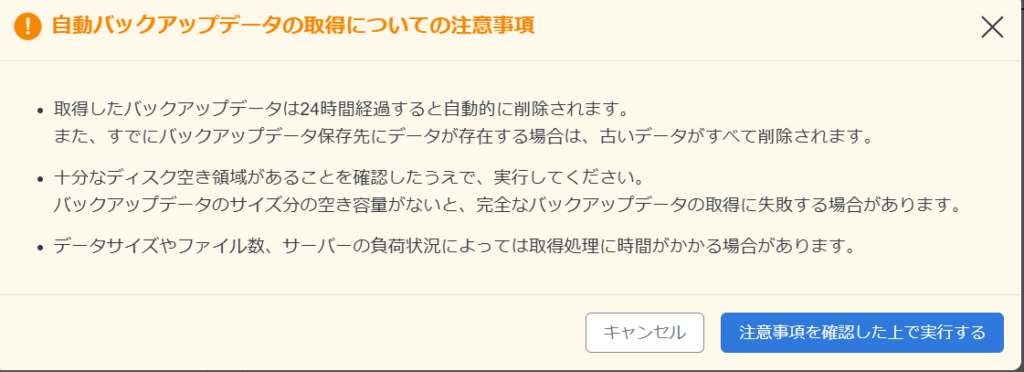
Please click the "Execute" button after reviewing the precautions.
WordPress site administration service
HanamiWEB offers WordPress site management services.
- Monthly website update service
• Daily malware scan
- Respond immediately when an error occurs.
Our WordPress experts handle the management of your website.
For more details,Please see details about our WordPress website modification, update, maintenance, and operation outsourcing services.

We are available on weekends and holidays!
Please contact us if you have any problems with your website!

- Unable to log in to WordPress
Malware infection?
- The homepage suddenly stopped displaying!
- A PHP error is occurring.
We also offer support on weekends and holidays for those who need assistance.
If you are in a hurry, please call us now at 03-6694-7024.
Latest Articles
[Anti-Fraudulent Login Prevention] Is your WordPress user ID visible to external parties? We explain how to check and security measures to hide your user ID!


Timing and Process for Renewing Your Recruitment Website | Key Points to Review to Increase the Number of Applications

7 Key Points for Creating a Recruitment Website | How to Create a Recruitment Site That Job Seekers Will Choose
 English
  日本語
日本語