How to create a website using WordPress/How to use plugins/No-code construction blog



PremiumPress membership settings for creating matching sites with WordPress
At HanamiWEB Online School,
●Ask questions in real-time in the virtual study room!
●Ask as many questions as you want via chat!
●E-learning materials that you can learn as much as you want, 24 hours a day!
All included for just 2,500 yen/month!
I wanted to build a matching website using WordPress! I tried out a Micro job theme from an overseas theme company called PREMIUMPRESS, and this article explains how to build it.
This time we will explain how to create membership and set permissions!
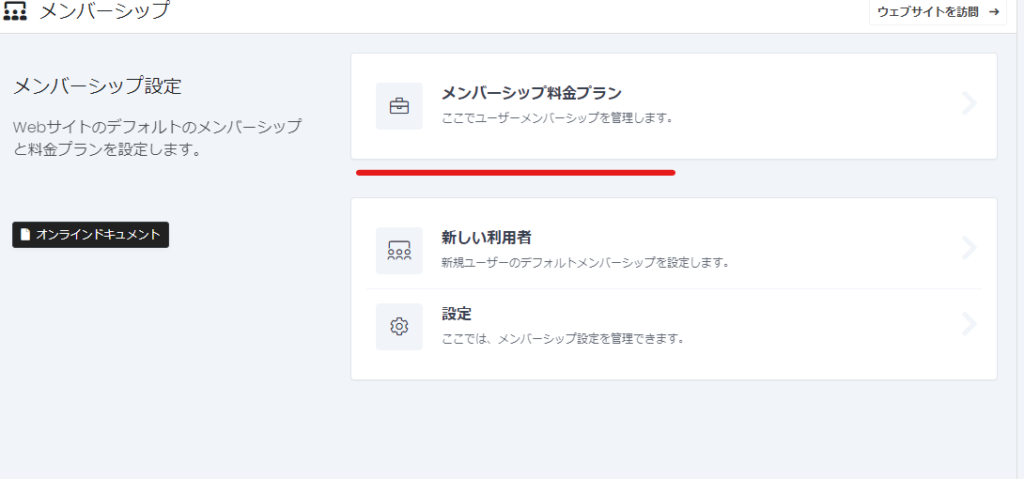
Membership settings
- Premium Press
- membership
- Membership Pricing Plans
and configure it.
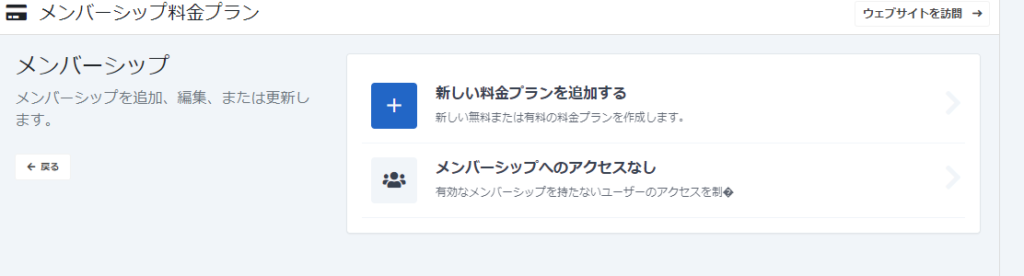
Non-member privilege settings
First, set the permissions for non-members to have no access to membership.
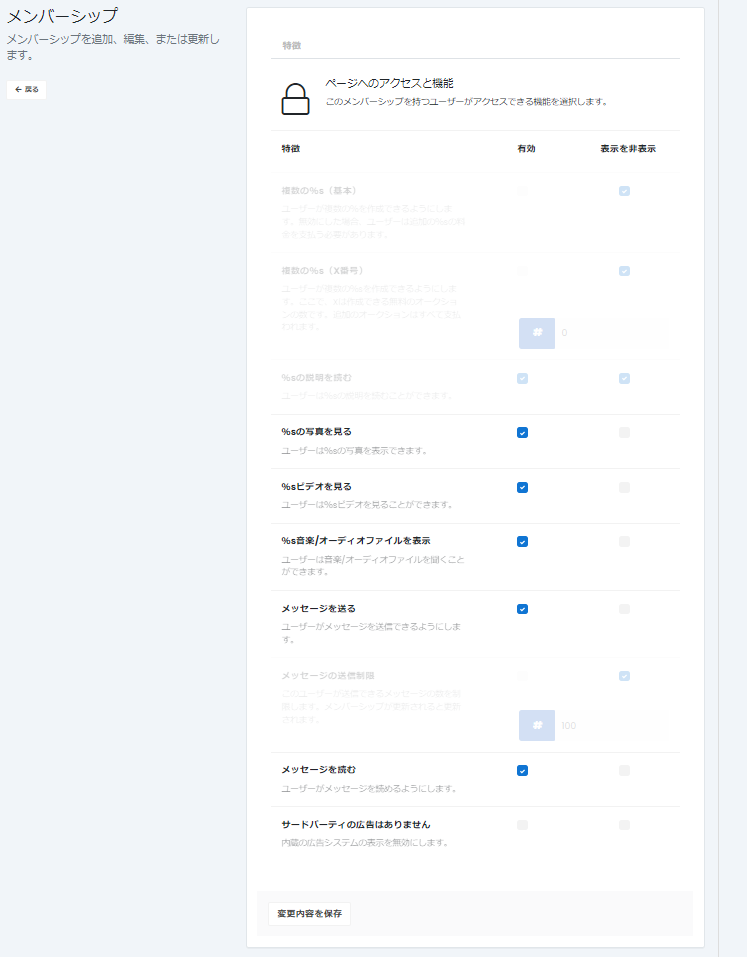
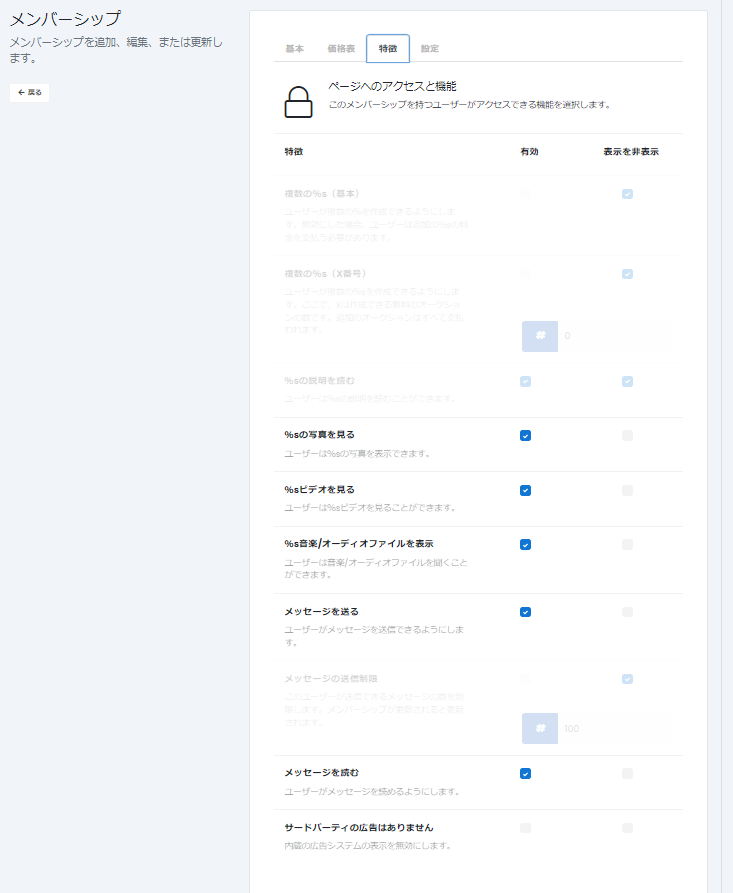
What you can set
Non-members may not list services.
- View Photos - Permission to view photos listed on the site
- Watch Videos - Permission to view videos posted on the listing details page on the Site
- Music - permission to view music featured on the listing details page on the site
- Send Message: Read - This is the setting for private messages, but if you are not a member, you will not be able to see who sent the message, so it is best to turn it off.
- advertisement
Membership Creation
It doesn't necessarily have to be paid, and you can create multiple memberships.
Create a new plan by clicking [Create a new plan].
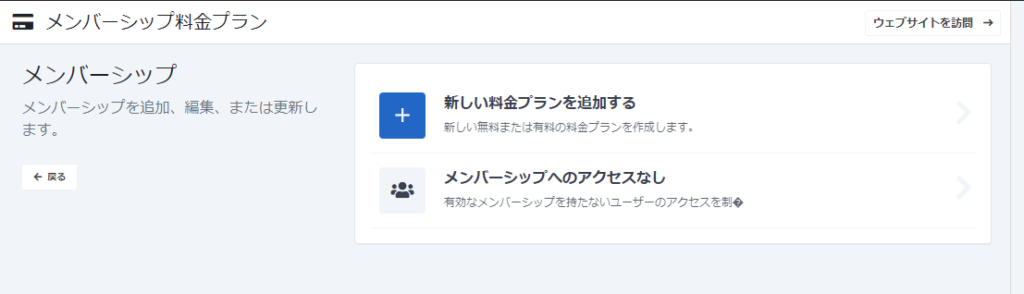
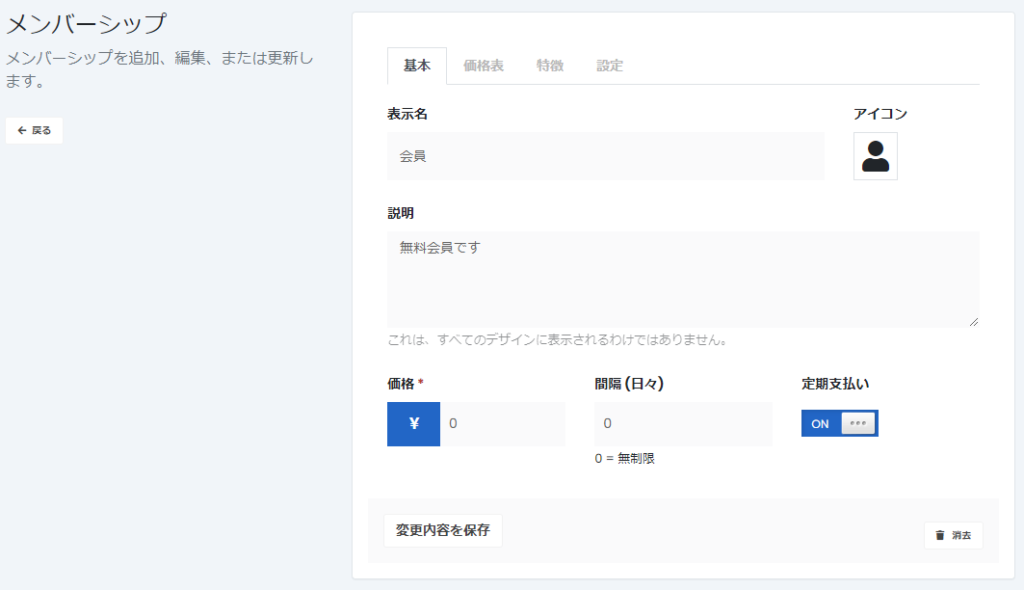
basic configuration
- display name
- icon
- explanation
- price
- Set interval for subscription
- If you have a subscription, turn on recurring payments
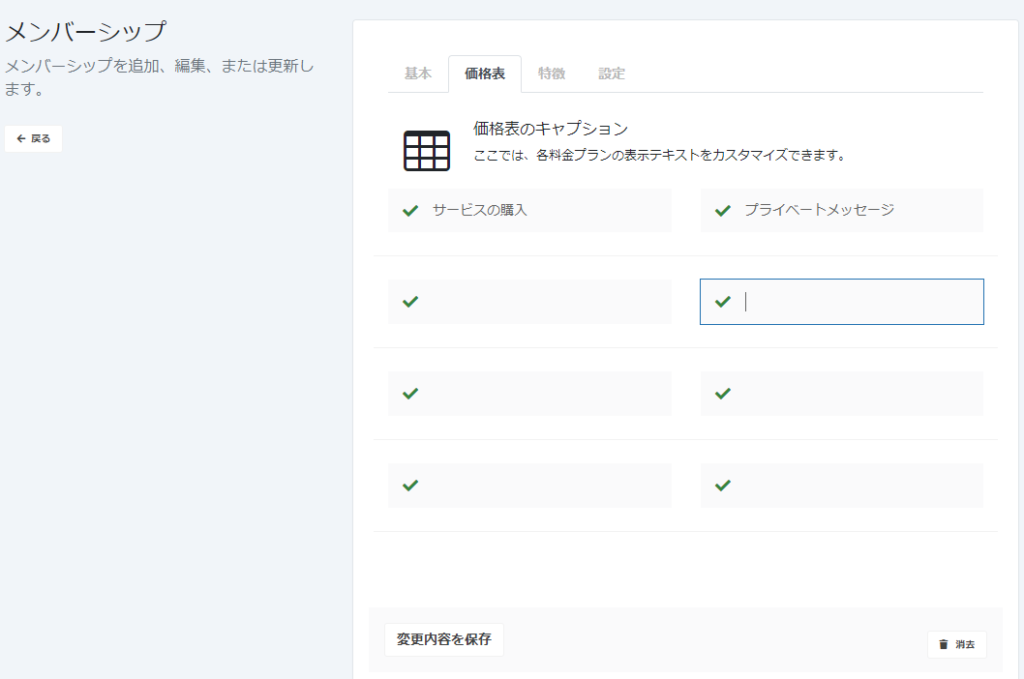
Price List Customization
You can change the text that appears on the membership application page here.
Features
This is the same as the authority settings for non-members.
- Listing your services
- Private chat feature
is available.
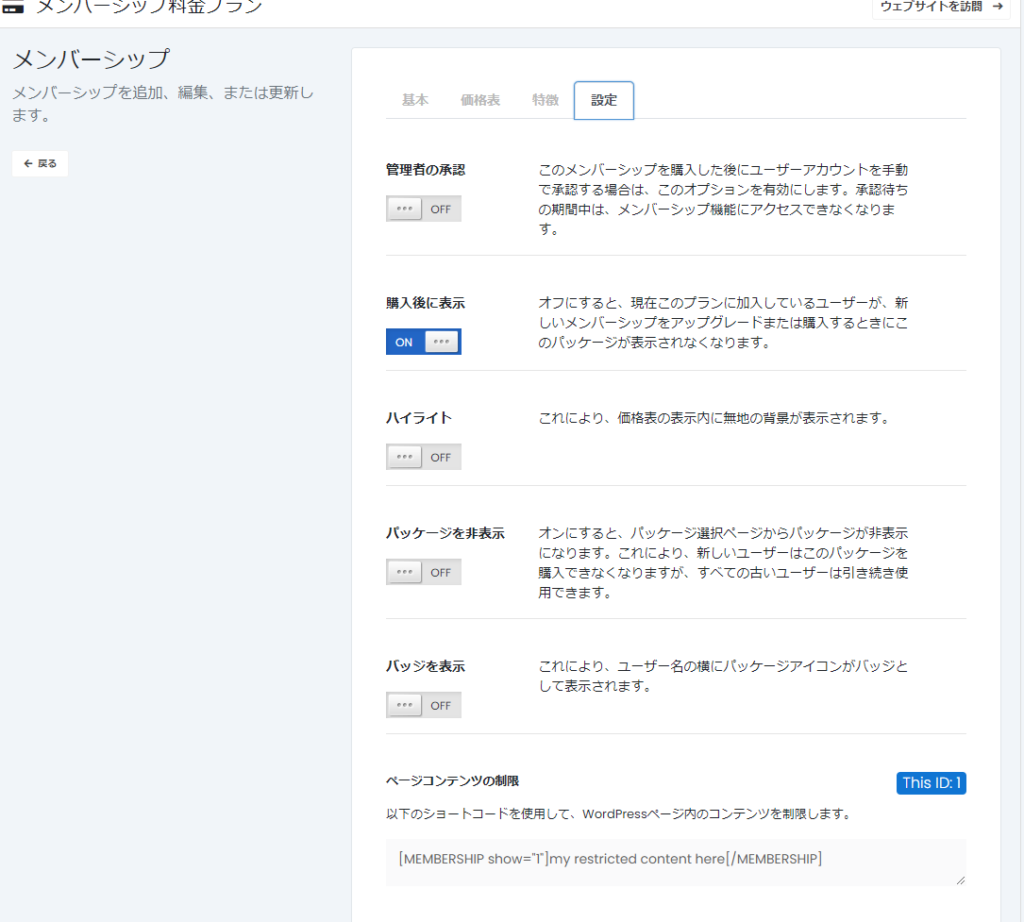
Permissions and other settings
- Administrator approval - A setting that requires the administrator to approve a member before they can officially become a member
- Show after purchase - OFF if you don't want this membership to be displayed when upgrading
- Highlight - Turn it on if you want to stand out from other memberships
- Hide Package - Hide this membership from the package selection screen
- Show Badge – A package icon will appear next to your username.
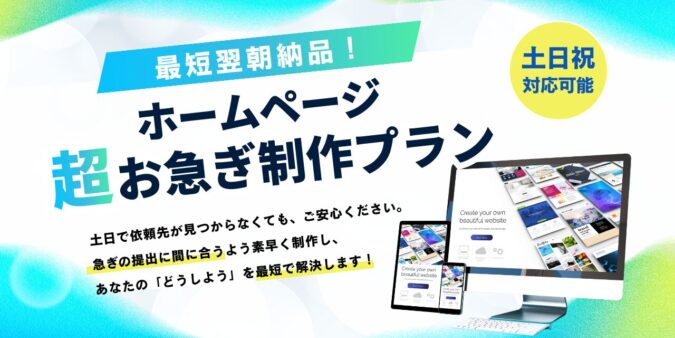
Released as soon as the next morning! Weekends and holidays are also available!
Super rush website creation plan
We offer a rush website creation plan for those who need a website in a hurry!
We can publish your content as soon as the next morning, even on weekends and holidays! If you have any questions, please check the details below!
Latest Articles
How to Enhance EEAT with WordPress | Settings and Design Improvements Necessary for AI-Driven Traffic
[2026 Latest] How to check the number of visits from generated AI using GA4's exploration function

Error message: Allowed memory size of 268435456 bytes exhausted (tried to allocate 14684160 bytes) Error: On Lollipop
 English
  日本語
日本語