How to create a website using WordPress/How to use plugins/No-code construction blog




How to Enhance EEAT with WordPress | Settings and Design Improvements Necessary for AI-Driven Traffic
At HanamiWEB Online School,
●Ask questions in real-time in the virtual study room!
●Ask as many questions as you want via chat!
●E-learning materials that you can learn as much as you want, 24 hours a day!
All included for just 2,500 yen/month!
This section compiles articles detailing HanamiWEB's actual experiences with SEO design in the AI era, RankMath settings, and structured data implementation.
In recent years, with the spread of AI search (such as ChatGPT and Perplexity), knowing "who wrote the information" has become more important than ever.
In this context, EEAT (Experience, Expertise, Authority, and Trustworthiness) becomes crucial.
This article explains how to implement this using only standard WordPress features. Methods and specific setup procedures for enhancing EEATI will explain this.
Why is EEAT important?
To determine the accuracy of information, AI prioritizes "who wrote it" and "whether it is trustworthy."
Points that AI looks at
- Is author information available?
- Is your area of expertise clear?
- Can you identify the site's operator?
In other words,"We live in an era where "who is making the message" is what matters.
Can EEAT be implemented in WordPress?
in conclusion, This can be adequately handled with standard WordPress features.
What is needed
- Profile Information
- Avatar
- Blocked poster
No special plugins are required.
Setup Procedure ① Edit Profile
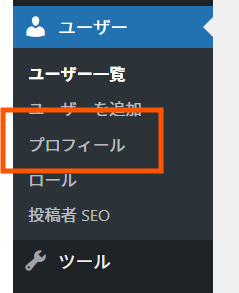
From User > Profile
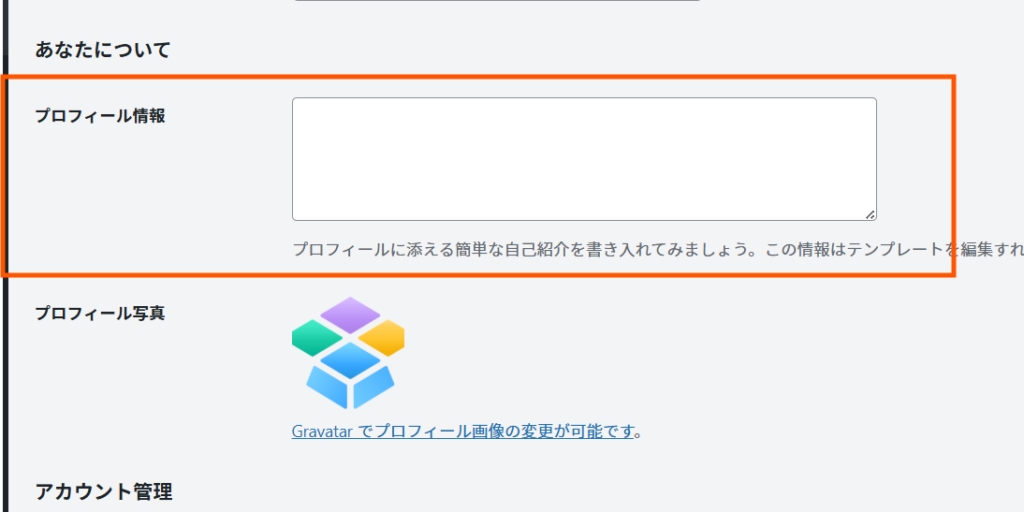
Enter your self-introduction.
I will also change my avatar.
point
- Writing about your area of expertise
- Write about your work experience.
- Who are you communicating with?
example
We provide web design and operation support using WordPress, and have been supporting companies in improving their websites and building online businesses for over 8 years. In recent years, in addition to SEO, we have focused on site design that is compatible with AI search (LLMO), optimizing corporate websites to have a "structure that AI can understand" to help increase traffic from both search and AI sources. Our work mainly targets small and medium-sized enterprises and sole proprietors, and our theme is "creating a system that attracts people through a website that conveys your message."Setup Procedure ② Avatar Setup
WordPress uses Gravatar.
procedure
- Register with Gravatar
- Set up with the same email address
This will display your profile picture.
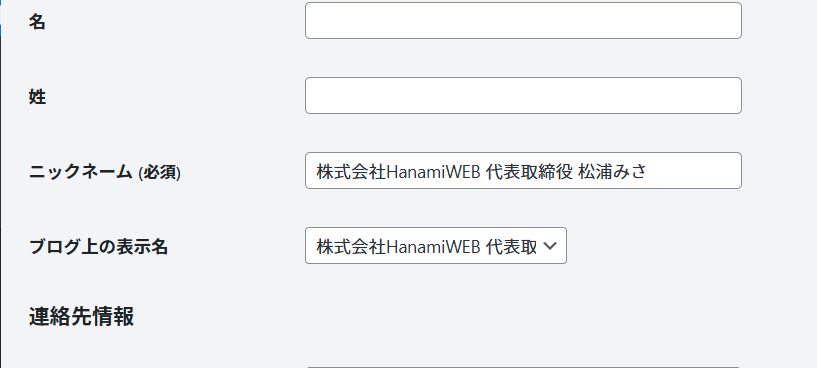
Setup Procedure ④ Change Display Name
Since this will be displayed as your name, enter your nickname in an authoritative format.
The display name on the blog listing will be set to match the nickname.
Setup Step ④ Adding a Blocked Poster
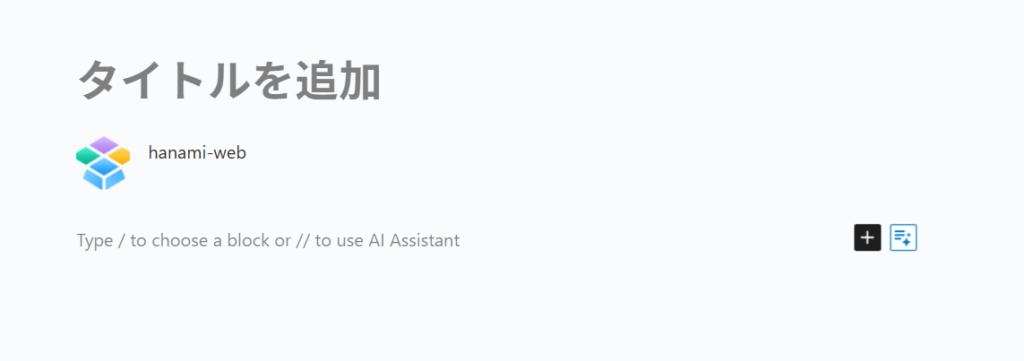
Next, we'll move on to actually posting a blog entry.
We will add a "Block Author" option below the article.
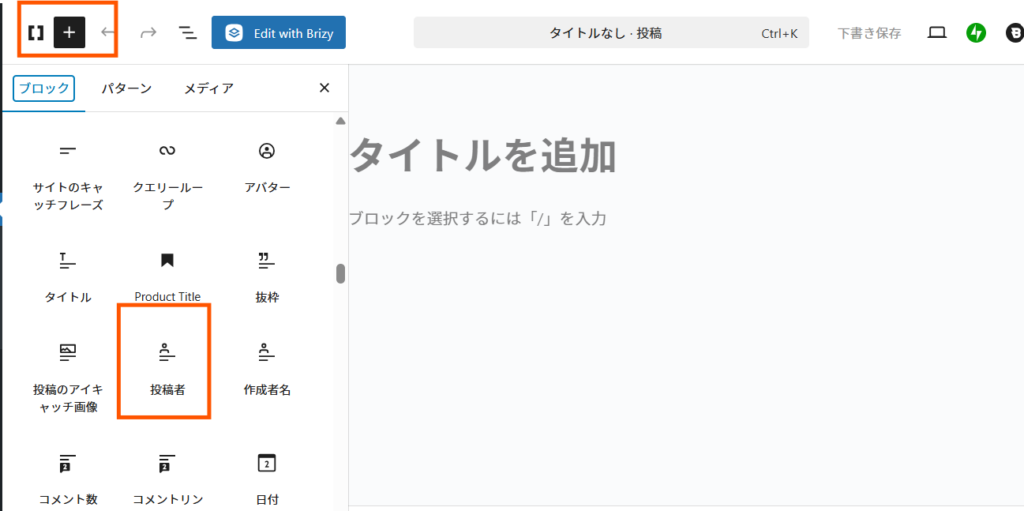
As a result, This will make it clear who wrote the article..
This is how your profile information will be displayed.
Setup Procedure ⑤ Profile Display
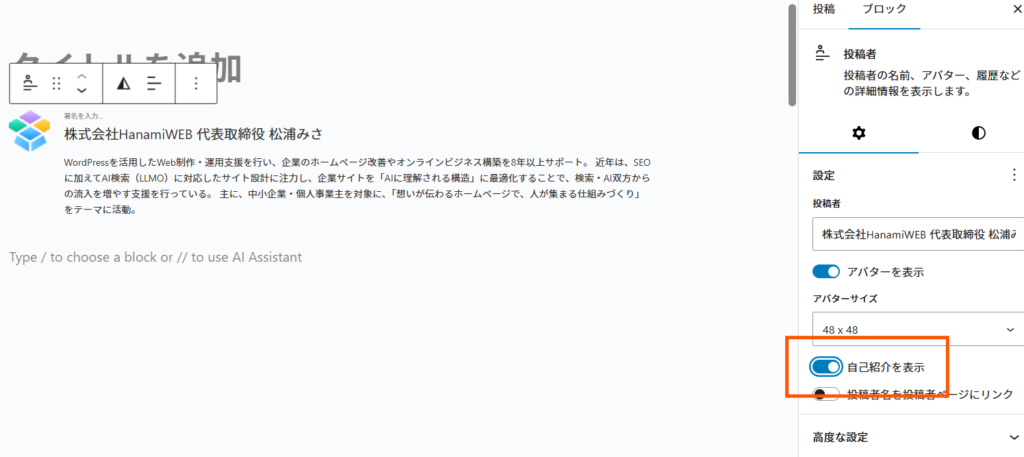
By default, profile display is turned off, so after selecting a post block, turn on "Show Self-Introduction" in the right sidebar block.
Setup Procedure ⑥ Design Adjustment
Appearance also affects trustworthiness.
procedure
① Select "Block poster"
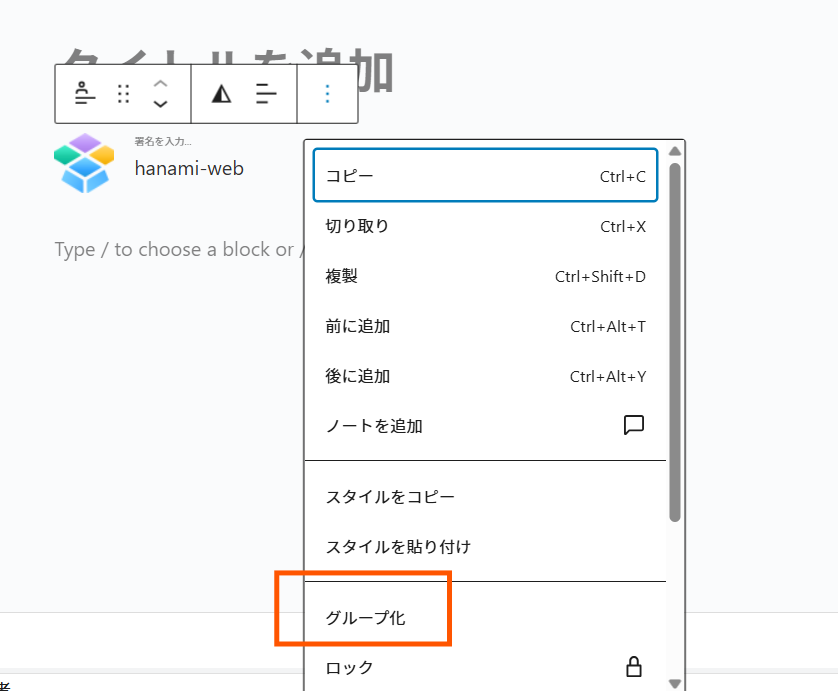
② Convert to group
③ Adjust the design
First, select the poster block and click Group.
Recommended design settings
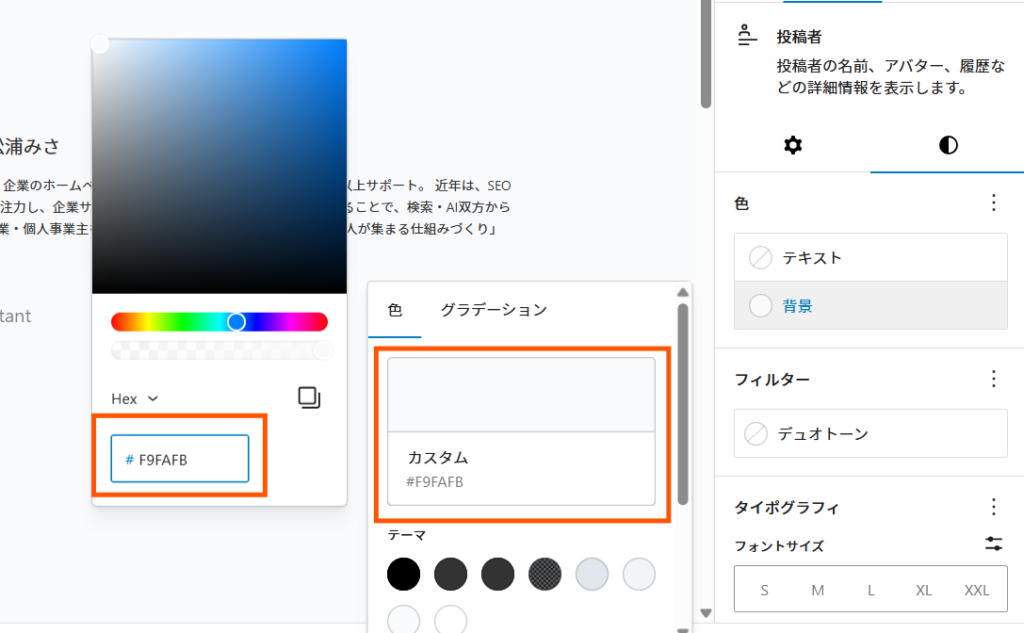
- Background color: #f9fafb
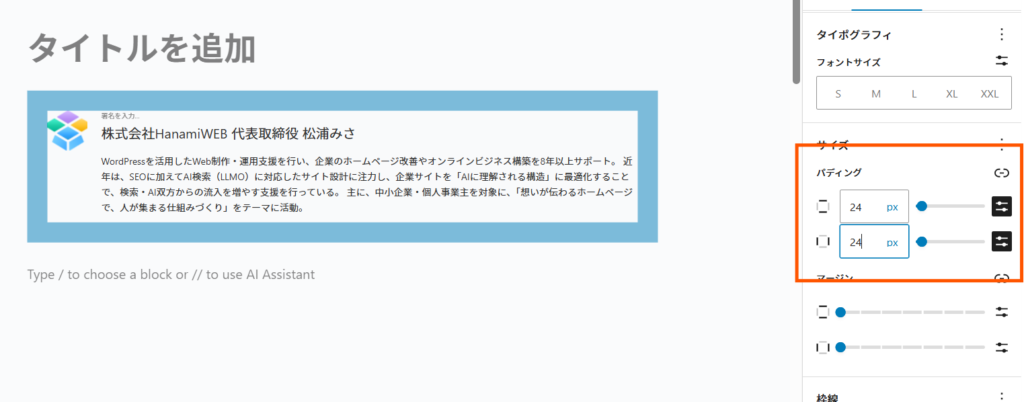
- Padding: 24px
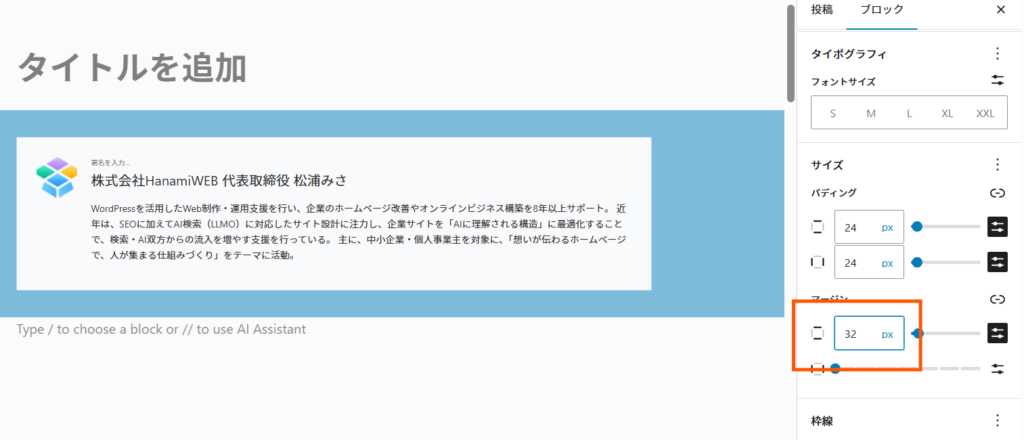
- Margins: 32px top and bottom
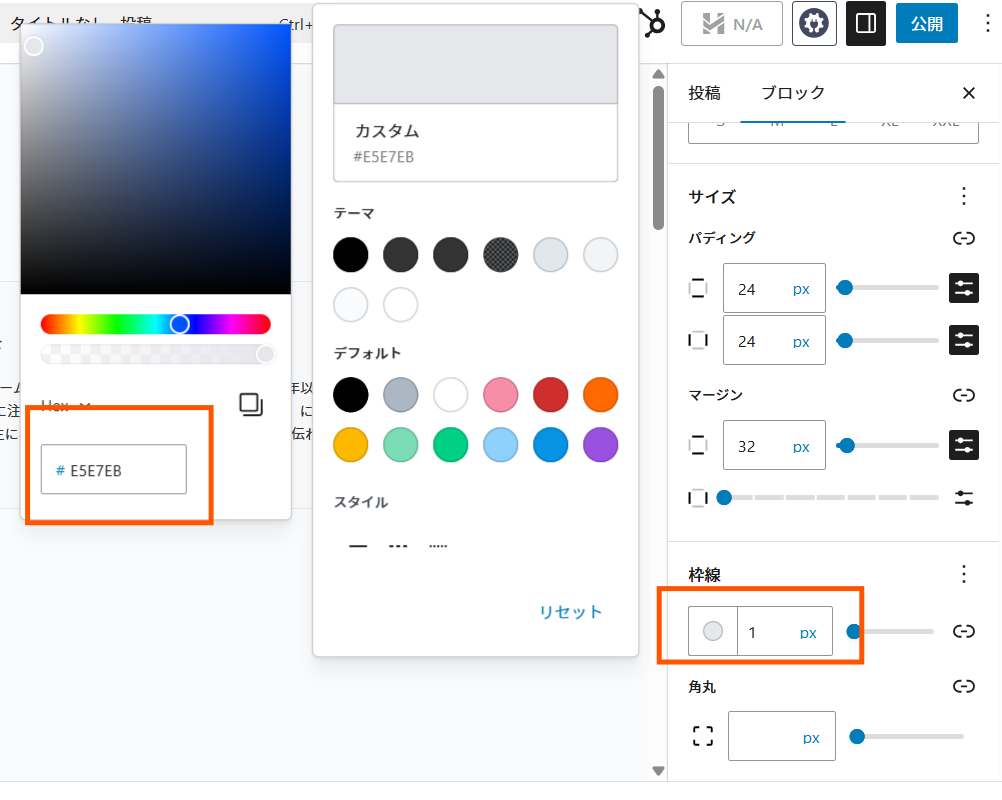
- Border: 1px
- Border color: #e5e7eb
- Rounded corners: 8px
You can adjust the design by switching styles.
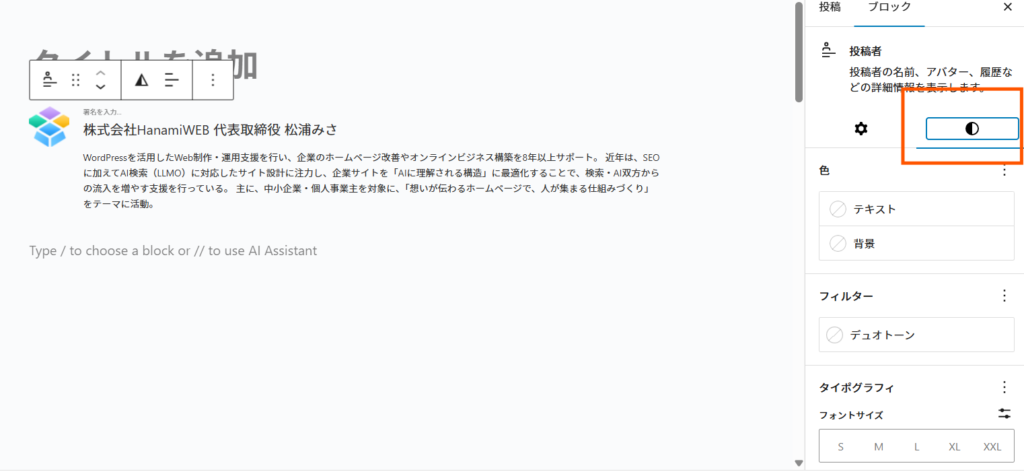
First, let's talk about the background color. My recommended color is "f9fafb".
Clicking on the "Custom" section in the attachment will bring up a screen where you can enter the color code, so enter your desired color number.
Next, set the padding to 24.
The top and bottom margins will be set to 32px.
Set the border color and thickness.
We'll round off the corners of the final corner.
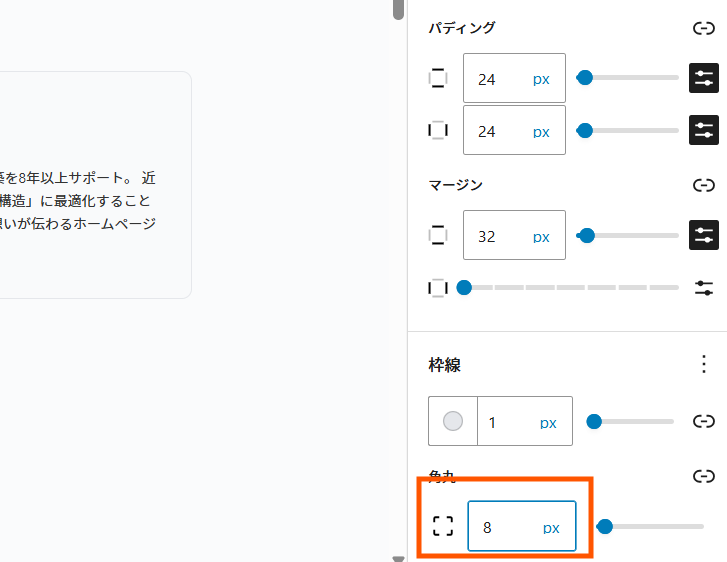
This Card-type profile completed
Final image
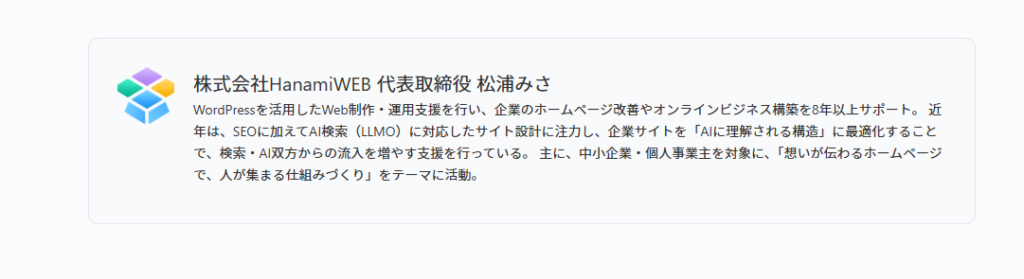
Clearly organized author information is easier for both users and AI to understand.
In other words, This will lead to an improvement in EEAT.
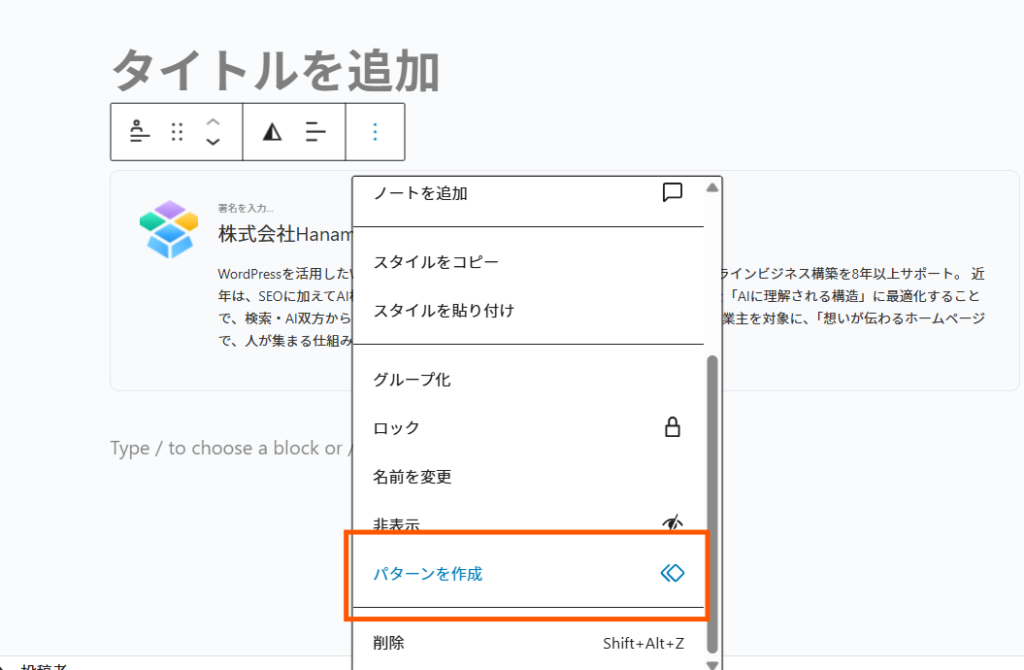
Finally, create the pattern.
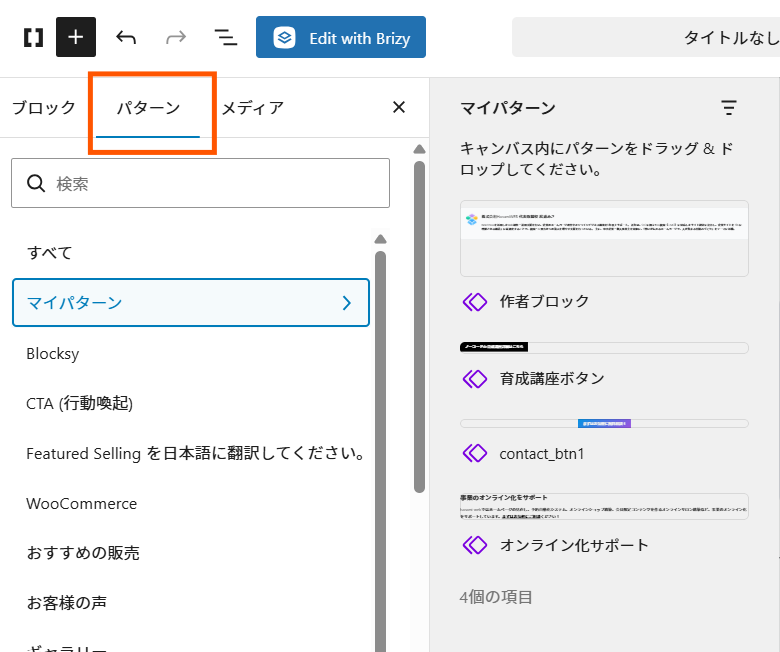
I'll register the design of the poster block I just created, along with the other elements, under "Create Pattern".
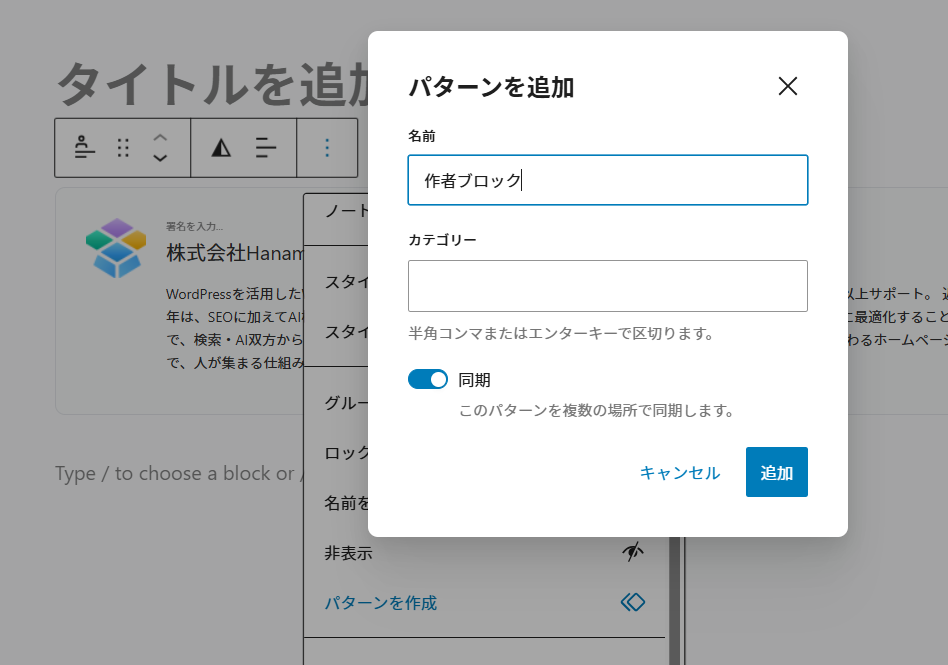
Give it any name you like.
When you turn on "Sync," the edited content will be standardized to follow the same pattern.
Patterns are saved in the "Patterns" tab within the block editor.
summary
In the age of AI search, "who wrote it" is extremely important.
In WordPress
- profile
- Avatar
- Blocked poster
These three EEAT can be significantly enhanced.
Without relying on special plugins,The fact that it can be implemented using standard features is a major advantage.
FAQ
Q. Does EEAT affect SEO?
A. Yes, it will have an impact. Especially in genres where reliability is important, strengthening EEAT can affect search rankings.
Q. Is it okay if I don't use a plugin?
A. Yes, basic EEAT countermeasures can be adequately handled with WordPress's standard features.
Q. Why is poster information important?
A. AI and search engines evaluate "who wrote it," so clearly indicating author information leads to increased credibility.
How much of your website traffic comes from AI?
Here's how to check AI traffic in GA4.I've introduced it on my blog!
▶(Latest 2026) How to check AI traffic with GA4

We are available on weekends and holidays!
Please contact us if you have any problems with your website!

- Unable to log in to WordPress
Malware infection?
- The homepage suddenly stopped displaying!
- A PHP error is occurring.
We also offer support on weekends and holidays for those who need assistance.
If you are in a hurry, please call us now at 03-6694-7024.
Latest Articles
[Anti-Fraudulent Login Prevention] Is your WordPress user ID visible to external parties? We explain how to check and security measures to hide your user ID!


Timing and Process for Renewing Your Recruitment Website | Key Points to Review to Increase the Number of Applications

7 Key Points for Creating a Recruitment Website | How to Create a Recruitment Site That Job Seekers Will Choose
 English
  日本語
日本語