How to create a website using WordPress/How to use plugins/No-code construction blog



WordPress Booking System Plugin Amelia: Custom Pricing (Paid Version) (9.x and later)
At HanamiWEB Online School,
●Ask questions in real-time in the virtual study room!
●Ask as many questions as you want via chat!
●E-learning materials that you can learn as much as you want, 24 hours a day!
All included for just 2,500 yen/month!
This article explains how to use Amelia, a WordPress plugin that allows you to create a homepage with a reservation system.
In the major update in December 2025, the UI of the admin screen changed significantly in versions 9.x and later. We will explain the new version!
This time, we will explain how to set custom page settings that can be used in the paid version of Amelia.
Available with Standard, Pro, and Elite licenses.
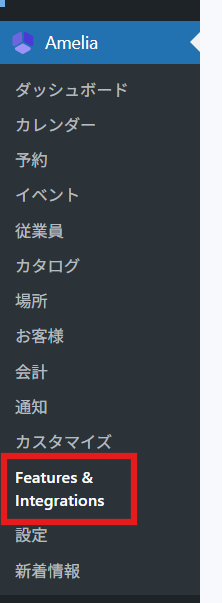
Amelia > Feature & Integration > Custom Pricing
In the WordPress admin panel, click Amelia > Feature & Integration.
Set Custom Pricing to [Enable].
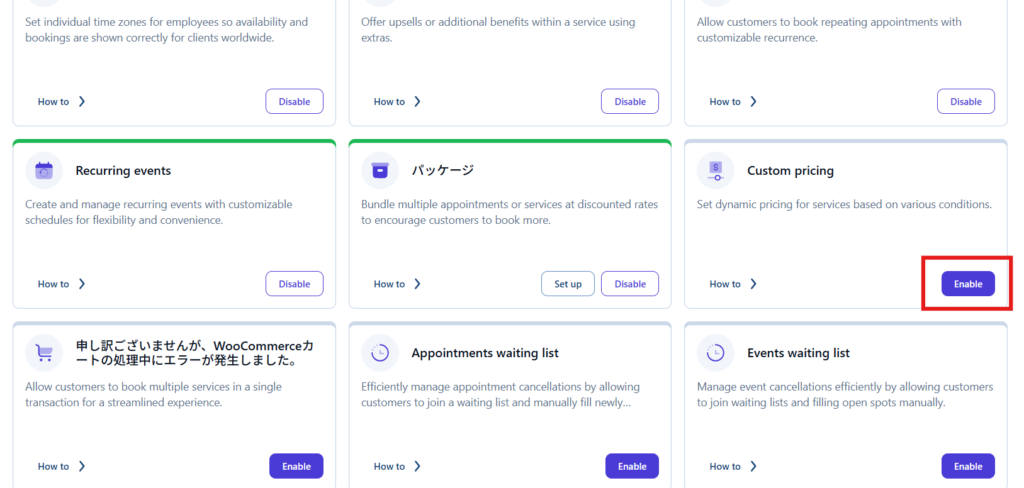
Where to set custom prices
An item will be added to the Pricing & duration section of the service.
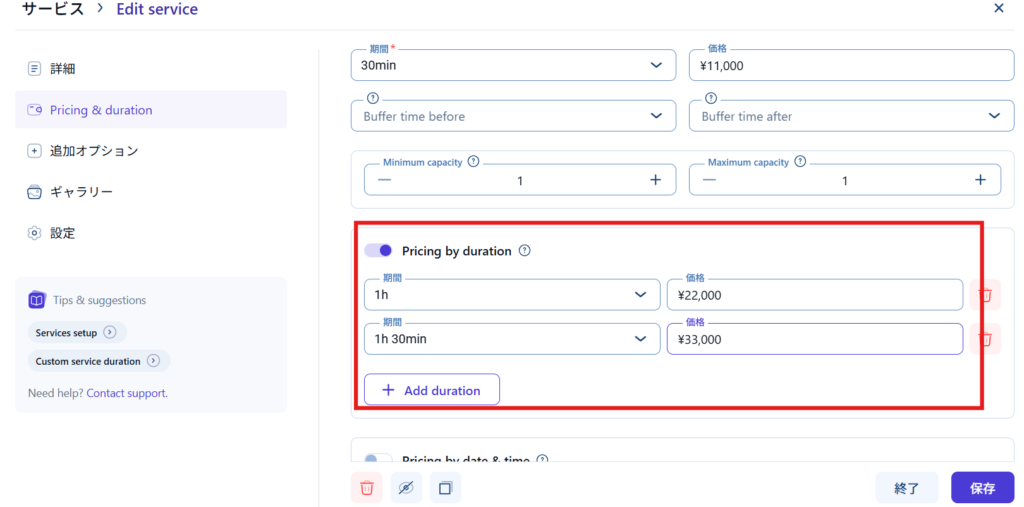
- Pricing by duration
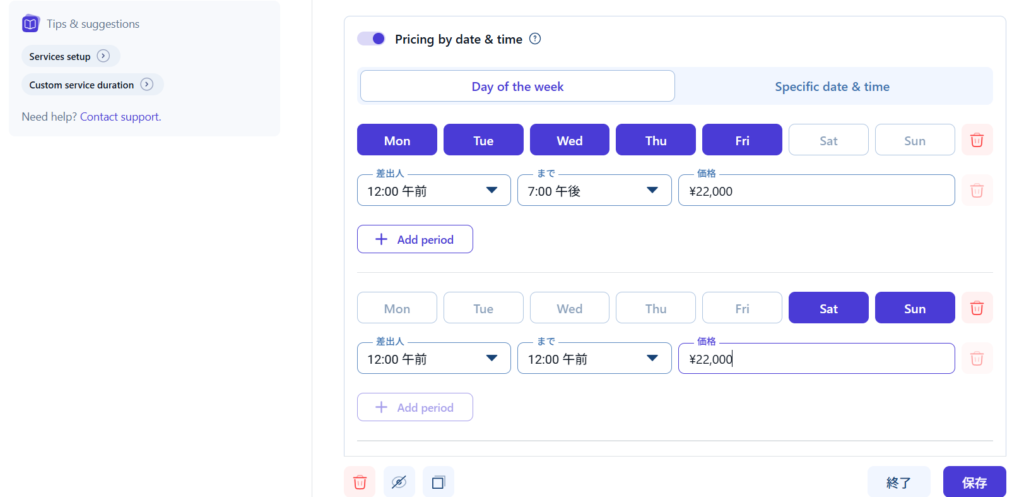
- Pricing by date & time - Price by date
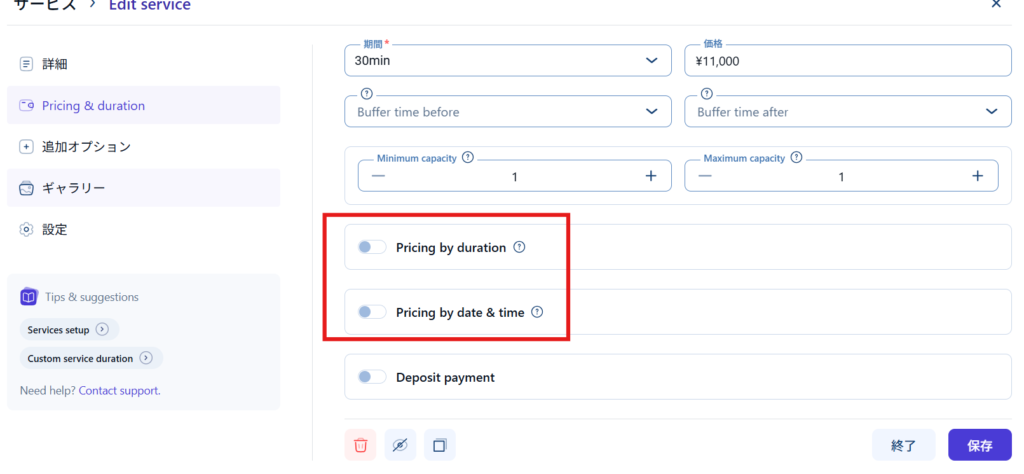
Price varies depending on the offer period
You can set the price depending on the time you provide.
Prices vary depending on the day of the week and specific dates
You can vary the price depending on the day of the week or specific date and time.
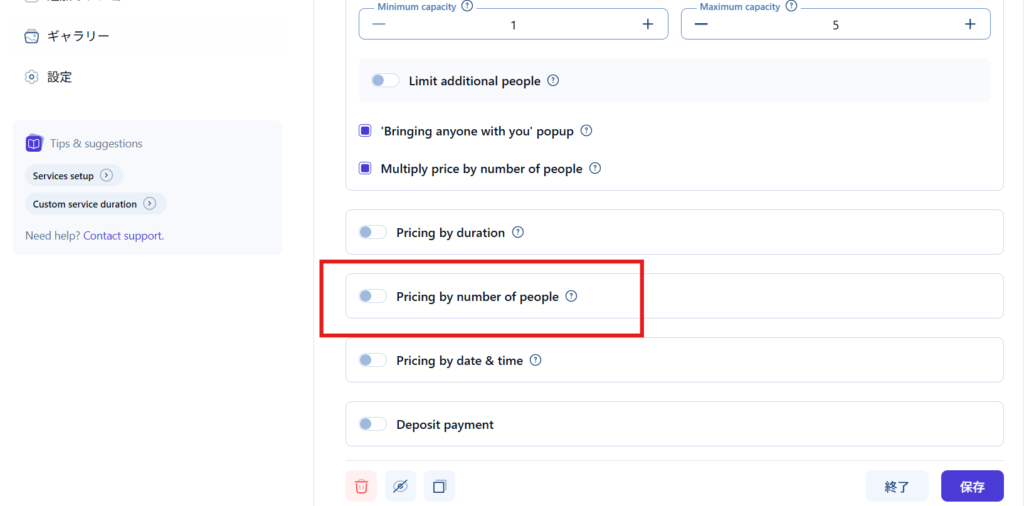
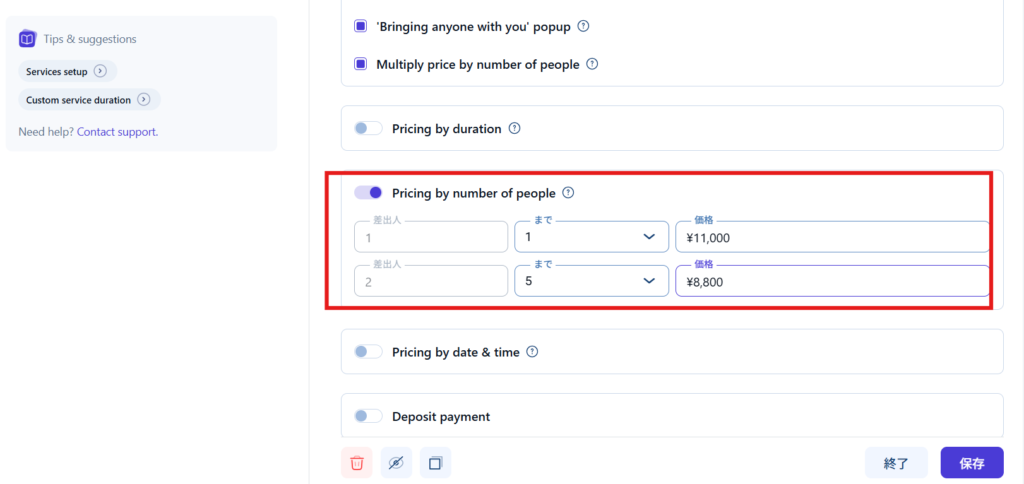
Price varies depending on the number of people
If you can make a reservation for multiple people, you can set the price according to the number of people.
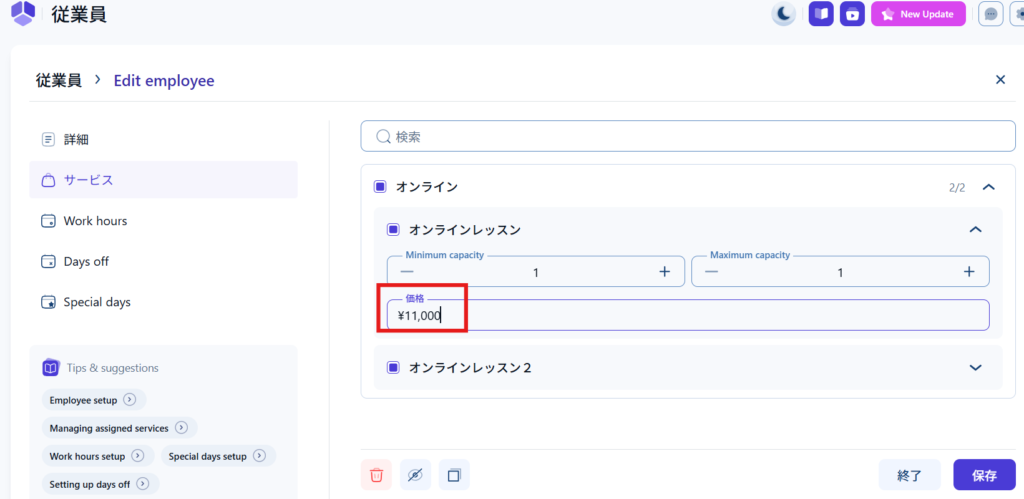
Set prices per employee
You can also change the price for each employee in the employee service settings.
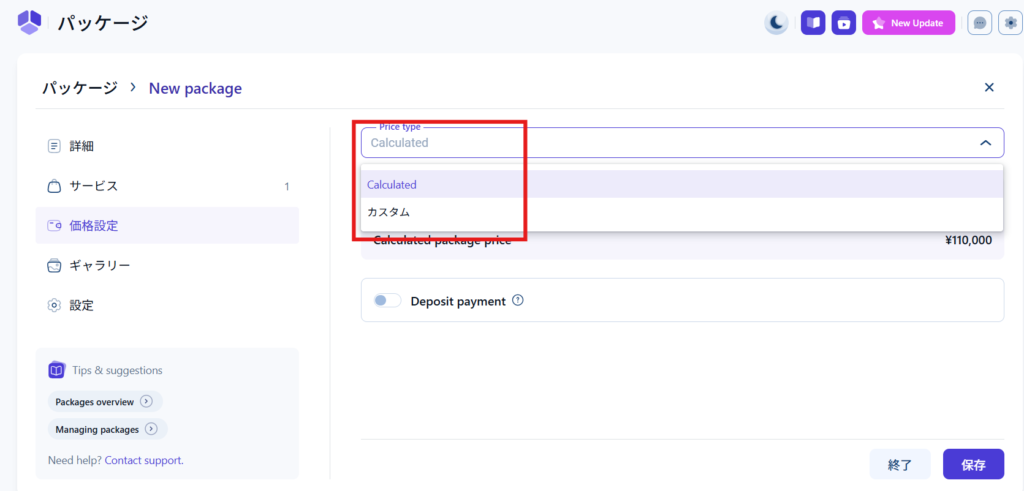
Package (ticket) pricing
You will also be able to set package pricing.
- The total amount calculated by multiplying the price of the service by the number of reservations
・Custom amount
You can set the.
Released as soon as the next morning! Weekends and holidays are also available!
Super rush website creation plan
We offer a rush website creation plan for those who need a website in a hurry!
We can publish your content as soon as the next morning, even on weekends and holidays! If you have any questions, please check the details below!

Latest Articles

How to Enhance EEAT with WordPress | Settings and Design Improvements Necessary for AI-Driven Traffic


[2026 Latest] How to check the number of visits from generated AI using GA4's exploration function

Error message: Allowed memory size of 268435456 bytes exhausted (tried to allocate 14684160 bytes) Error: On Lollipop
 English
  日本語
日本語