How to create a website using WordPress/How to use plugins/No-code construction blog



Explaining the basic status settings for the WordPress reservation system plugin Amelia Reservation (9.x and later)
At HanamiWEB Online School,
●Ask questions in real-time in the virtual study room!
●Ask as many questions as you want via chat!
●E-learning materials that you can learn as much as you want, 24 hours a day!
All included for just 2,500 yen/month!
This article explains how to use Amelia, a WordPress plugin that allows you to create a homepage with a reservation system.
In the major update in December 2025, the UI of the admin screen changed significantly in versions 9.x and later. We will explain the new version!
This time, we will explain how to set Amelia's basic reservation status.
Amelia's basic reservation status settings
First, let's explain how to set up Amelia.
After activating the plugin, Amelia-related settings will be added to the left sidebar.
From there, open [Settings].
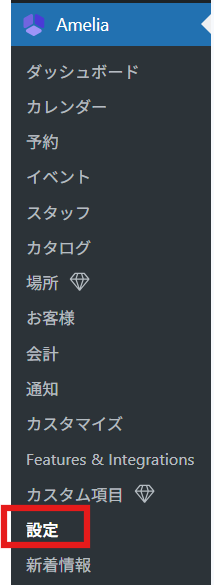
Amelia Reservation Settings
First, go to Amelia > Settings > Reservations
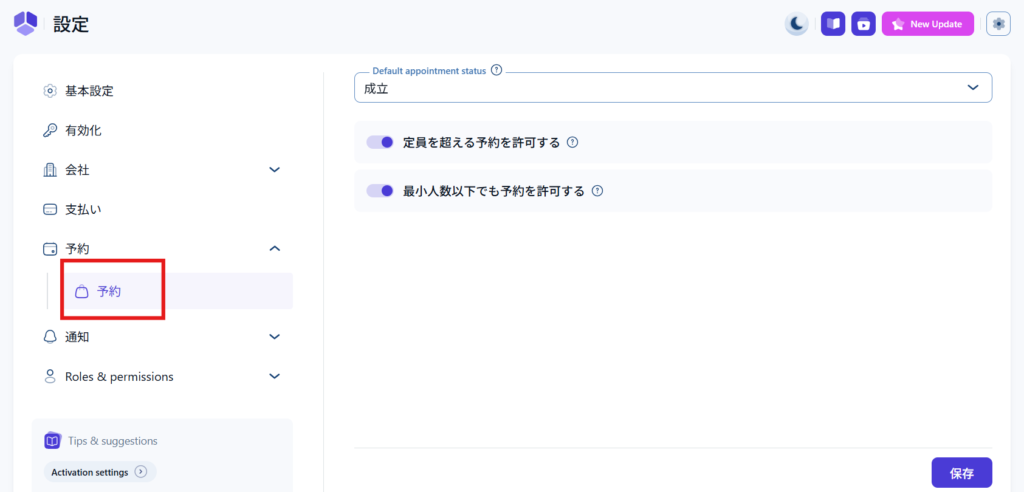
Booking status
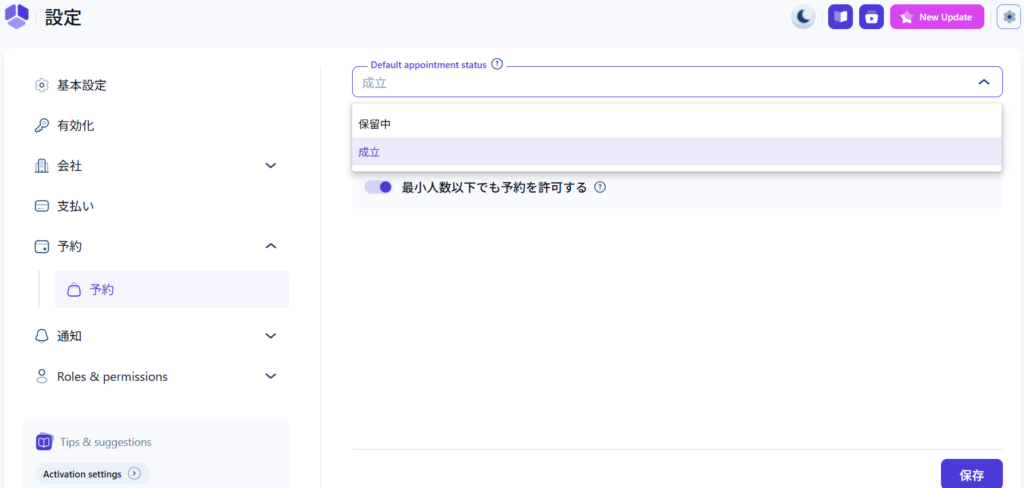
- Completed - The reservation is confirmed at the same time as the reservation
- Pending - Reservation is tentative, and you can manually confirm it from the management screen to confirm the reservation.
Allow overbooking
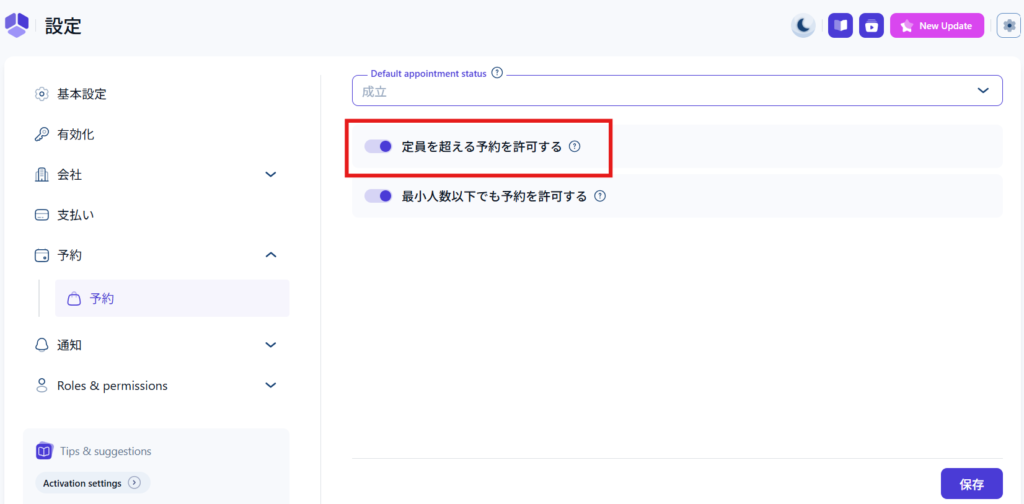
If this is turned on, if there are customers making reservations that exceed the capacity, the reservations will be placed on hold and can be made.
Turn it OFF if you want to close reservations when capacity is reached.
Allow reservations below the minimum number of people
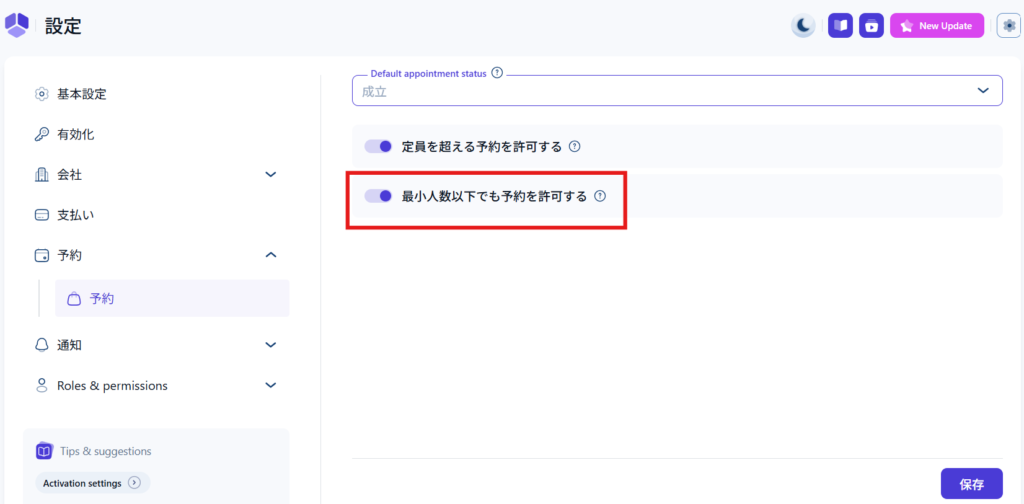
Turn this on if you want to accept reservations even if the minimum number of people set for the reservation is not met.
example)
If the minimum number of people is five, you can make reservations individually. In that case, it is a good idea to make the reservation provisional, and then confirm the reservation manually from the management screen once the minimum number of people is reached.
If it is OFF, reservations cannot be made if the minimum number of people is not met for a group.
Reservations must be made for a minimum number of people at a time.
If you upgrade to the paid version
Here are some additional features that are added when you upgrade to the paid version.
There are multiple license types for the paid version, and the additional features vary depending on the license type.
For more information, please refer to this article!
→How to install the free version of the WordPress booking system plugin Amelia
Aligning available appointment slots with service slots
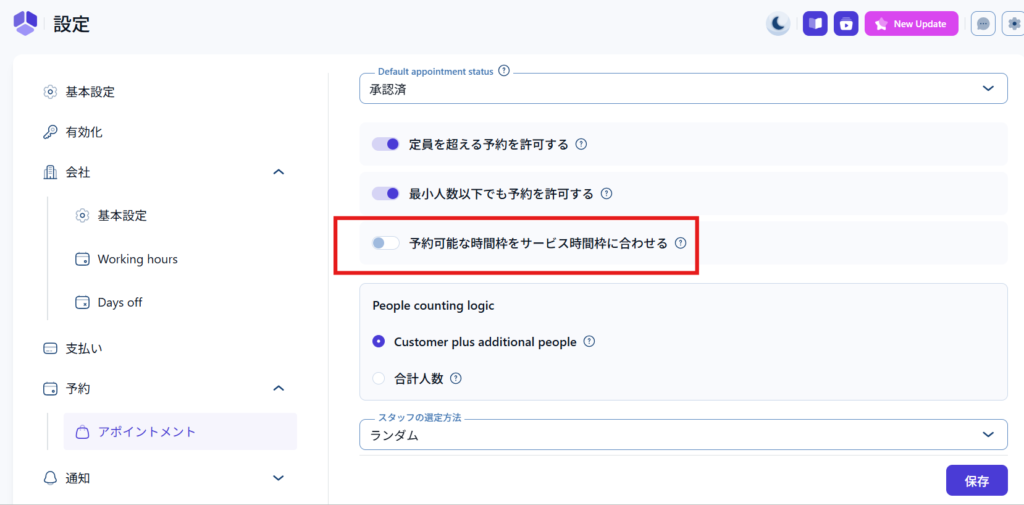
Add a buffer (break time)
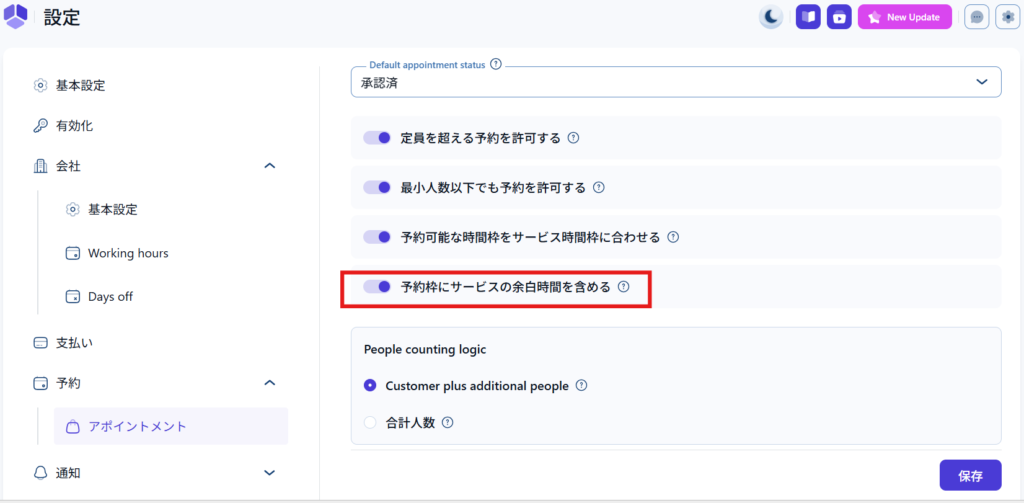
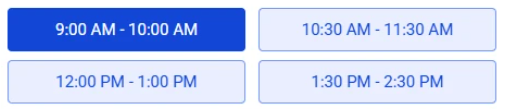
When turned ON, if you have a 30 minute buffer for a 1 hour service, your customer will be able to visually see that they are reserving a 90 minute slot.
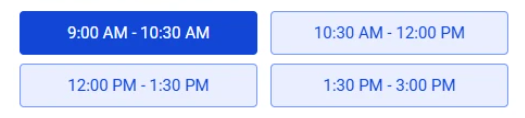
When OFF, the visual buffer is not included and the service time is displayed on the booking form.
How to count people
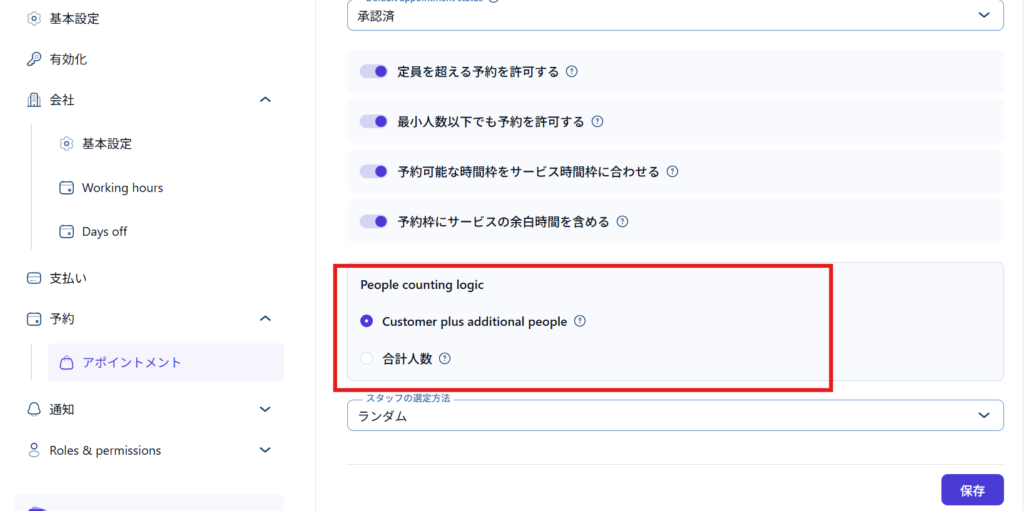
- Customer plus additional people - The person who made the reservation will be counted as one person, and the additional people will be added together.
- Total number of people - Please enter the number of people making the reservation, including the person making the reservation
How to select staff
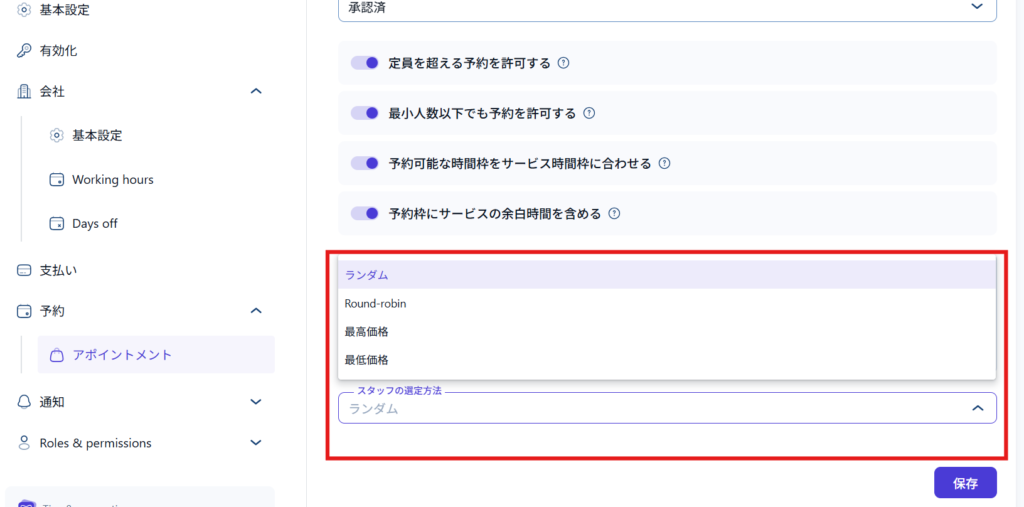
You can set how staff are selected.
- Random – randomly assign staff
- Round-robin - allocates evenly
- Highest Price - If you have different prices for different employees, the highest price will be allocated first
- Lowest price - If you have different prices for different employees, the lowest price will be assigned first
Released as soon as the next morning! Weekends and holidays are also available!
Super rush website creation plan
We offer a rush website creation plan for those who need a website in a hurry!
We can publish your content as soon as the next morning, even on weekends and holidays! If you have any questions, please check the details below!

Latest Articles

How to Enhance EEAT with WordPress | Settings and Design Improvements Necessary for AI-Driven Traffic


[2026 Latest] How to check the number of visits from generated AI using GA4's exploration function

Error message: Allowed memory size of 268435456 bytes exhausted (tried to allocate 14684160 bytes) Error: On Lollipop
 English
  日本語
日本語