How to create a website using WordPress/How to use plugins/No-code construction blog




(Latest 2026) How to check AI traffic with GA4
At HanamiWEB Online School,
●Ask questions in real-time in the virtual study room!
●Ask as many questions as you want via chat!
●E-learning materials that you can learn as much as you want, 24 hours a day!
All included for just 2,500 yen/month!
In recent years, website traffic (AI traffic) from generative AIs such as ChatGPT and Perplexity has been increasing.
Therefore, in future site operations It is important to understand "how much traffic is coming from AI."is.
This article will explain how to use GA4 (Google Analytics)How to check AI trafficI will explain this.
[Conclusion] AI traffic can be analyzed collectively using "regular expressions".
GA4 does not have a dedicated category called "AI Inflow."
Therefore, How to extract all reference sources using regular expressionsThat's practical.
This allows for ChatGPT and Perplexity, etc. You can view a list of all accesses via AI.
What is AI traffic?
AI traffic is Access generated via AI services such as ChatGPT, Perplexity, and Gemini.That's what it is.
Unlike traditional search engine optimization (SEO), Traffic generated when AI cites websites in its responsesIt will be.
Steps to check AI traffic in GA4
Now, let's explain the actual verification procedure.
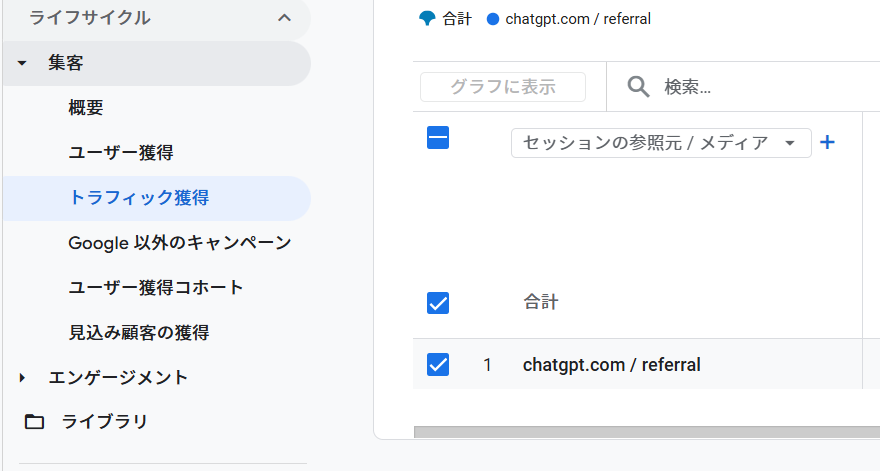
① Open the traffic acquisition report.
From the GA4 menu
- "Attracting customers"
- "Traffic acquisition"
Choose.
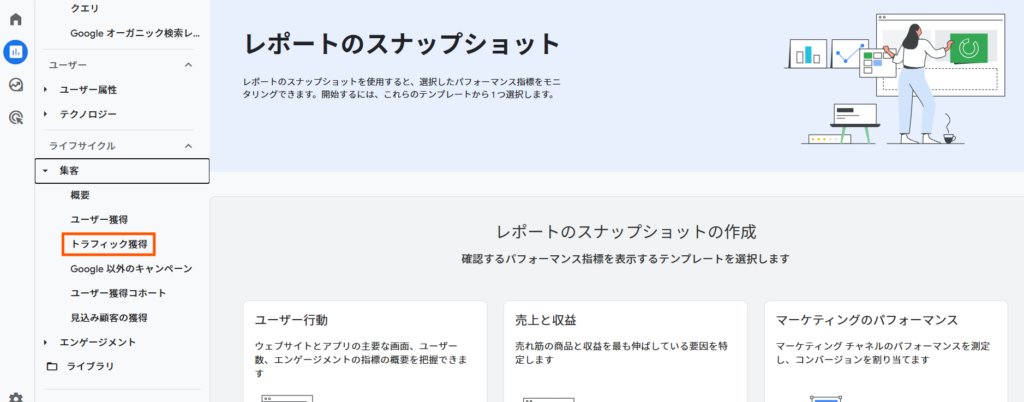
② Select "Session Source / Media"
Dimensions of the report "Session source / media"I will change it to this.
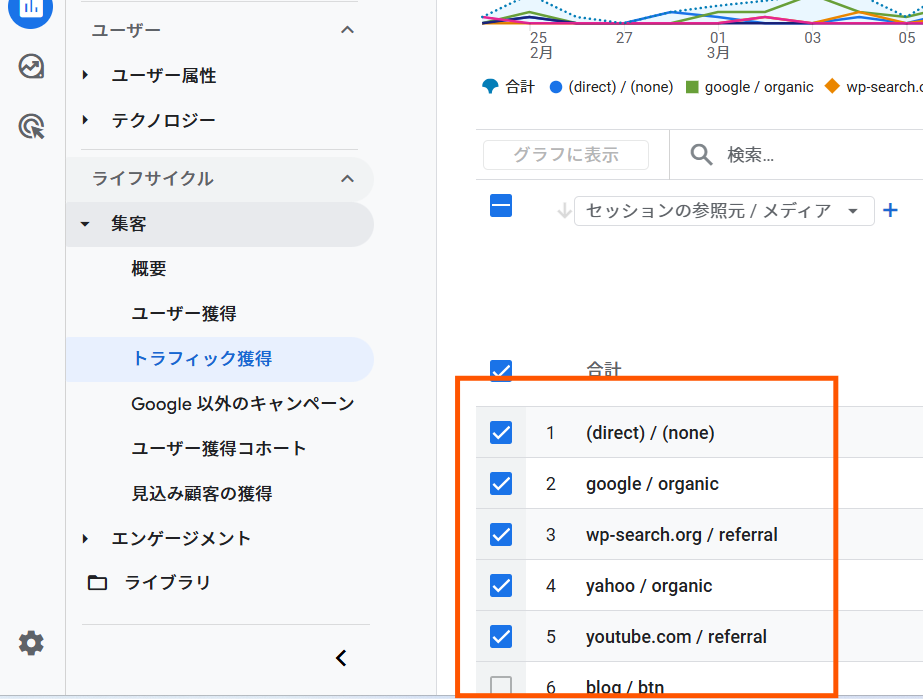
As a result, Which service is accessing us from?You can check this.
The dimension is the location of the screenshot. Click to
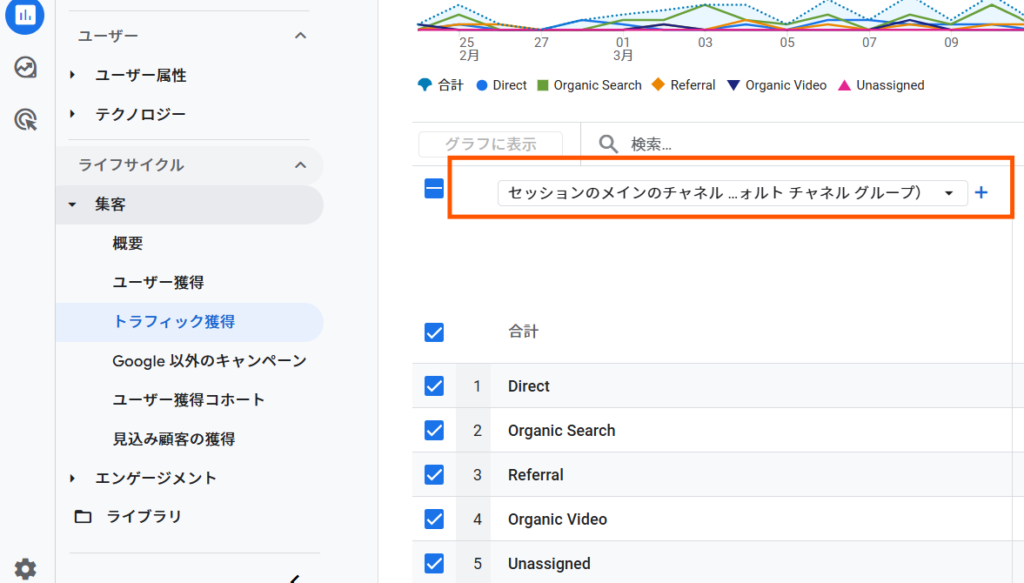
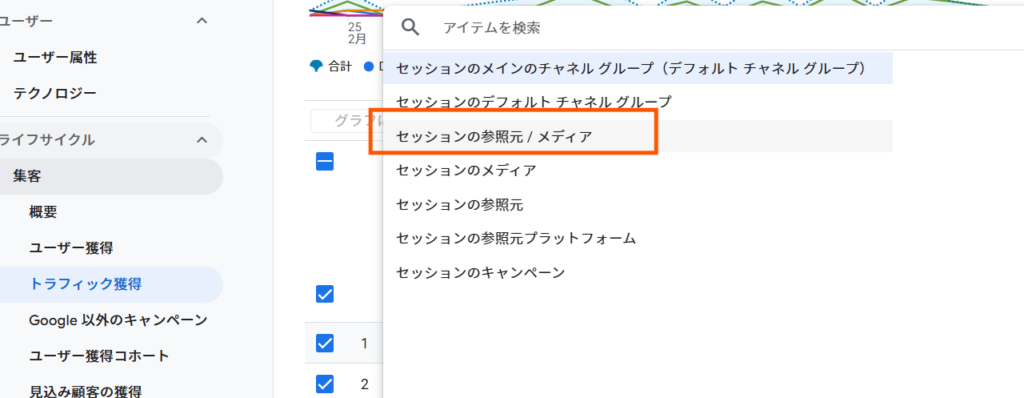
Please select the "Session Source / Media".
This is how the list of source media is displayed.
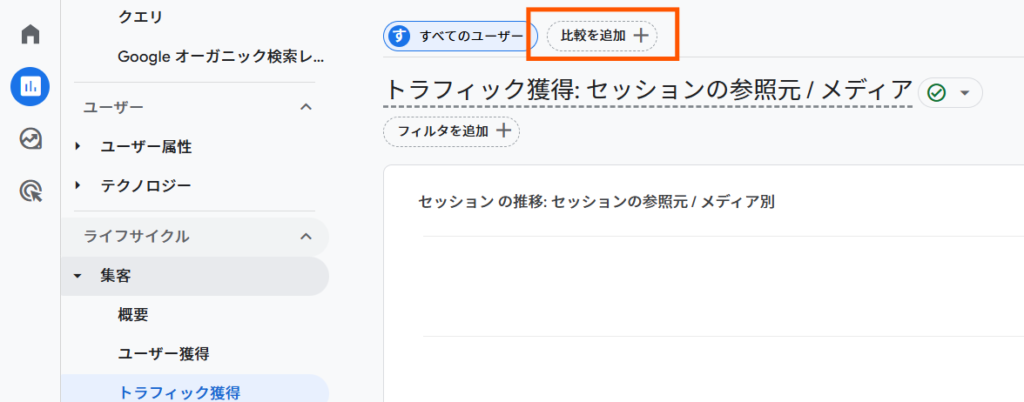
③ Add a comparison
Click "Add Comparison" at the top of the screen.
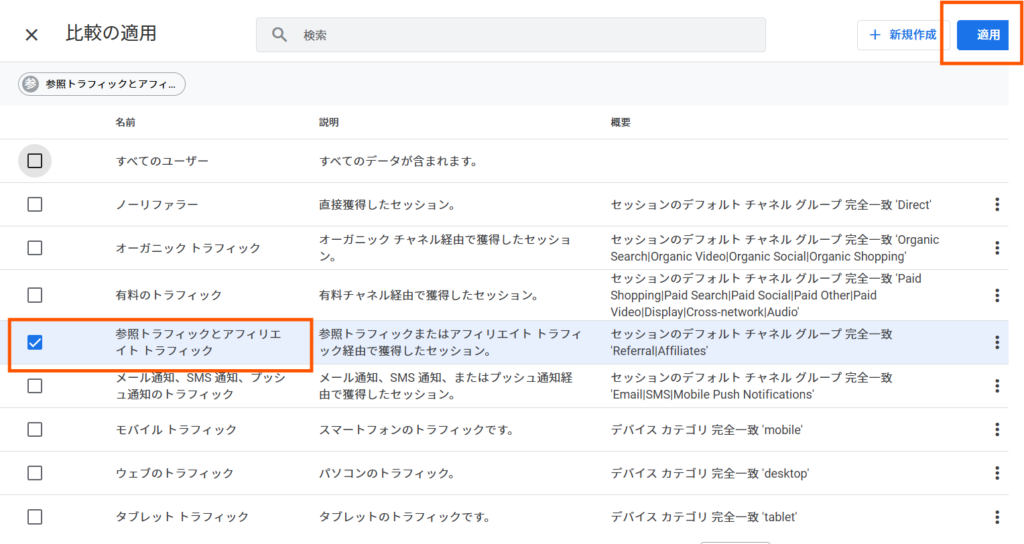
Select "Referral Traffic and Affiliate Traffic" and click "Apply".
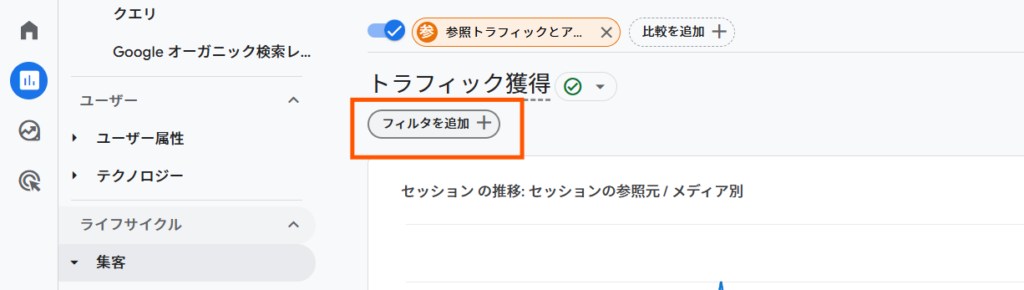
④ Use regular expressions to narrow down AI traffic.
Next, click "Add Filter" to narrow down the AI traffic using regular expressions.
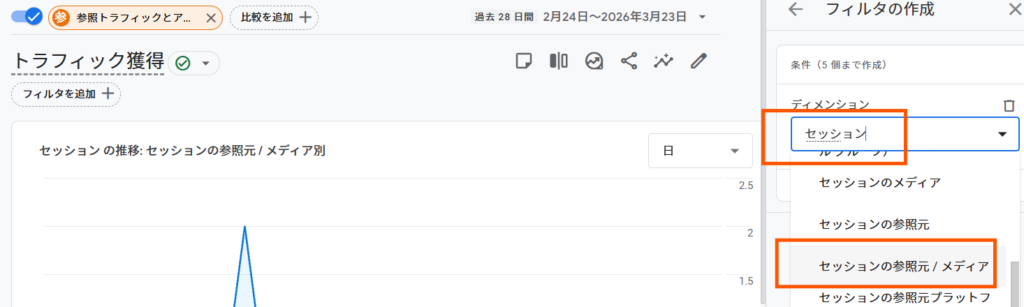
Specify the following in the condition settings:
- Dimension: Session source / media
Enter the keyword "session" and select "Session source/media".
⑤ Enter the regular expression
Select "Match Regular Expression" as the match type.
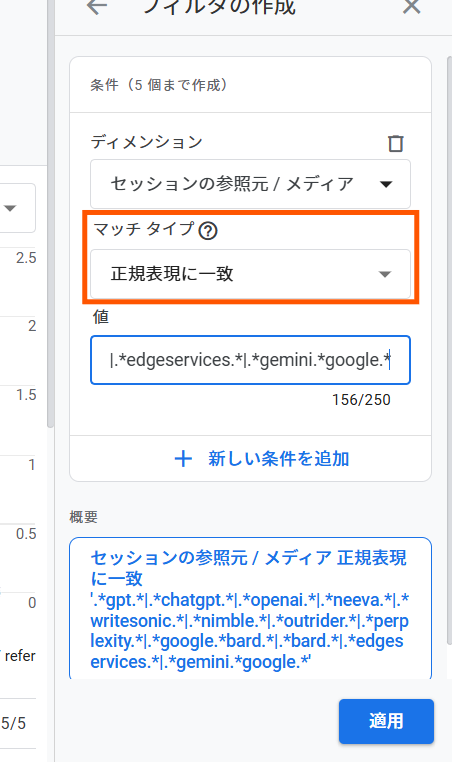
Enter the following regular expression:
.*gpt.*|.*chatgpt.*|.*openai.*|.*neeva.*|.*writesonic.*|.*nimble.*|.*outrider.*|.*perplexity.*|.*google.*bard.*|.*bard.*|.*edgeservices.*|.*gemini.*google.*With this setting, You can extract traffic from major AI services all in one place.
⑥ Rearrange by session
By sorting by the "session" metric,
- How much traffic does each AI receive?
- Which AI is the strongest?
You can check this.
⑦ Check the trend using a graph.
Applying the comparison will display the AI traffic trend in a graph.
As a result,
- Is the influx of AI users increasing?
- Is it growing at a specific time?
You can understand this.
Points to note
AI traffic is displayed as less than it actually is.
In GA4, some AI inflow
- direct
- (not set)
It may be measured as such.
Therefore,It's important to consider the displayed numbers as a guideline only.
Practical application points
Being able to monitor AI traffic allows for the following improvements:
- Identifying articles being cited by AI
- Analysis of strong content
- Prioritizing LLMO countermeasures
In other words, This will enable you to make decisions that will help improve the quality of articles selected by AI.
This blog also introduces a method for measuring AI traffic using the exploration function.
▶[2026 Latest] How to check traffic from generated AI using GA4
summary
If you use GA4, It is possible to analyze AI traffic using regular expressions.
especially,
- Session source / media
- Filtering with regular expressions
- Session sorting
By utilizing this,This allows you to understand the overall picture of AI-driven influx of users.
In the future, not only SEO,Inflow from AI (LLMO) is also an important indicator.It will be.
Author information
This article is about building and operating a WordPress site.HanamiWEBThe representative explains it from a practical standpoint.
In addition to SEO measures, we also improve websites to be compatible with AI search (LLMO).
If you have any questions, please feel free to contact us via our official LINE account.
Frequently Asked Questions (FAQ)
Q. Can AI traffic be accurately measured with GA4?
A. It cannot be measured perfectly.
Since some AI traffic is measured as "direct" or "(not set)," it's important to treat the displayed numbers as a guideline only.
Q. Why is it necessary to use regular expressions?
A. Because GA4 does not have a category specifically for AI-driven traffic.
By using regular expressions, you can extract traffic from multiple AI services such as ChatGPT and Perplexity all at once.
Q. Which AI services are generating the most traffic?
A. Generally, ChatGPT and Perplexity tend to be more common.
However, this varies depending on the website content, so it's important to check the actual data using GA4.
Released as soon as the next morning! Weekends and holidays are also available!
Super rush website creation plan
We offer a rush website creation plan for those who need a website in a hurry!
We can publish your content as soon as the next morning, even on weekends and holidays! If you have any questions, please check the details below!

Latest Articles

How to Enhance EEAT with WordPress | Settings and Design Improvements Necessary for AI-Driven Traffic


[2026 Latest] How to check the number of visits from generated AI using GA4's exploration function

Error message: Allowed memory size of 268435456 bytes exhausted (tried to allocate 14684160 bytes) Error: On Lollipop
 English
  日本語
日本語