How to create a website using WordPress/How to use plugins/No-code construction blog



I want to switch WordPress editors!
At HanamiWEB Online School,
●Ask questions in real-time in the virtual study room!
●Ask as many questions as you want via chat!
●E-learning materials that you can learn as much as you want, 24 hours a day!
All included for just 2,500 yen/month!
[word_balloon id="3" position="L" size="M" balloon="talk" name_position="under_avatar" radius="true" avatar_border="false" avatar_shadow="false" balloon_shadow="true" avatar_hide="false"]The posting screen for WordPress has changed due to an update. [/word_balloon]
[word_balloon id="1" position="R" size="M" balloon="talk" name_position="under_avatar" radius="true" avatar_border="false" avatar_shadow="false" balloon_shadow="true" avatar_hide="false"]It is called the block editor, and is the editor that comes standard with WordPress 5.0 and later.[/word_balloon]
[word_balloon id="3" position="L" size="M" balloon="talk" name_position="under_avatar" radius="true" avatar_border="false" avatar_shadow="false" balloon_shadow="true" avatar_hide="false"]It's hard to use, can you change it to the one I used before? [/word_balloon]
[word_balloon id="1" position="R" size="M" balloon="talk" name_position="under_avatar" radius="true" avatar_border="false" avatar_shadow="false" balloon_shadow="true" avatar_hide="false"]The previous version is called Classic Editor. You can easily revert back to the previous version! [/word_balloon]
[word_balloon id="3" position="L" size="M" balloon="talk" name_position="under_avatar" radius="true" avatar_border="false" avatar_shadow="false" balloon_shadow="true" avatar_hide="false"]Please let us know!! [/word_balloon]
[word_balloon id="1" position="R" size="M" balloon="talk" name_position="under_avatar" radius="true" avatar_border="false" avatar_shadow="false" balloon_shadow="true" avatar_hide="false"]Great. Let's take a look! [/word_balloon]
What is the WordPress text editor?
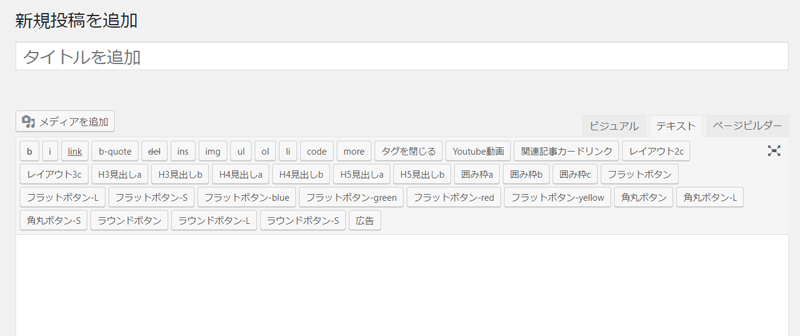
This type of text input screen is called the classic editor.
Plugins > Add New > Classic Editor
https://ja.wordpress.org/plugins/classic-editor/
You can install the plugin above.
For it
What is the WordPress block editor?
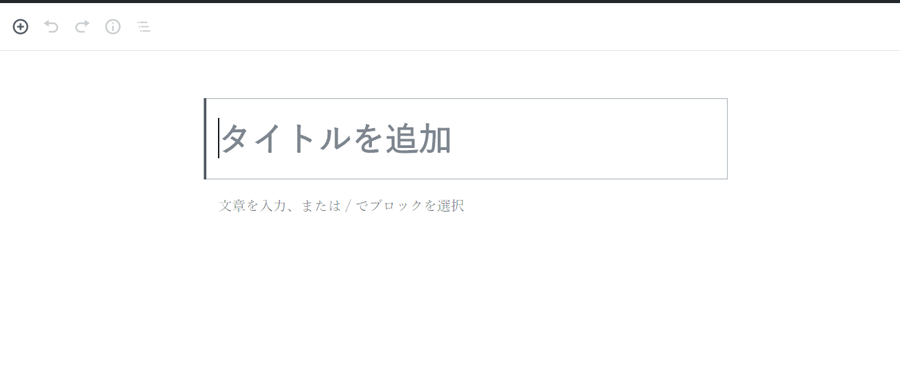
This type of text input screen is called a block editor.
The block editor is a standard text input editor.
You can easily switch between these two editors.
How to switch between classic and block editor in wordpress
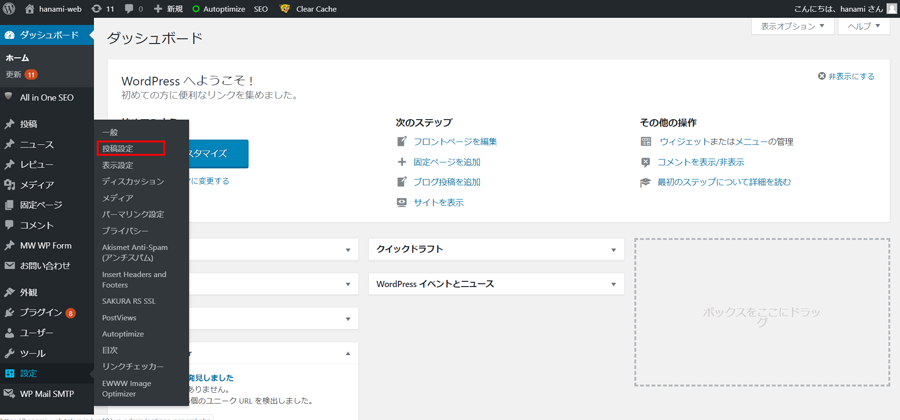
Dashboard Settings > Posting Settings
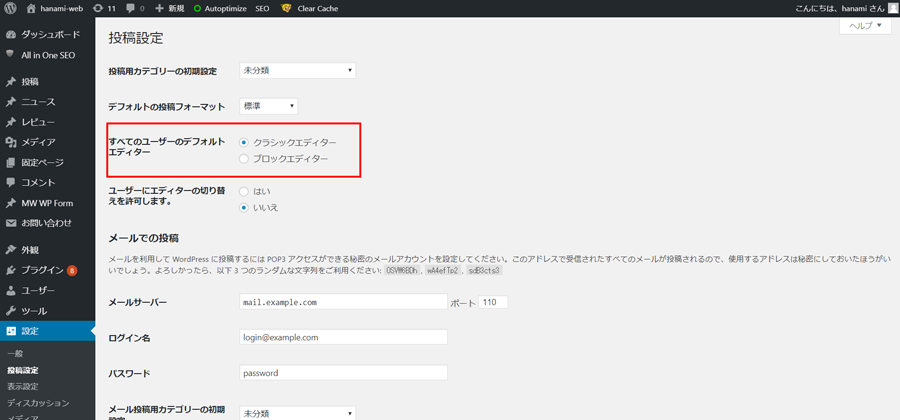
You can select the target area.
lastly
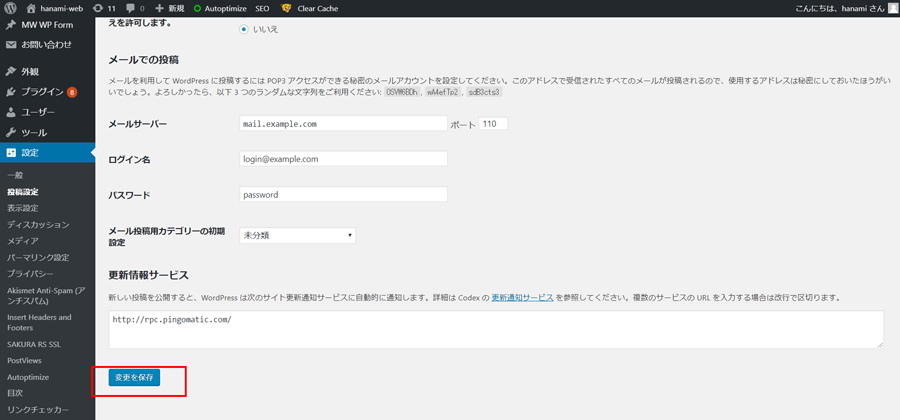
Be sure to click Save!
Anyone can easily switch between the WordPress classic editor and the block editor.
[word_balloon id="1" position="L" size="M" balloon="talk" name_position="under_avatar" radius="true" avatar_border="false" avatar_shadow="false" balloon_shadow="true" avatar_hide="false"]If you have any questions that you cannot solve on your own, please ask them on Coconala[/word_balloon]
Please feel free to use it.
Released as soon as the next morning! Weekends and holidays are also available!
Super rush website creation plan
We offer a rush website creation plan for those who need a website in a hurry!
We can publish your content as soon as the next morning, even on weekends and holidays! If you have any questions, please check the details below!

Latest Articles

How to Enhance EEAT with WordPress | Settings and Design Improvements Necessary for AI-Driven Traffic


[2026 Latest] How to check the number of visits from generated AI using GA4's exploration function

Error message: Allowed memory size of 268435456 bytes exhausted (tried to allocate 14684160 bytes) Error: On Lollipop
 English
  日本語
日本語