How to create a website using WordPress/How to use plugins/No-code construction blog




Maintain your WordPress site safely in a staging environment! I purchased WP vivid Pro!
At HanamiWEB Online School,
●Ask questions in real-time in the virtual study room!
●Ask as many questions as you want via chat!
●E-learning materials that you can learn as much as you want, 24 hours a day!
All included for just 2,500 yen/month!
The other day, I used WP vivid to easily migrate data from a difficult site that couldn't be migrated even using All in one WP migration, which is a simple server migration. I really like it.
It's a one-time purchase for $99 for up to two domains, and it has paid features for backup and data migration, the ability to build a staging site, so I decided to purchase the paid version because it allows me to safely manage my WordPress site and perform maintenance for version upgrades!
Many people are afraid to update WordPress because they are worried that errors will appear on their website.
By creating a staging environment, you can test out a WordPress upgrade in the staging environment. Once the WordPress update is complete, it can be applied to your live site with just one click. Although it is a paid plugin, it costs $99 with your domain, so you can manage your site yourself without having to ask someone else for help!
We will explain how to purchase WP vivid Pro and how to activate your license, so if you're interested, please take a look!
What's included in WP vivid Pro
The data migration and automatic backup features for WordPress sites are available even in the free version! We will introduce the features available in the paid version.
WP vivid Backup & Migration Pro
First, let me introduce what you can do with WP vivid's Backup and Migration by upgrading to the paid version!
- Incremental backups - Instead of backing up the entire system, you can back up only the changes made since the last time.
- Backup outside of WordPress files – Backup parts outside of WordPress files
- Selective content migration – You can migrate parts of your WordPress site instead of your entire site.
- Migrate files other than WordPress files - You can also migrate files outside of WordPress files
- Advanced Scheduled Backups - More advanced than regular automatic backups
- Restore - Even files outside of WordPress can be restored
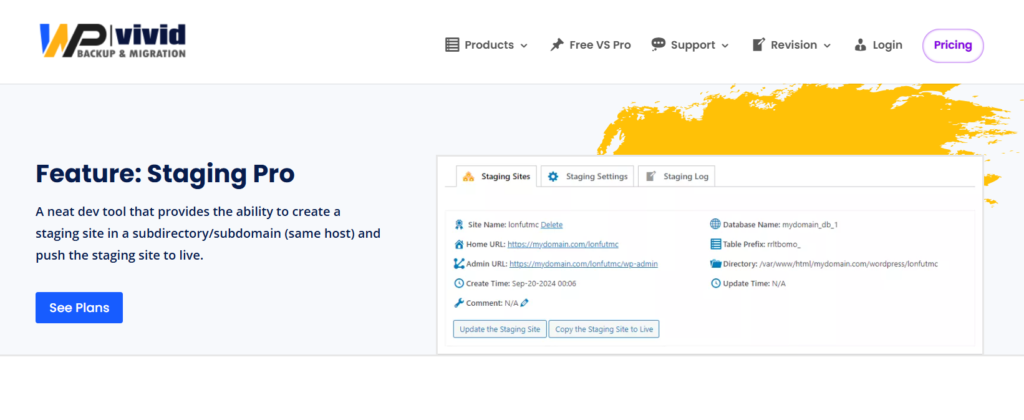
WP vivid Staging Pro
About WP vivid's staging function
- Ability to add multiple staging sites
- Staging sites can be made live
- Migrating a staging site to a subdomain
WP vivid automatic backup before update
Features not available in the free version
- Automatic backup before update
- Automatic backup support for WordPress core, plugins, and themes
- Version Control
- Save your backups to cloud storage
WP vivid multisite support
This is a feature not available in the free version.
It also supports multisite.
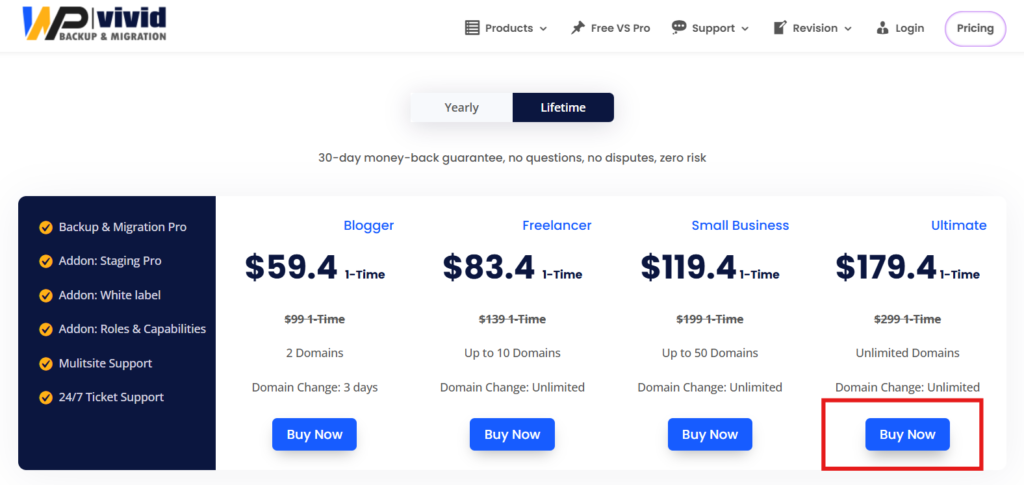
WP vivid Pro Pricing
If you are planning to purchase WP vivid Pro, we recommend the Lifetime purchase option!
As the plugin continues to develop, it will only be offered on an annual basis, so if there is a Lifetime plan available, it's worth buying!
What's more, even before the discount, two domains are only $99, which is quite cheap!
Even with unlimited domains, it's only 299 yen per plan, so if you manage multiple sites or work in website creation, we definitely recommend the Ultimate plan!

The prices of the plans introduced are as of December 2025.
- Blogger Plan ($99/one-time purchase) - Installable on up to 2 domains / Domain change within 3 days
- Freelancer Plan ($139/one-time purchase) - Install up to 10 domains / No domain change deadline
- Small Business Plan ($199/one-time purchase) - Up to 50 domains can be installed / No deadline for domain changes
- Ultimate Plan ($299/one-time purchase) - Unlimited domains/No domain change deadline
No deadline for changing domains means you can transfer your license to another domain, meaning you can change the domain to which your Pro license applies.
They offer a 30-day money back guarantee, so if you buy it and don't know how to use it, you can get a refund!

How to purchase WP vivid Pro
Now, let's take a look at how to purchase WP vivid Pro.
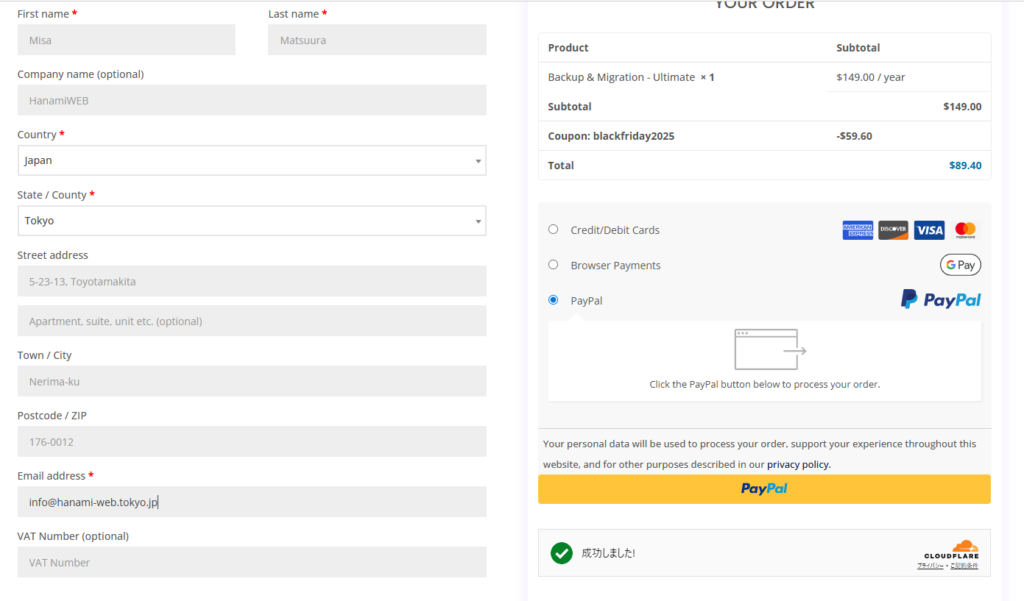
We will purchase the Ultimate plan!
This is an example of how to fill out the form.
Whenever possible, I try to make payments on overseas sites via PayPal!
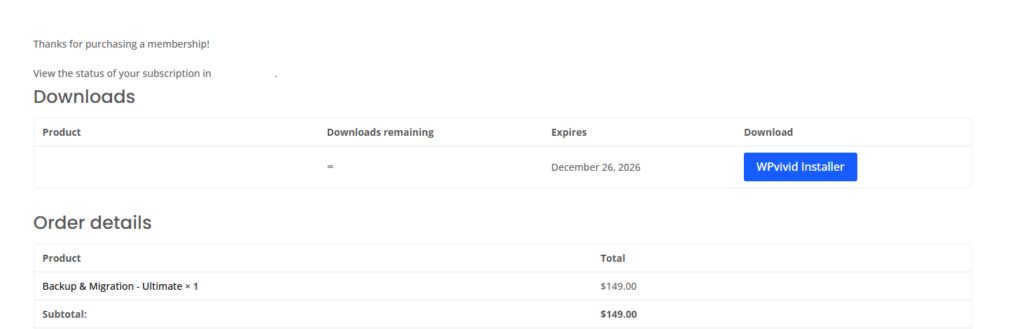
Download WP vivid pro
Once payment is complete, you will be taken to a screen like this, where you can click the [WPvivid Installer] button.
A zip file will be downloaded.
Important emails you will receive after purchasing WPvivid Pro
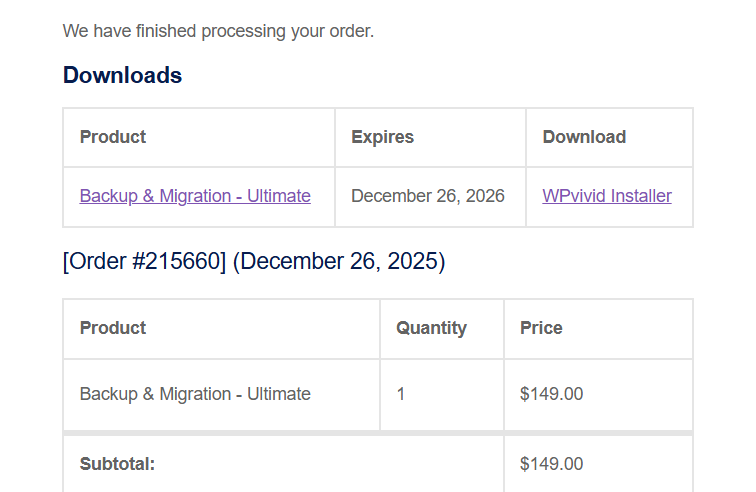
Your WPvivid order is now complete
First, you will receive an email confirming your purchase, which will include a download link for the Pro file.
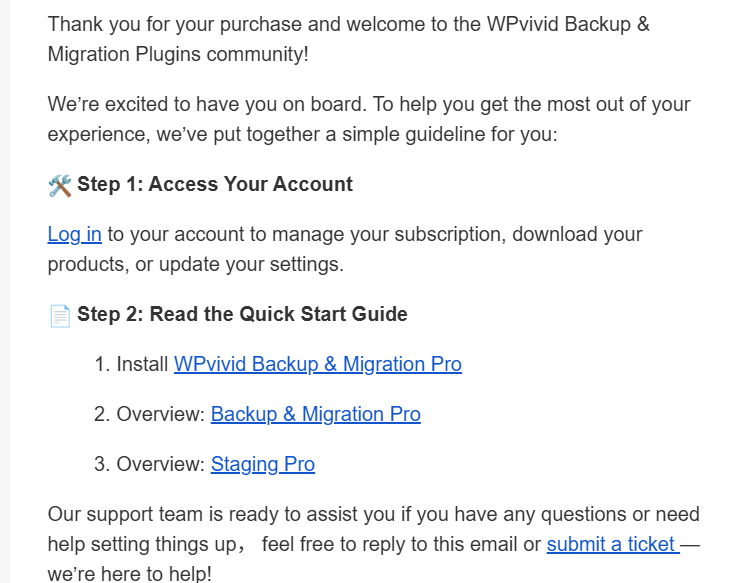
Welcome to WPvivid Plugins – Here's How to Get Started!
Next, you will receive instructions for your My Page. Click the Log in text link to open your My Page.
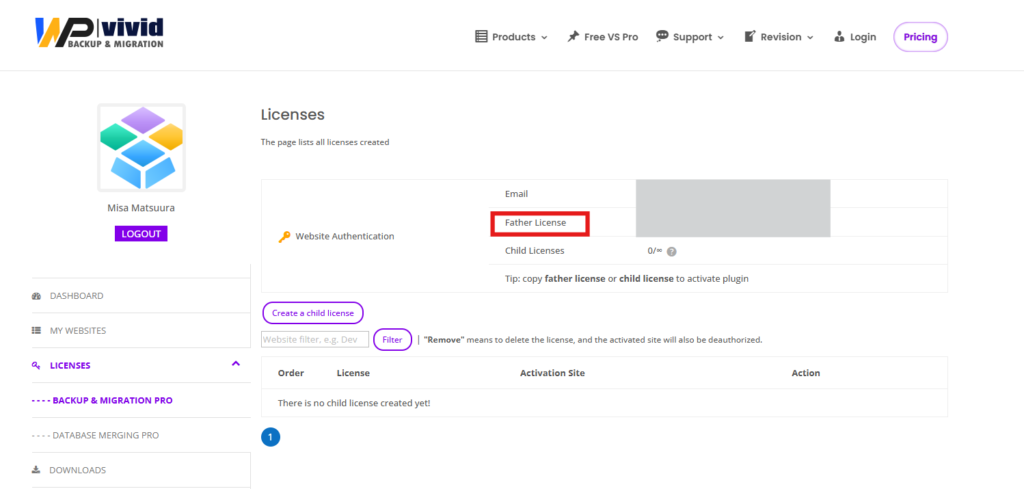
Check your license number
If you go to your WPvivid My Page, you can check your license number, so check and copy the number.
Install on your WordPress site
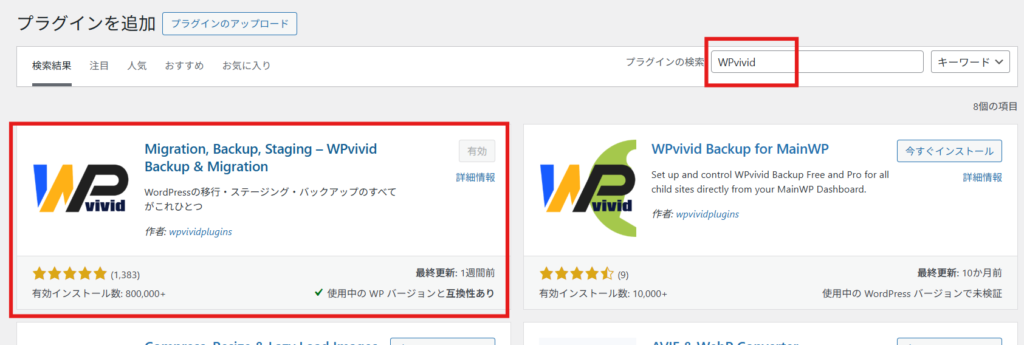
First, install the free version of WPvivid.
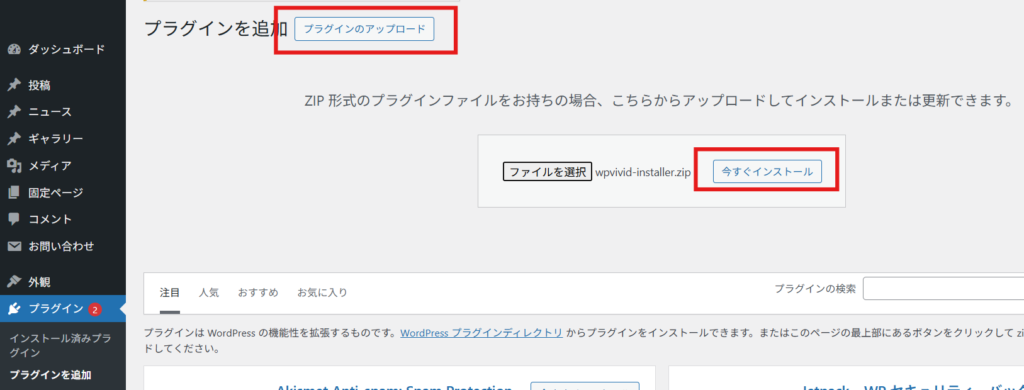
Plugins > Add Plugin
Enter “WPvivid” in the keywords and install the free version of the plugin.
next,
Plugins > Add Plugin
Upload the downloaded zip file.
If you unzip the zip file, you will not be able to upload it, so please leave it as a zip file.
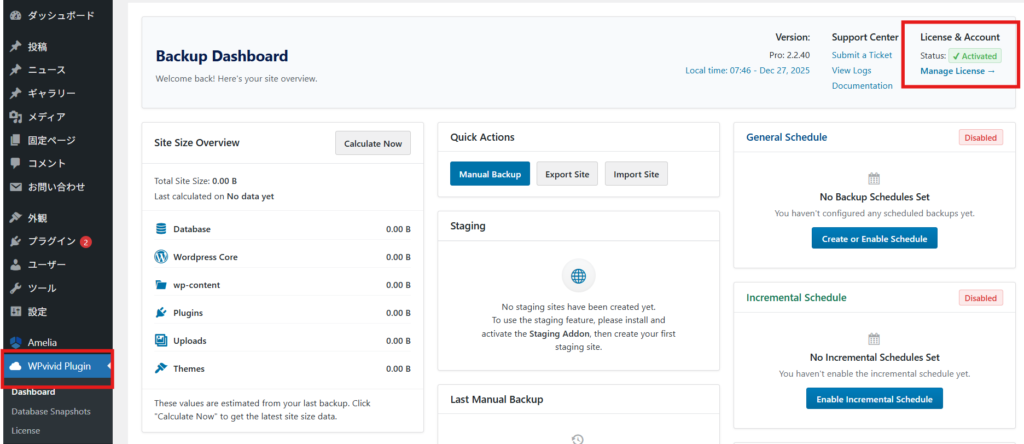
An item called WPvivid Plugin will be added to your sidebar.
First of all, it's OK if the Status is Activated!
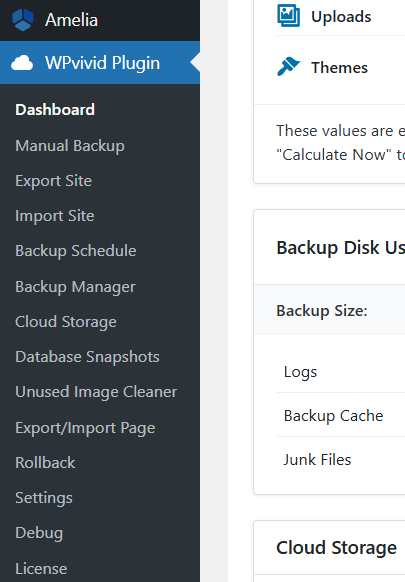
Add WPvivid license

WPvivid Pro offers more features
Once you enter your WPvivid Pro license, the WPvivid Plugin item in the sidebar will increase in number. This completes the process of adding the Pro license!
The domain with the activated license has also been registered on my WPvivid page!
It is managed on a domain-by-domain basis, so choose the plan you need depending on the number of domains you want to manage!

Released as soon as the next morning! Weekends and holidays are also available!
Super rush website creation plan
We offer a rush website creation plan for those who need a website in a hurry!
We can publish your content as soon as the next morning, even on weekends and holidays! If you have any questions, please check the details below!

Latest Articles

How to Enhance EEAT with WordPress | Settings and Design Improvements Necessary for AI-Driven Traffic


[2026 Latest] How to check the number of visits from generated AI using GA4's exploration function

Error message: Allowed memory size of 268435456 bytes exhausted (tried to allocate 14684160 bytes) Error: On Lollipop
 English
  日本語
日本語