How to create a website using WordPress/How to use plugins/No-code construction blog




How to find the route to the contact page using GA4
At HanamiWEB Online School,
●Ask questions in real-time in the virtual study room!
●Ask as many questions as you want via chat!
●E-learning materials that you can learn as much as you want, 24 hours a day!
All included for just 2,500 yen/month!
Have you ever wanted to know what pages your users visited before they landed on a conversion page, like a contact page?
By setting up route data in GA4, you can analyze the pages you visited before arriving at a specific page!
Now, I'd like to use some screenshots to illustrate the concept.
Log in to GA4
First, log in to GA4.
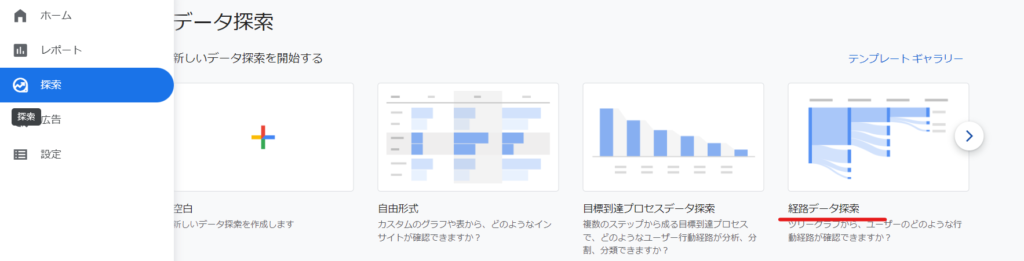
Search: Route data search
The data we will look at is
- search
- Route data exploration
It will be.
Start over
First, click on the text link that says [Start over] and change the settings to display exploration data from the goal.

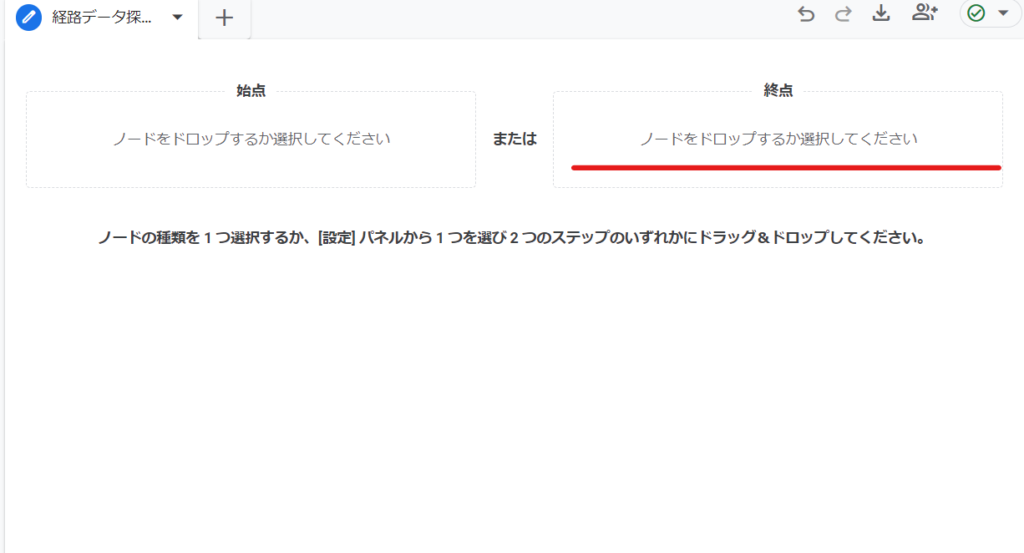
Set from end point
This time, we obtained data from the end point (contact page), so we will set it as the [End Point].
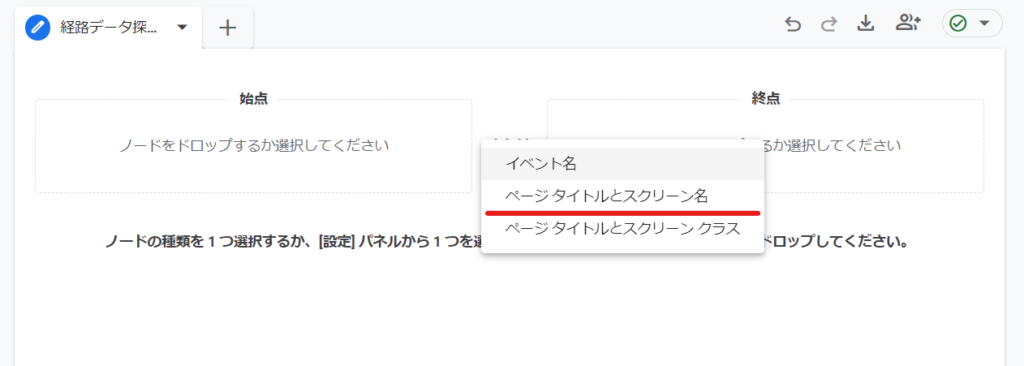
Tap the end point and select [Page Title and Screen Name].
In our case, we have a lot of blogs, so we do searches.
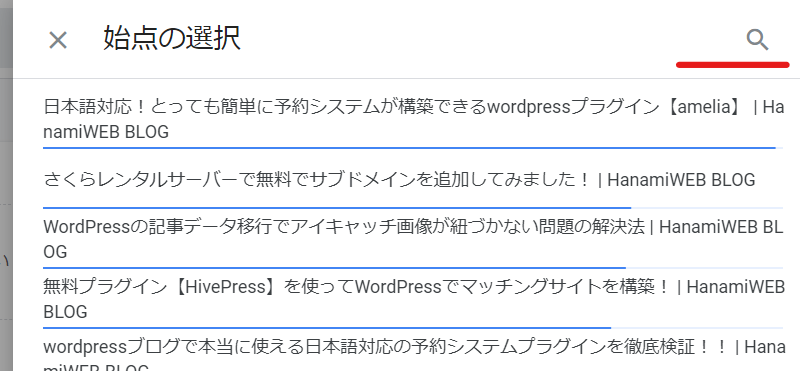
Search and when you find the page you want to configure, click on it.

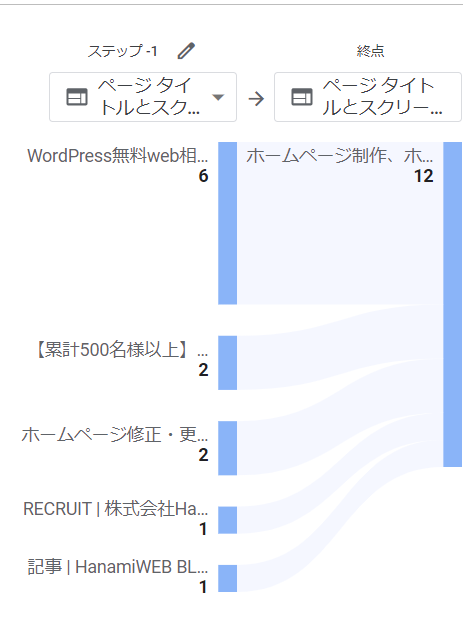
Display route data from the goal
It will be clear which pages you visited before coming to our contact page.
- period
- New/Returning Customers
You can further narrow down the conditions and perform the analysis!
Click on the page titles to go back to previous pages.
Released as soon as the next morning! Weekends and holidays are also available!
Super rush website creation plan
We offer a rush website creation plan for those who need a website in a hurry!
We can publish your content as soon as the next morning, even on weekends and holidays! If you have any questions, please check the details below!

Latest Articles

How to Enhance EEAT with WordPress | Settings and Design Improvements Necessary for AI-Driven Traffic


[2026 Latest] How to check the number of visits from generated AI using GA4's exploration function

Error message: Allowed memory size of 268435456 bytes exhausted (tried to allocate 14684160 bytes) Error: On Lollipop
 English
  日本語
日本語