How to create a website using WordPress/How to use plugins/No-code construction blog



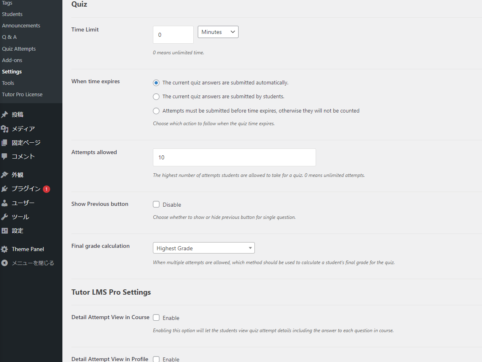
This explains the general quiz settings for the LMS plugin TutorLMS.
At HanamiWEB Online School,
●Ask questions in real-time in the virtual study room!
●Ask as many questions as you want via chat!
●E-learning materials that you can learn as much as you want, 24 hours a day!
All included for just 2,500 yen/month!
I am researching LMS plugins to create an e-learning system using WordPress. I am introducing the paid version of the TutorLMS plugin. Since I want to create a full-fledged system, I am comparing the features of the paid version.
This time, we will explain the general quiz settings for TutorLMS.
TutorLMS Quiz General Settings
- TutorLMS
- Setting
- Quiz
and configure it.
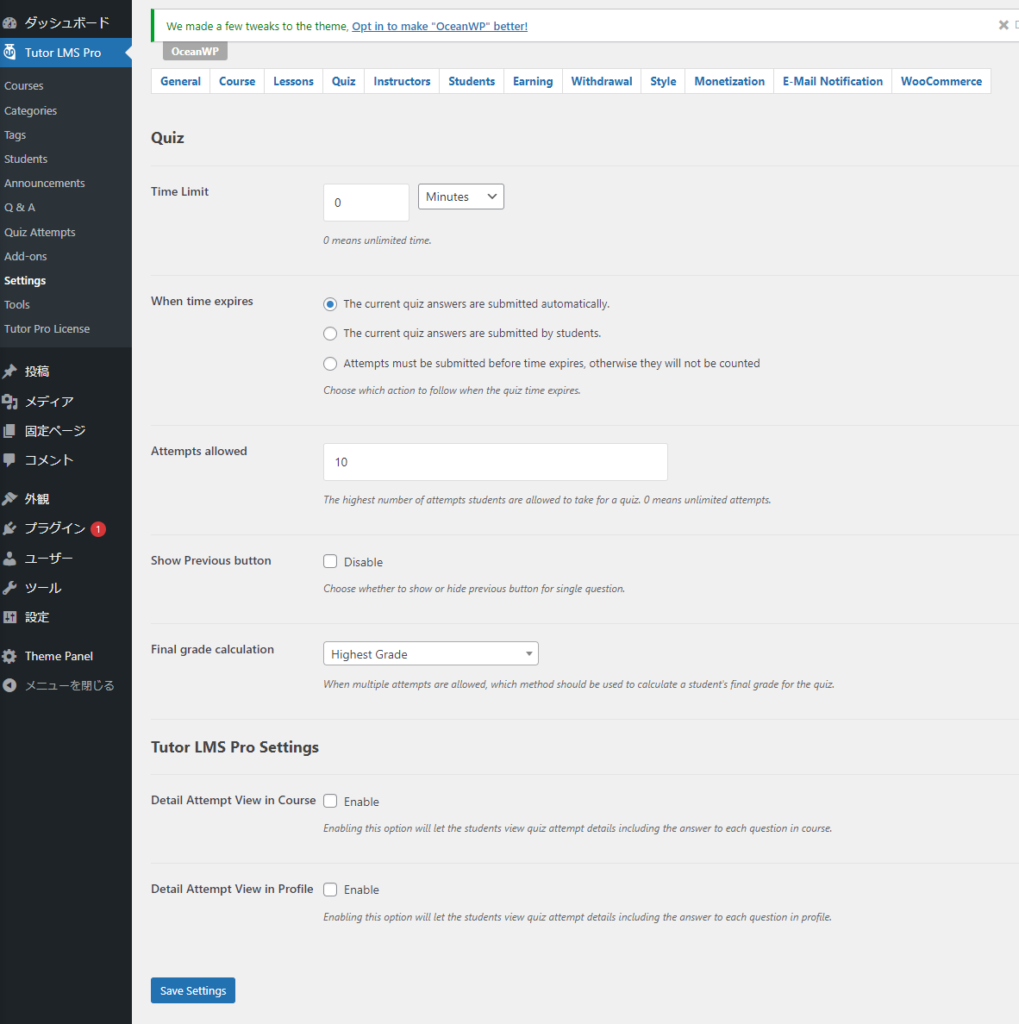
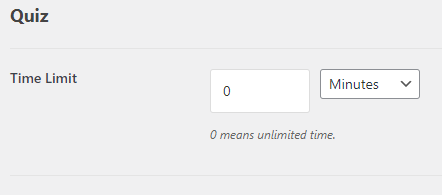
time limit
If it is 0, there is no time limit.
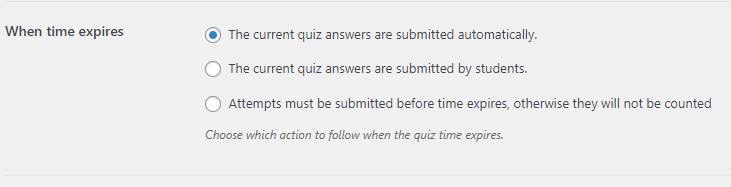
If time runs out
- Automatic quiz delivery even during the course
- Students manually submit later
- If the time runs out it won't be counted
Number of retakes
If 0, there is no limit

Show Preview Button

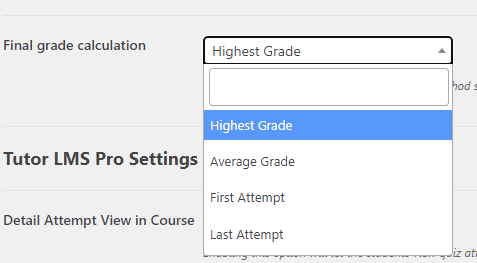
Calculating the score
Regarding evaluation of multiple submissions
- Highest Grade - Use the highest score
- Average Grade - Use the average score
- First Attempt - First score is accepted
- Last Attempt - The last score is used
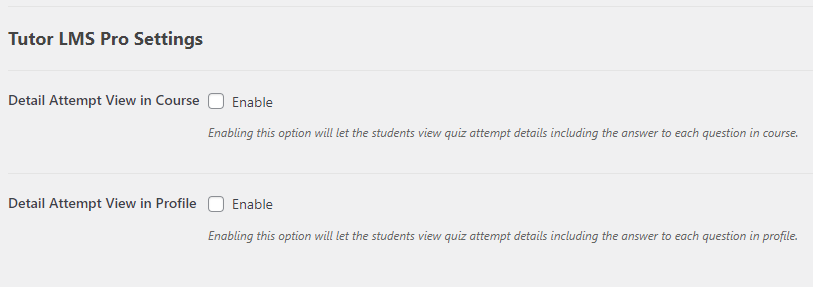
(Pro Feature) View Settings
- Detail Attempt View in Course – Allows students to view their quiz history.
- Detail Attempt View in Profile – Allows you to view your quiz history, including questions in your profile.

We are available on weekends and holidays!
Please contact us if you have any problems with your website!

- Unable to log in to WordPress
Malware infection?
- The homepage suddenly stopped displaying!
- A PHP error is occurring.
We also offer support on weekends and holidays for those who need assistance.
If you are in a hurry, please call us now at 03-6694-7024.
Latest Articles


Timing and Process for Renewing Your Recruitment Website | Key Points to Review to Increase the Number of Applications

7 Key Points for Creating a Recruitment Website | How to Create a Recruitment Site That Job Seekers Will Choose

What is the average cost of a recruitment website? A thorough explanation of pricing by production method.
 English
  日本語
日本語