How to create a website using WordPress/How to use plugins/No-code construction blog



[Important] Critical Vulnerability in WordPress | Is Your Website Safe?
At HanamiWEB Online School,
●Ask questions in real-time in the virtual study room!
●Ask as many questions as you want via chat!
●E-learning materials that you can learn as much as you want, 24 hours a day!
All included for just 2,500 yen/month!
In July 2026, a critical vulnerability (CVE-2026-63030 / commonly known as wp2shell) was disclosed in the WordPress core.
If this vulnerability is exploited, a third party could take over your website.
Currently, many web hosting companies are also taking emergency measures,The fundamental solution is to update WordPress to the latest version.is.
Target WordPress versions
If you are using the next version, we recommend updating as soon as possible.
Target version
- WordPress 6.9.0 to 6.9.4
- WordPress 7.0.0 to 7.0.1
- WordPress 6.8.0 to 6.8.5
Fixed and secure version
- 6.9.x → 6.9.5 and later
- 7.0.x → 7.0.2 and later
- 6.8.x → 6.8.6 and later
Why is an update necessary?
This vulnerability is very serious.
- You can be attacked even if you are not logged in.
- This affects plugins and themes regardless of their type.
- This could lead to website tampering or hijacking.
It is said that...
Therefore, each web hosting company is implementing emergency security measures.
however,Server-side measures are only temporary.is.
To operate your website securely, it is important to keep the WordPress core updated to the latest version.
How to check your WordPress version
You can check the version you are currently using from the administration panel.
Method 1 (Recommended)
Management screen
Dashboard → Update
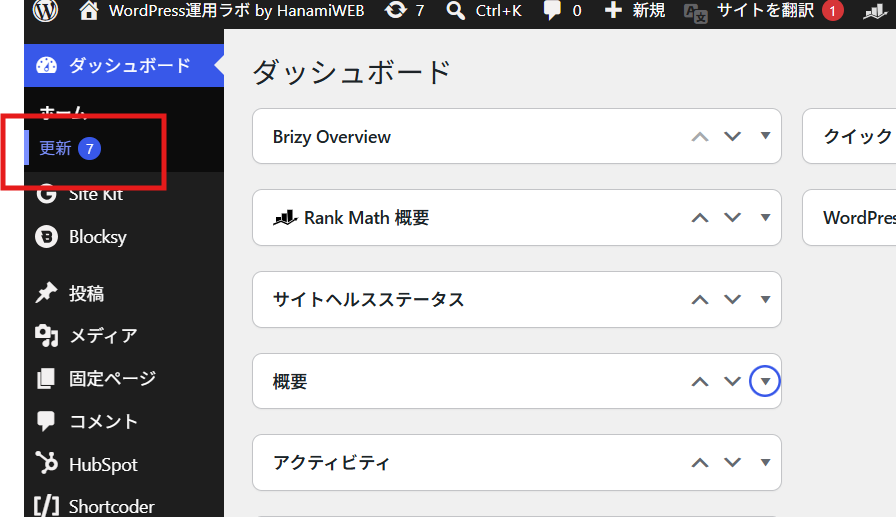
The current WordPress version will be displayed.
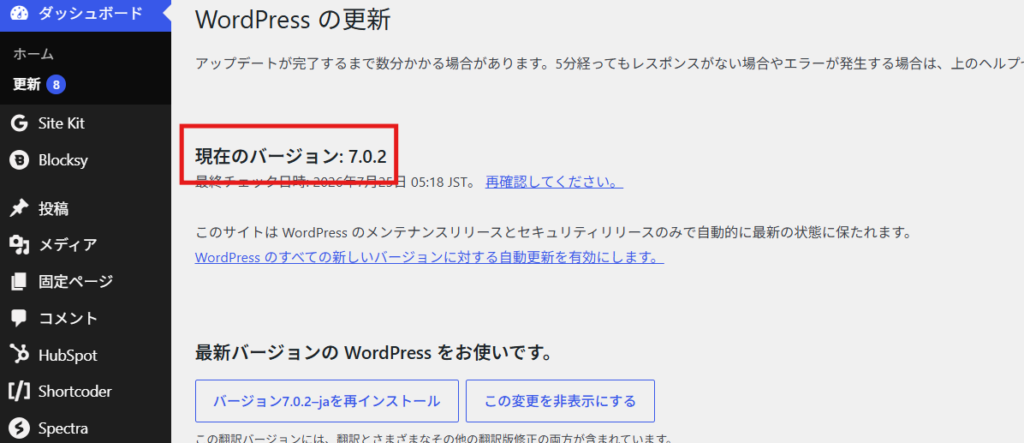
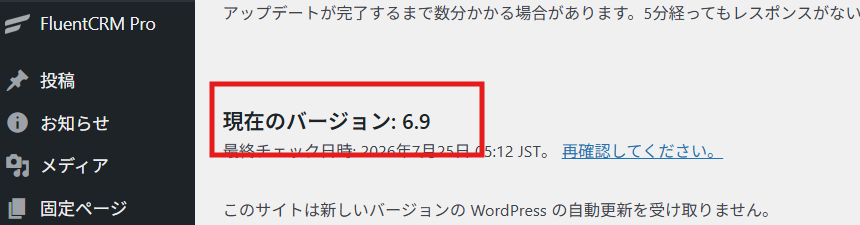
This is the rejected version.
This means it's version 6.9.0.
Method ②
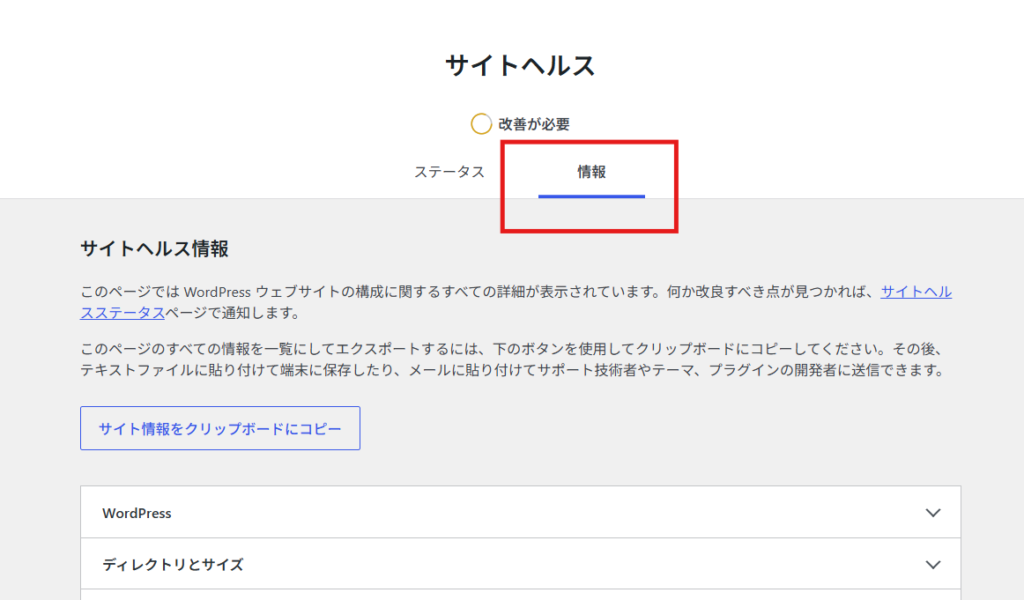
Tools → Site Health → Information → WordPress
You can also check it here.
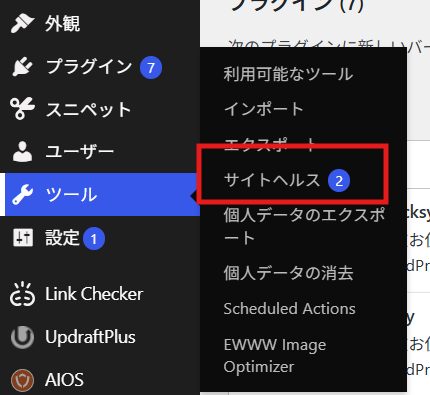
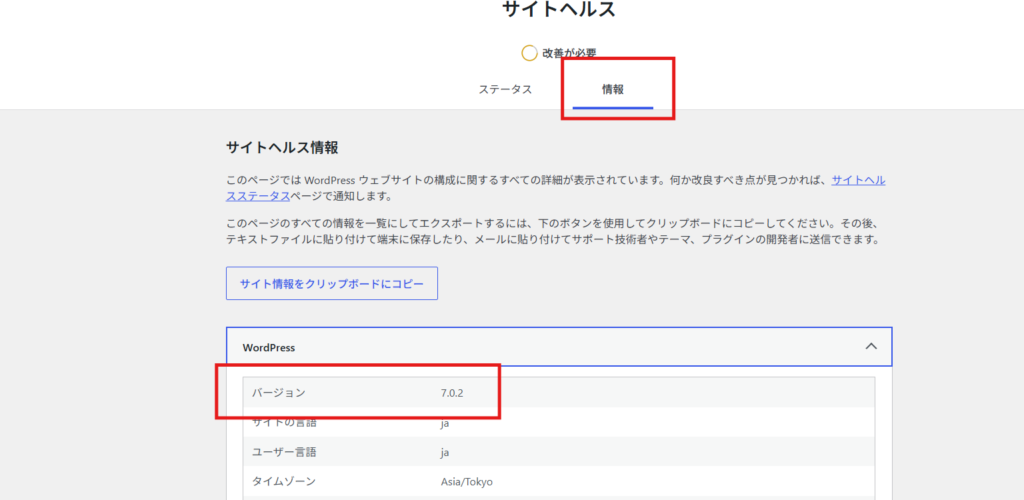
*Depending on your environment, it may be displayed as an abbreviated number such as "6.9".
Things to note before updating
Updating WordPress is important for security purposes,
- The theme being used
- Plugin
- Server Environment
In some cases, display issues or malfunctions may occur after an update.
Therefore,
- Take a backup
- Perform a functional check.
We recommend updating safely.
Pay attention to the PHP version.
As of July 2026, the latest version of WordPress core is 7.0.2.
To upgrade to the latest version, your PHP version must be 7.4 or higher.
The recommended version is PHP 8.3.
If you are using PHP 7.3 or earlier, it is an unsupported version, and there is a high possibility that you will not be able to update the main program.
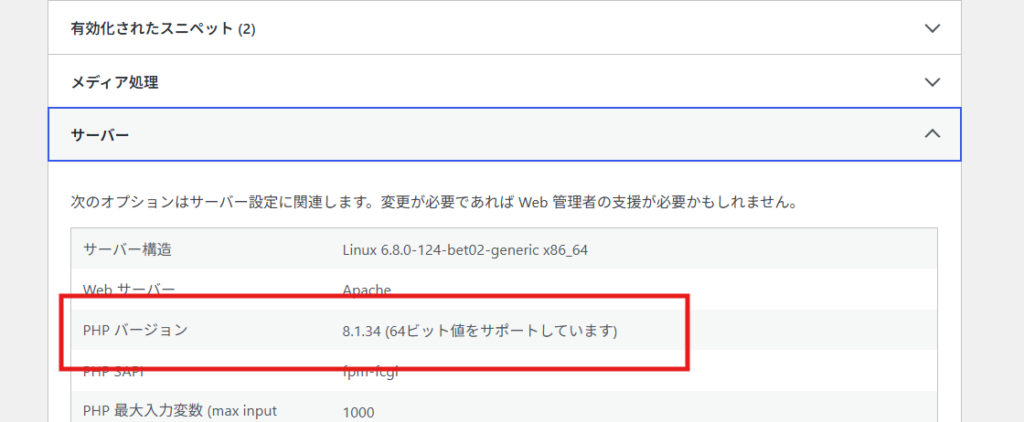
How to check your PHP version
As I mentioned earlier, within Site Health, there is a Server section.
Please also check your PHP version.
For those who are unsure about checking or updating their version.
"I'm not sure if my site is included..."
"I'm worried it might break after the update..."
"I don't know how to use the WordPress admin panel..."
In such cases, please feel free to contact us.
We offer free consultations via LINE.
- Check current version
- Check if an update is needed.
- Safe update process
- Functionality check after update
We will provide support until then.
If you're unsure where to begin, please feel free to contact us.

We are available on weekends and holidays!
Please contact us if you have any problems with your website!
- Unable to log in to WordPress
Malware infection?
- The homepage suddenly stopped displaying!
- A PHP error is occurring.
We also offer support on weekends and holidays for those who need assistance.
If you are in a hurry, please call us now at 03-6694-7024.
Latest Articles

[Anti-Fraudulent Login Prevention] Is your WordPress user ID visible to external parties? We explain how to check and security measures to hide your user ID!
Timing and Process for Renewing Your Recruitment Website | Key Points to Review to Increase the Number of Applications
 English
  日本語
日本語