How to create a website using WordPress/How to use plugins/No-code construction blog



How to change the blue color used in Lifter LMS emails and notifications
At HanamiWEB Online School,
●Ask questions in real-time in the virtual study room!
●Ask as many questions as you want via chat!
●E-learning materials that you can learn as much as you want, 24 hours a day!
All included for just 2,500 yen/month!
We are receiving a lot of inquiries from people who want to start online schools.
If you want to provide online learning materials that are a step above the average membership site, such as by creating subscription or one-time purchase members, changing the learning materials available to different members, or presenting learning materials in a format that is easy for users to use, we recommend the Learning Management System. LMS is a learning management system that has a WordPress plugin.
This time, I would like to introduce one of the major LMS plugins called LifterLMS.
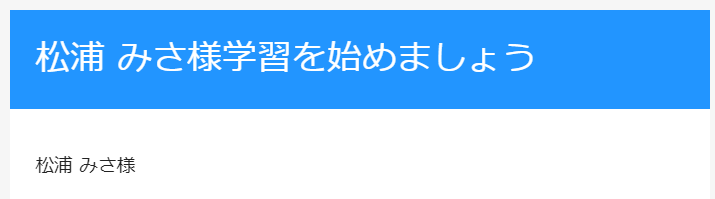
This article explains how to change the blue color used in Lifter LMS emails and notifications. It uses a free plugin.
I want to change the blue color of my emails and notifications
The paid version of the theme, SkyPilot, allowed me to change basic colors such as the color of buttons, but I was unable to change the blue color of notifications or email headers.
You can make changes by adding a dedicated free plugin, so we will explain how to set it up.
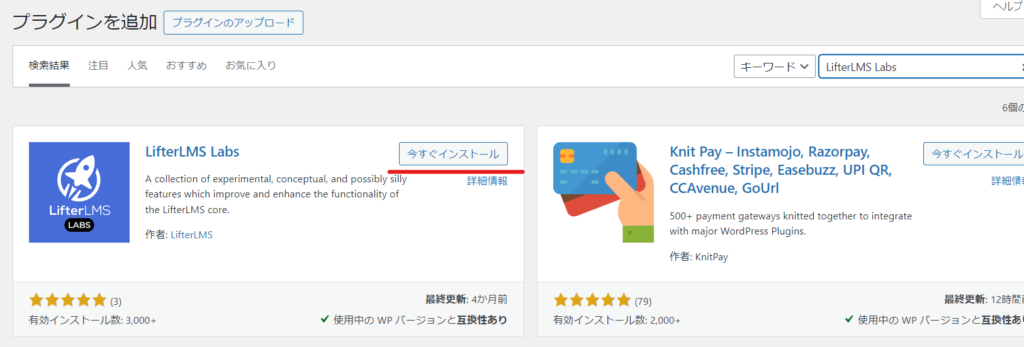
Install LifterLMS Labs
The LifterLMS Labs plugin is free.
- Plugin
- New additions
- Enter "LifterLMS Labs" in the keywords
- Install now
- activation
to hold.
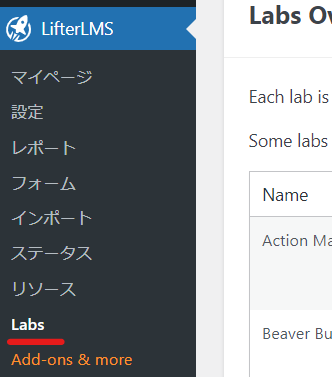
"Lab" has been added to the LifterLMS settings.
Enable LifterLMS Simple Branding
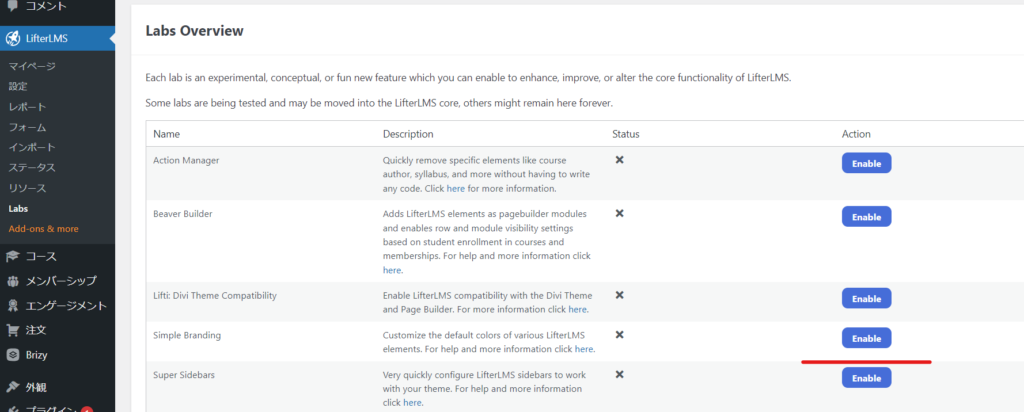
Where can I change colors in LifterLMS Simple Branding?
When you enable LiftreLMS Simple Branding
- Primary Color - the color used for the featured item borders in your pricing tables, the borders and header backgrounds in your checkout screens, the header backgrounds in your emails, and most of the buttons generated by LifterLMS
- Action Color - Used for some buttons to distinguish them from other buttons in LifterLMS. Also used for pricing table links
- Accent Color - Used for the progress bar and icons in the Syllabus and Sidebar widgets.
You can change the setting.


We are available on weekends and holidays!
Please contact us if you have any problems with your website!

- Unable to log in to WordPress
Malware infection?
- The homepage suddenly stopped displaying!
- A PHP error is occurring.
We also offer support on weekends and holidays for those who need assistance.
If you are in a hurry, please call us now at 03-6694-7024.
Latest Articles

Timing and Process for Renewing Your Recruitment Website | Key Points to Review to Increase the Number of Applications

7 Key Points for Creating a Recruitment Website | How to Create a Recruitment Site That Job Seekers Will Choose
What is the average cost of a recruitment website? A thorough explanation of pricing by production method.
5 Benefits of Creating a Recruitment Website with WordPress | Explaining Why It's Easy for the Person in Charge to Update
 English
  日本語
日本語