How to create a website using WordPress/How to use plugins/No-code construction blog



Summary of how to address critical PHP vulnerabilities on WordPress sites.
At HanamiWEB Online School,
●Ask questions in real-time in the virtual study room!
●Ask as many questions as you want via chat!
●E-learning materials that you can learn as much as you want, 24 hours a day!
All included for just 2,500 yen/month!
This is misa from HanamiWEB.
Due to the critical vulnerability in PHP announced on October 21, 2026, we have received many inquiries since yesterday.
WordPress uses PHP, so it is a target application.
There's a lot of information circulating about needing to upgrade the PHP version or apply patches, and I imagine many people are feeling very anxious about what to do. For example, with Xserver, as of October 21, 2022, it's currently impossible to log in to the server.
Upgrading the PHP version requires logging into the server, so the conclusion is that it was impossible to access PHP at that time.
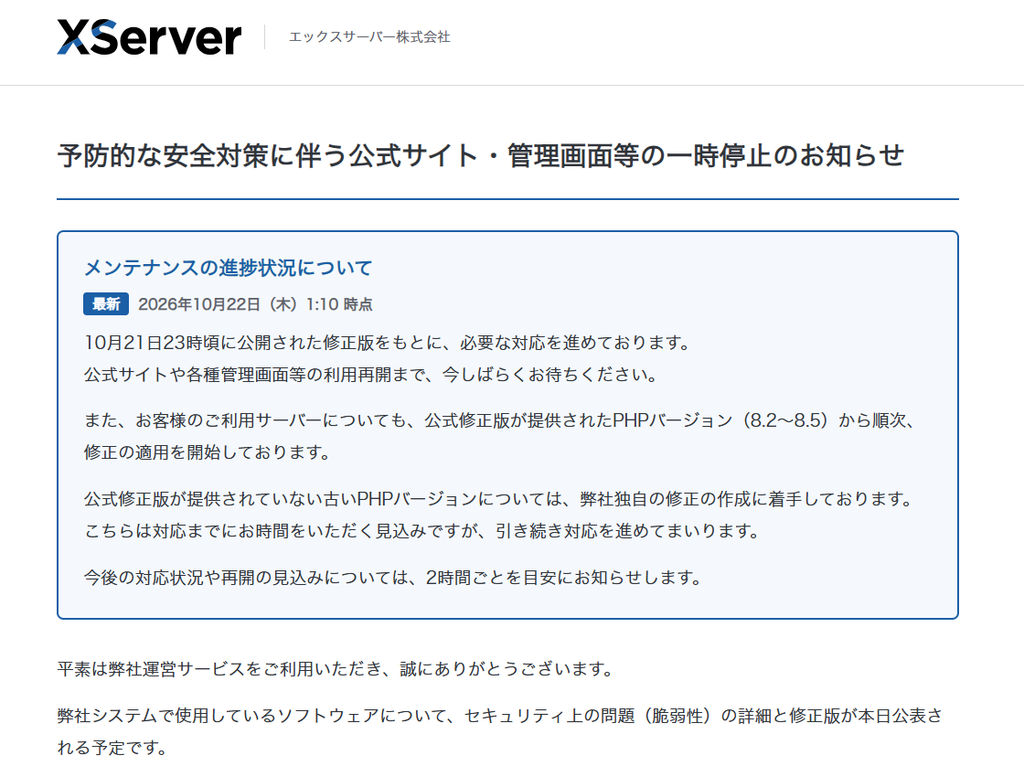
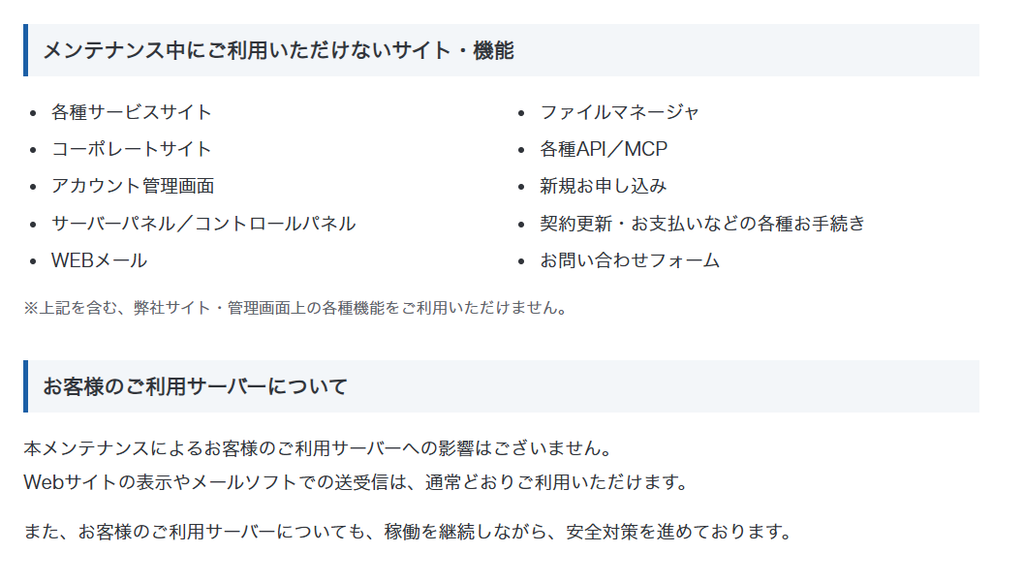
As of October 22, 2026, it's now possible to log in to the admin panel, so we'd like to share the steps we took to address the issue on the WordPress sites we manage!
PHP versions 8.2 through 8.5 have completed the application of the necessary patches.
According to Xserver's announcement, the application of the fix patch for PHP versions 8.2 through 8.5 has been completed.
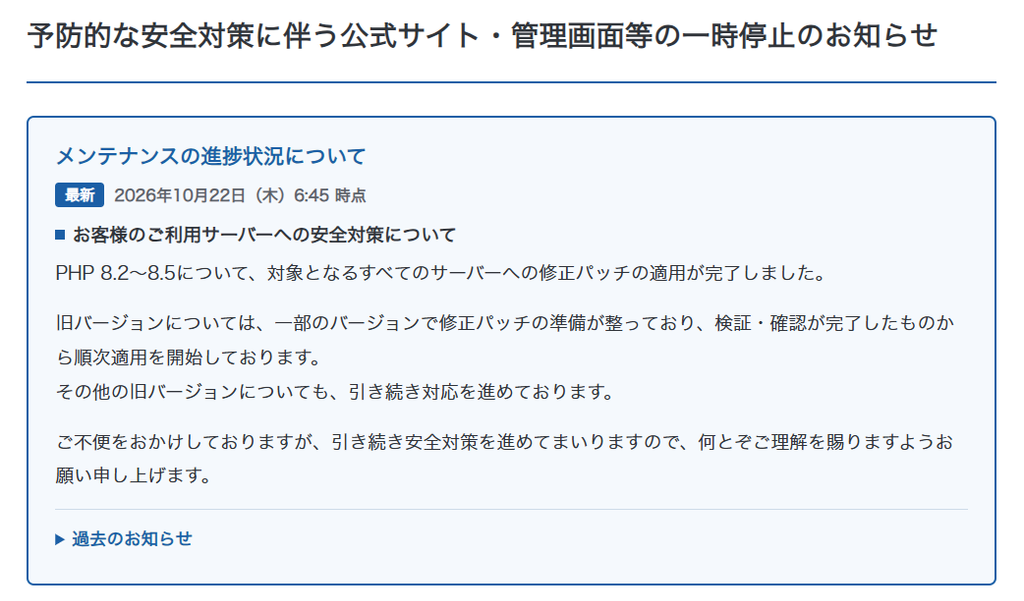
List of corrected PHP versions
- 8.5 series: Applies to versions 8.5.11 and earlier (Revised version: 8.5.12 and above)
- 8.4 series: Applies to versions prior to 8.4.26 (Revised version: 8.4.27 and above)
- 8.3 series: Applies to versions 8.3.35 and earlier (Revised version: 8.3.36 and above)
- 8.2 series: Applies to versions 8.2.34 and earlier (Revised version: 8.2.35 and above)
- Since version 8.1 is no longer supported, there is no updated version available.
Upon checking the sites managed by X Server, I found that sites using the 8.2 series were automatically updated to 8.2.35, and sites using the 8.3 series were automatically updated to 8.3.36.
On the other hand, websites using versions 8.1 or lower will not have their PHP versions automatically updated, so they will need to manually switch to the corrected version.
How to check your PHP version
You can log in to WordPress and check your PHP version.
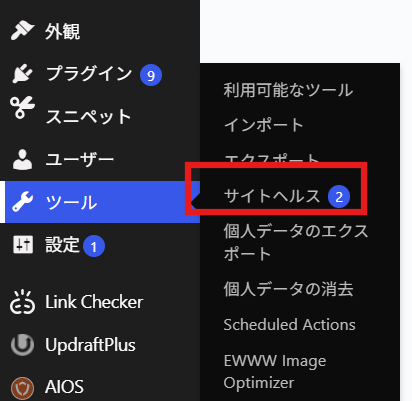
Management screen
Tools > Site Health
Open.
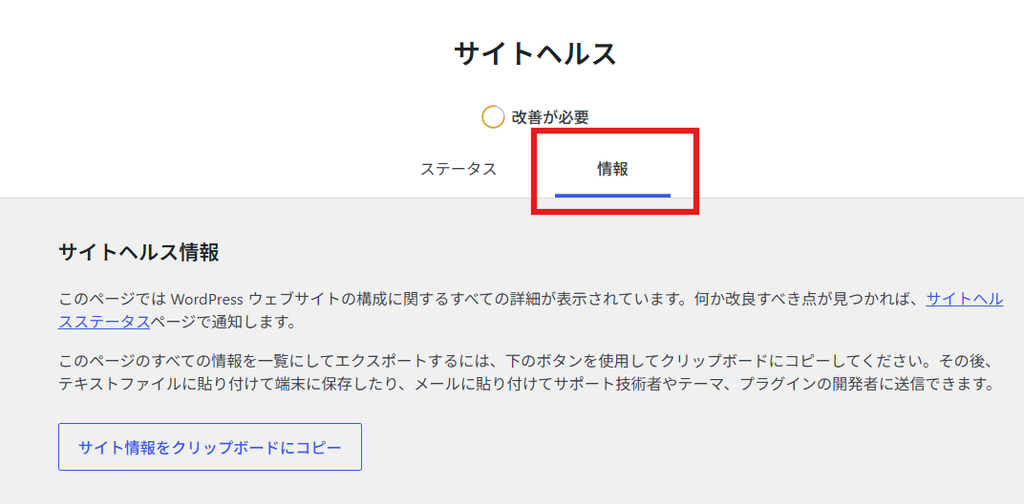
Switch to the Information tab.
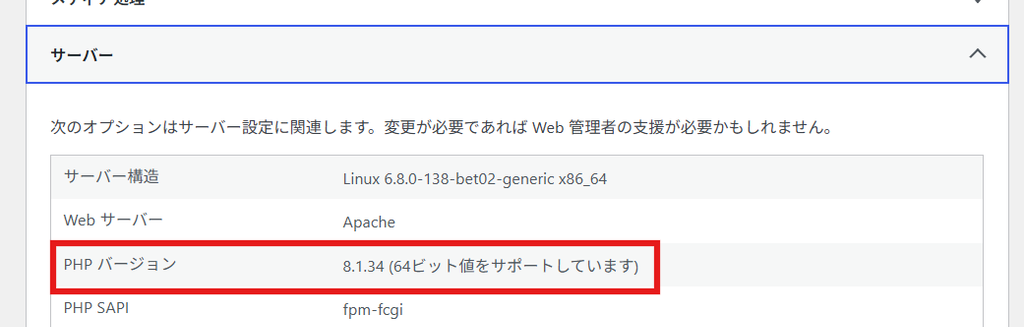
When you open the server, the PHP version is listed.
This video explains how to check your PHP version!
This article explains how to check the PHP version of your WordPress site and how to change the PHP version on X Server!
We offer maintenance and management services for WordPress sites.
At HanamiWEB, we have been providing maintenance and operation services, spot fixes, and consultations for WordPress sites since WordPress began to be widely used in Japan 10 years ago.
If you have any problems, please feel free to contact us via our official LINE account or inquiry form.

If you are in a hurry, you can also contact us by phone.
TEL: 03-6694-7024

We are available on weekends and holidays!
Please contact us if you have any problems with your website!
- Unable to log in to WordPress
Malware infection?
- The homepage suddenly stopped displaying!
- A PHP error is occurring.
We also offer support on weekends and holidays for those who need assistance.
If you are in a hurry, please call us now at 03-6694-7024.
Latest Articles

[Anti-Fraudulent Login Prevention] Is your WordPress user ID visible to external parties? We explain how to check and security measures to hide your user ID!
Timing and Process for Renewing Your Recruitment Website | Key Points to Review to Increase the Number of Applications
 English
 日本語