How to create a website using WordPress/How to use plugins/No-code construction blog



How to log in to the WordPress admin panel and find the URL [Complete guide for beginners]
At HanamiWEB Online School,
●Ask questions in real-time in the virtual study room!
●Ask as many questions as you want via chat!
●E-learning materials that you can learn as much as you want, 24 hours a day!
All included for just 2,500 yen/month!
"I've set up a WordPress site, but I don't know where to log in from." This article will answer that question.
"I can't log in to WordPress" is a surprisingly common question we receive from customers.
Sometimes problems occur that prevent me from logging in, but most of the time it's because I've forgotten the login URL for the WordPress admin panel and can no longer find the login page.
WordPress admin panel login tutorial video
Where is the login URL for the WordPress admin panel?
If you've forgotten your WordPress admin login URL, you can access the login screen by entering "/wp-admin" or "/wp-login.php" into your domain name.
https://test.com
If you are running a website called
- https://test.com/wp-admin
- https://test.com/wp-login.php
This is the URL to output the login screen.
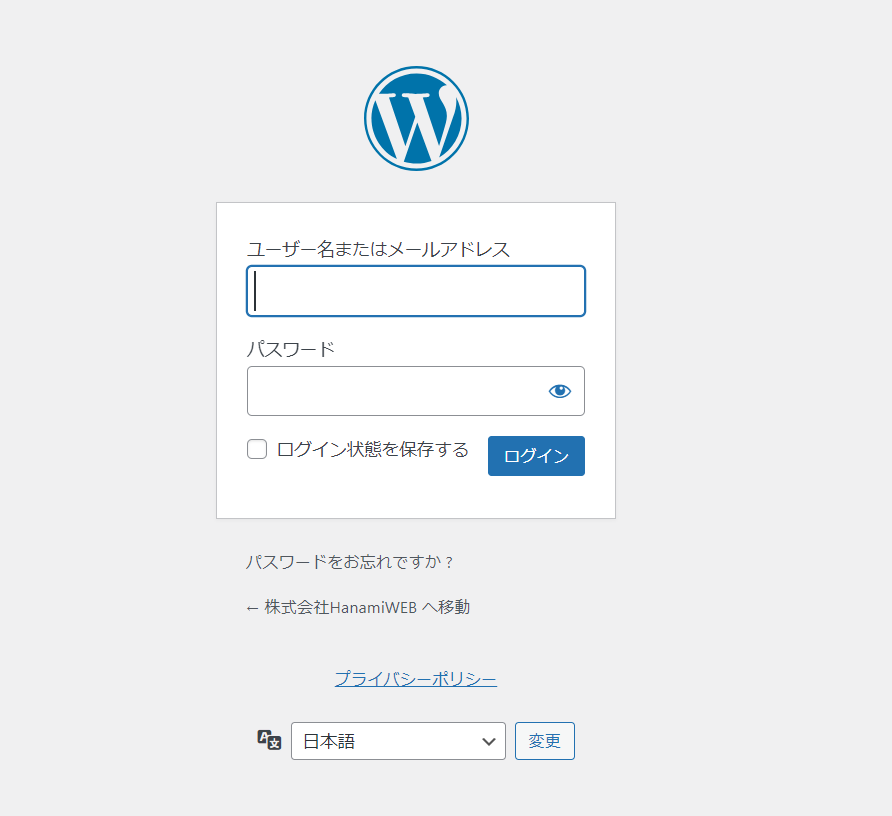
How to use the WordPress login screen
- Username or email address
- password
Use this to log in.
If you've forgotten your password, we'll send you a password reset link via "Forgot your password?".
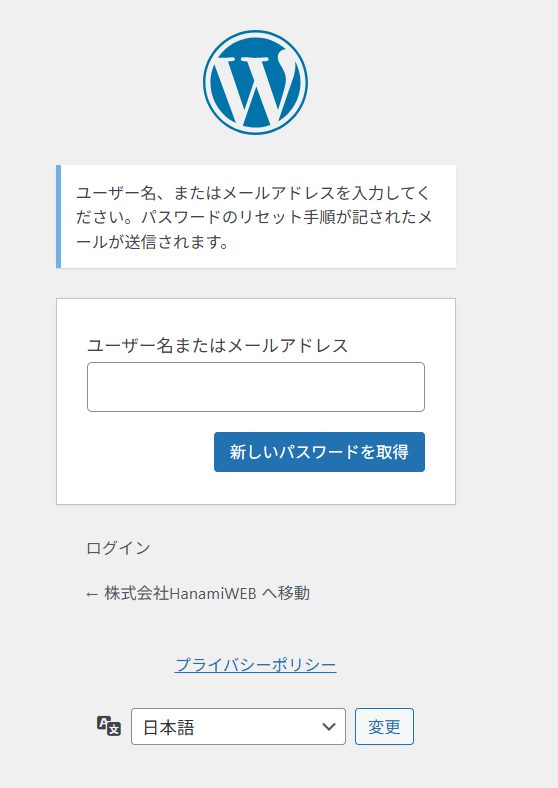
If you don't know your WordPress admin login user ID and email address
Sometimes you might not know your password, nor your email address, or you might enter your email address but not receive a password reset email.
In that case, there are also ways to forcibly create WordPress users.
I've written an explanatory article, so please refer to that.
Trying to log in to wordpress.com
A common mistake made by people who are unable to log in to their WordPress site is to search online for "WordPress login", which brings up a screen for logging in to a server called wordpress.com.
Log in to WordPress.com
If it is displayed as such, it is incorrect.
*This is correct if you manage your site via WordPress.com.

WordPress sites can also be infected with malware.
Besides forgetting the WordPress admin URL and being unable to log in, malware infection can also prevent you from logging in.
If this sounds familiar, please refer to our article detailing the malware infection countermeasures we actually use at HanamiWEB.

We are available on weekends and holidays!
Please contact us if you have any problems with your website!

- Unable to log in to WordPress
Malware infection?
- The homepage suddenly stopped displaying!
- A PHP error is occurring.
We also offer support on weekends and holidays for those who need assistance.
If you are in a hurry, please call us now at 03-6694-7024.
Latest Articles


Timing and Process for Renewing Your Recruitment Website | Key Points to Review to Increase the Number of Applications

7 Key Points for Creating a Recruitment Website | How to Create a Recruitment Site That Job Seekers Will Choose
What is the average cost of a recruitment website? A thorough explanation of pricing by production method.
 English
  日本語
日本語