How to create a website using WordPress/How to use plugins/No-code construction blog



Explaining the Zoom Integration Feature of the Paid Version of the WordPress Amelia Booking System Plugin (9.x and later)
At HanamiWEB Online School,
●Ask questions in real-time in the virtual study room!
●Ask as many questions as you want via chat!
●E-learning materials that you can learn as much as you want, 24 hours a day!
All included for just 2,500 yen/month!
This article explains how to use Amelia, a WordPress plugin that allows you to create a homepage with a reservation system.
In the major update in December 2025, the UI of the admin screen changed significantly in versions 9.x and later. We will explain the new version!
This time, we will explain the Zoom integration function that can be used with the paid version of Amelia.
Standard,Available with Pro and Elite licenses.
Amelia > Feature & Integration > Zoom
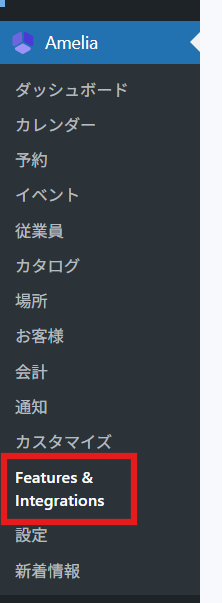
In the WordPress admin panel, click Amelia > Feature & Integration.
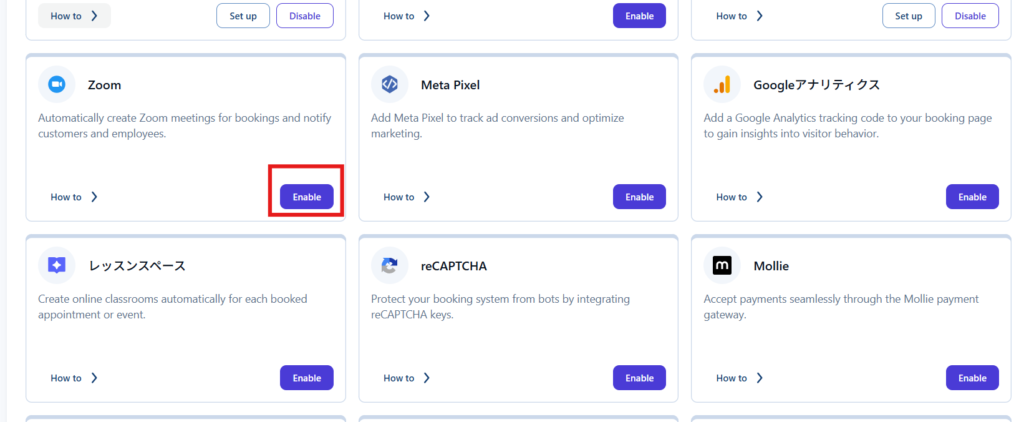
In the Integration tab, set Zoom to [Enable].
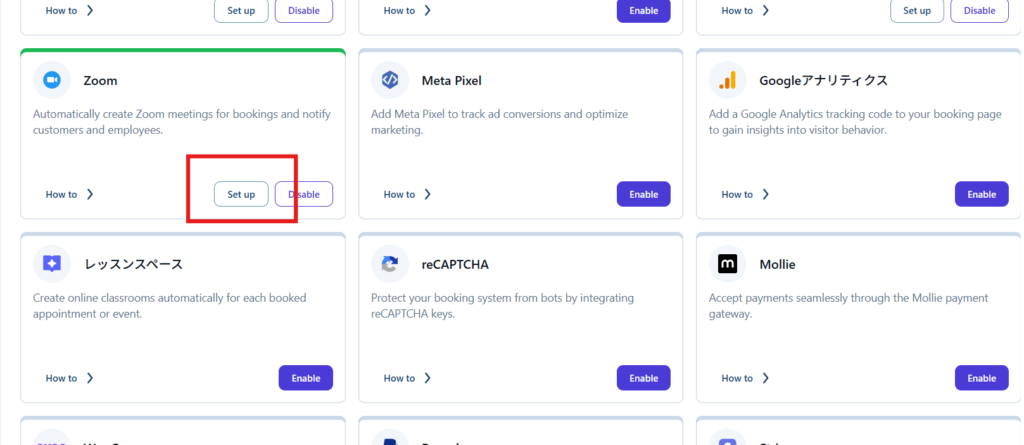
Click Set up.
Create an application in the Zoom App Marketplace
Log in to Zoom by clicking Sign in.
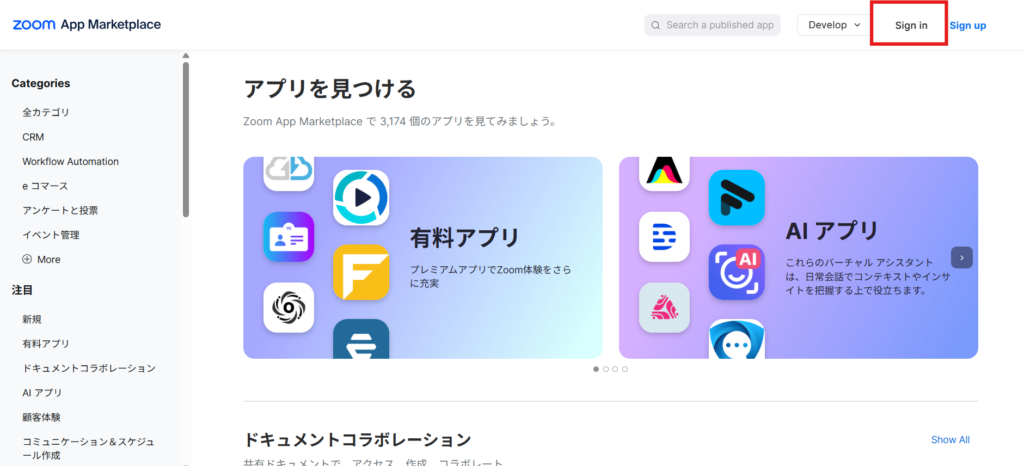
Built-in app
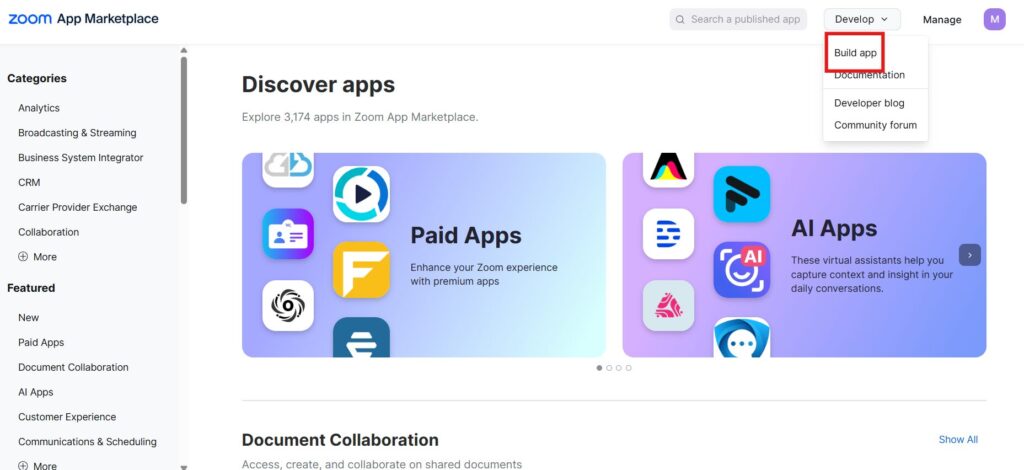
Once you're logged in, click Build app.
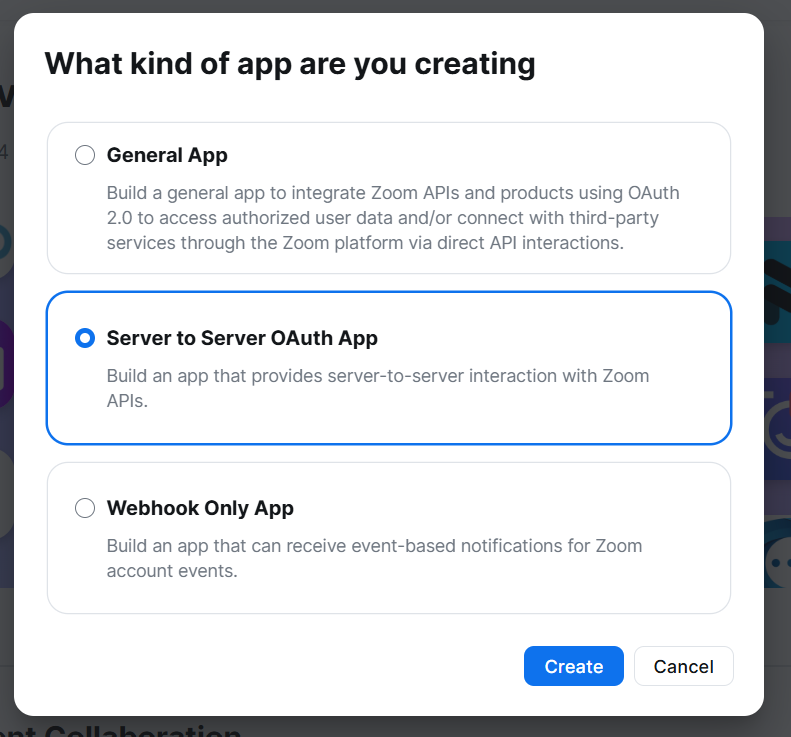
Select Server to Server OAuth App and click the Create button.
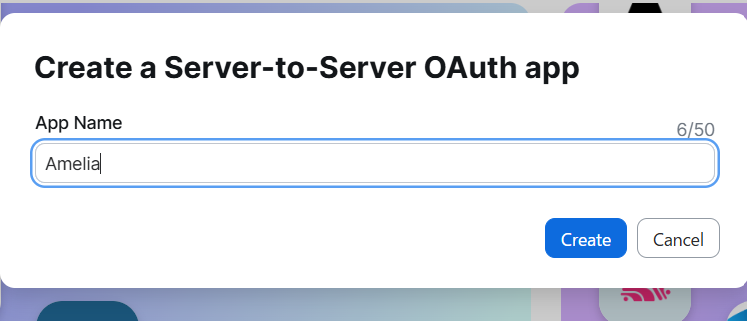
Give it a name and click the Create button.
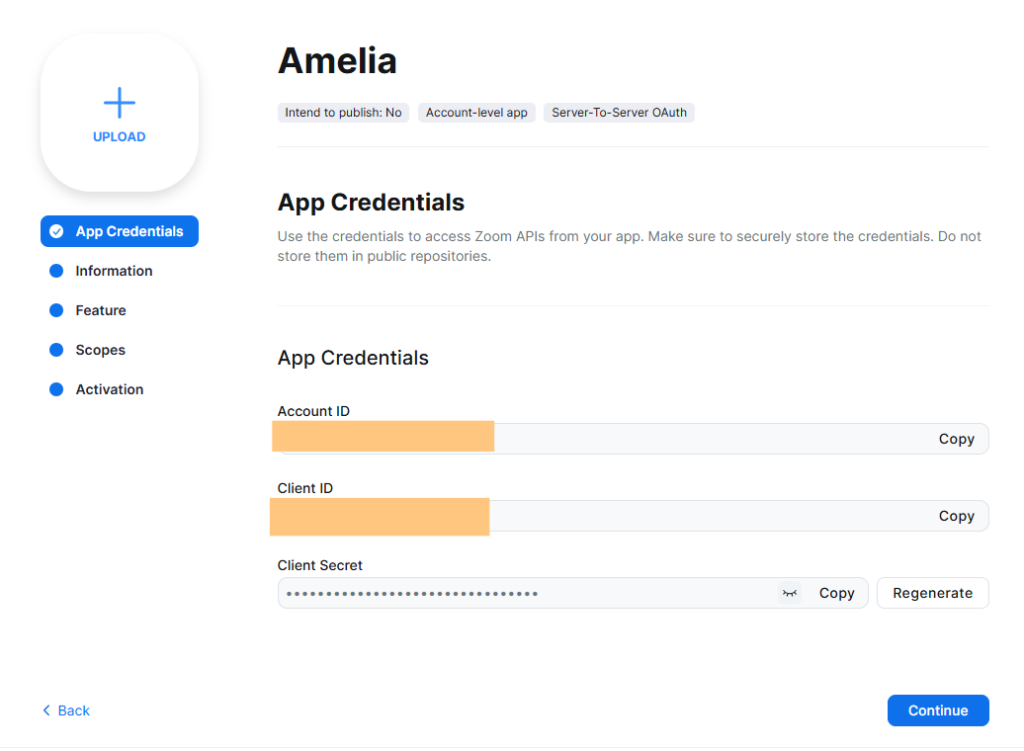
Copy the necessary information
After creation, you will be redirected to this screen.
- Account ID
- Client ID
- Client Secret
This information will be entered into Amelia's Zoom settings.
Amelia's Zoom setup
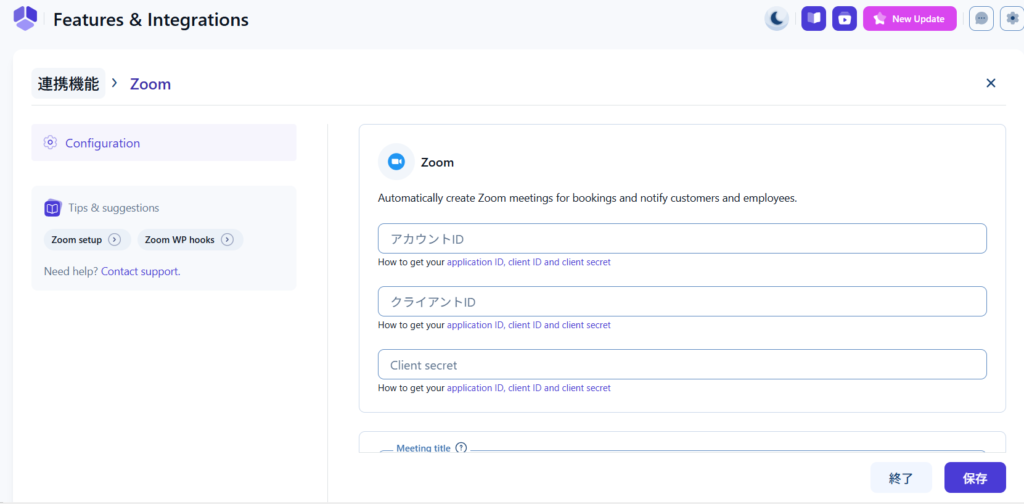
This is the setup screen you will be taken to after enabling Zoom.
Here
- Account ID
- Client ID
- Client Secret
Copy and paste from Zoom.
(Required) Zoom App Advanced Settings
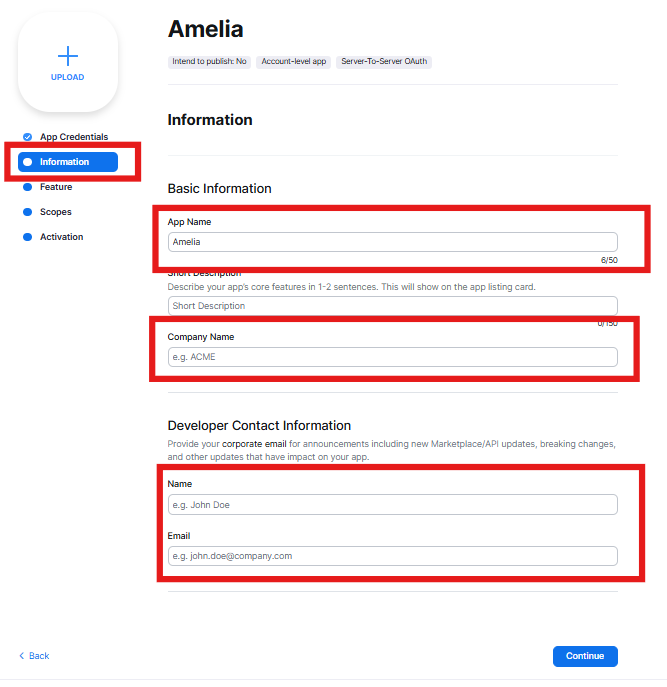
Enter information
Switch to the Information tab and fill in the following four items.
Once you have filled it out, click the [Continue] button.
- App Name
- Company name
- Name
Adding a Scope
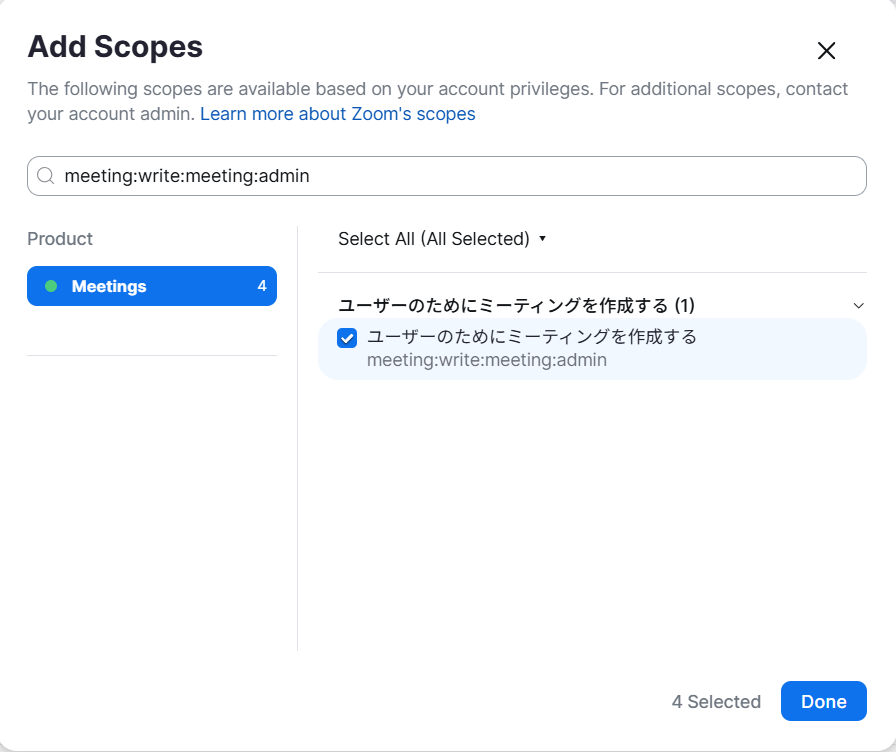
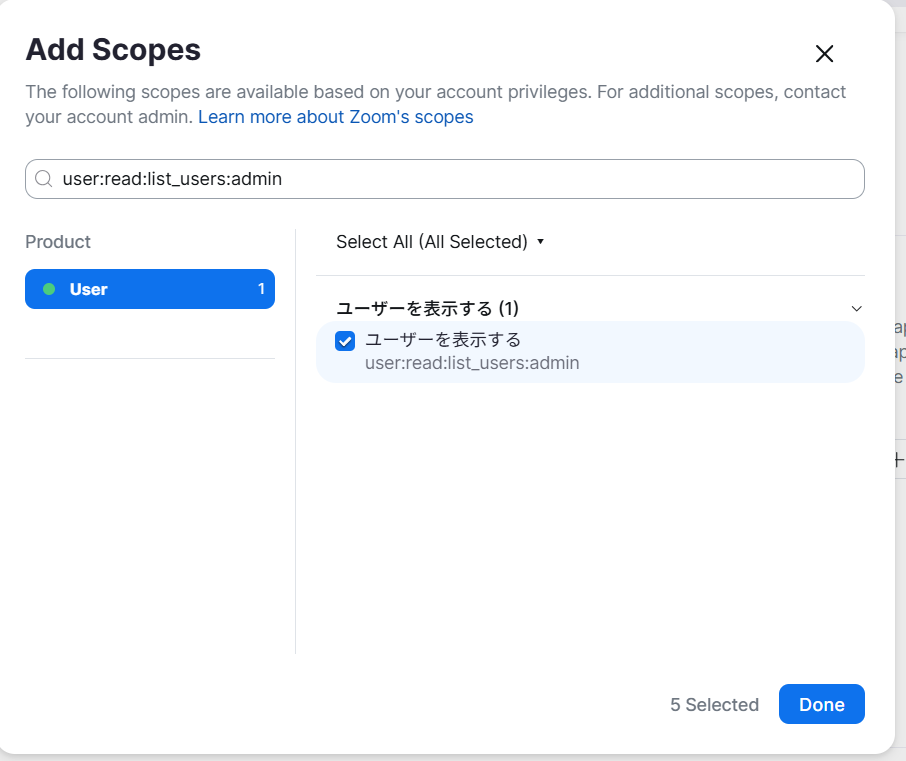
Next, switch to the Scope tab and click the Add Scopes button to add five types of scopes.
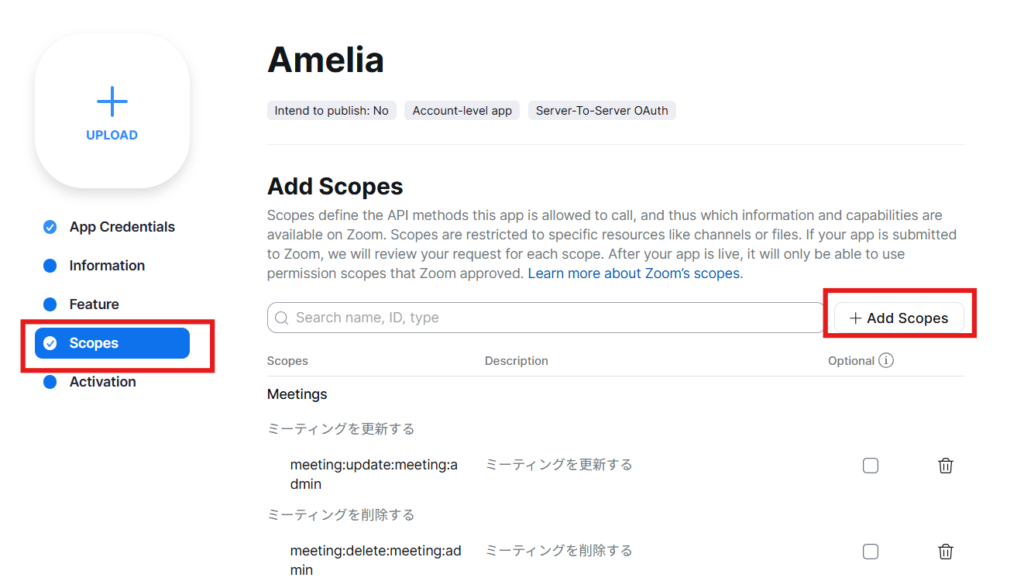
In the Search scope section, search for one of the five scopes listed below and check the box.
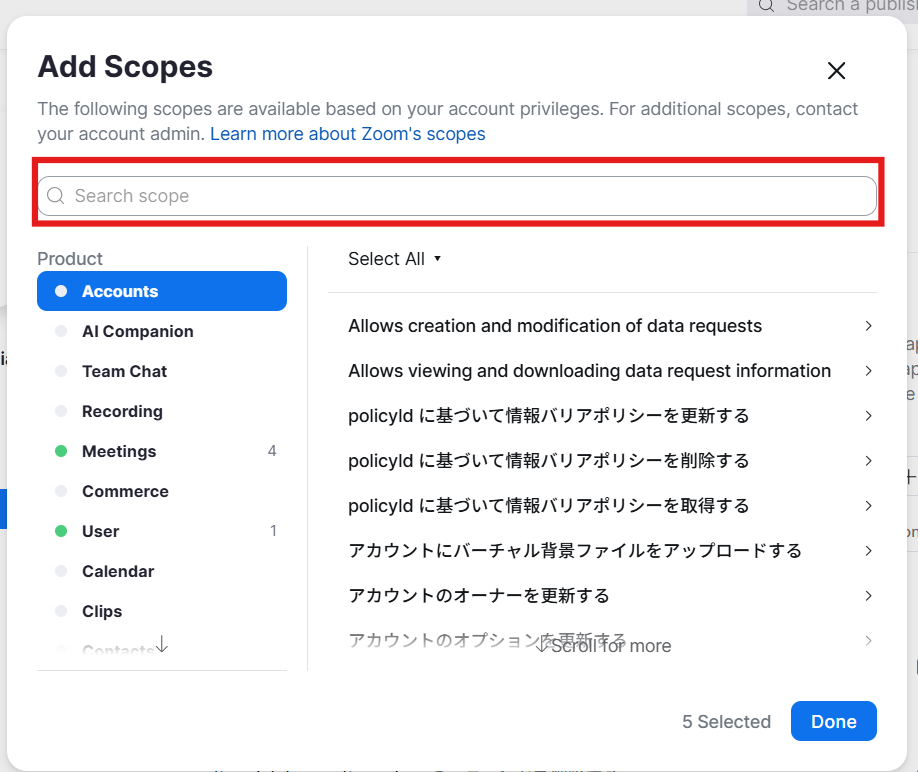
meeting:read:list_meetings:admin
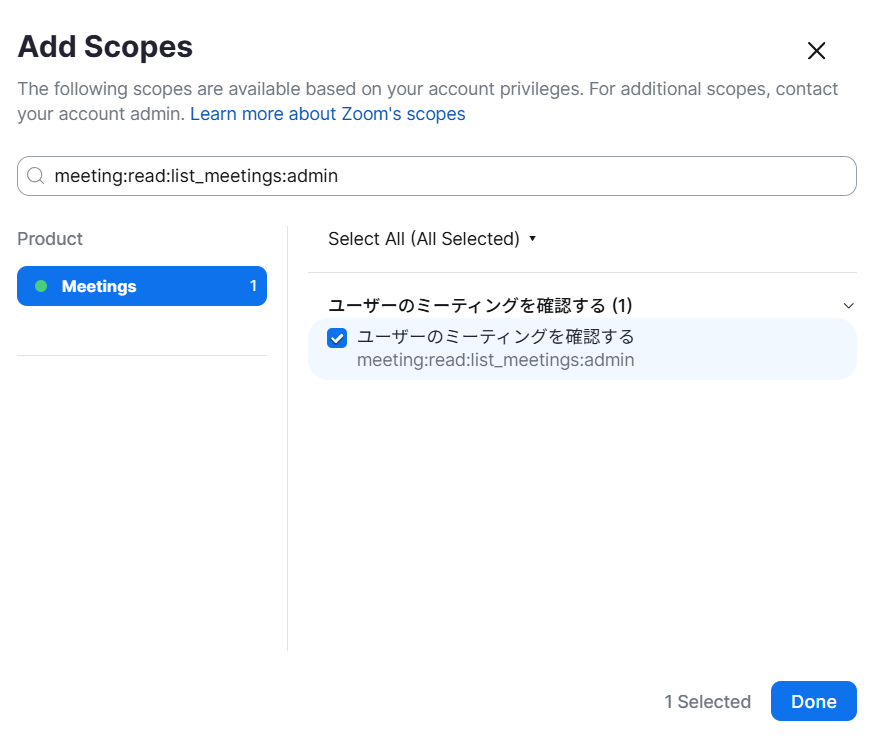
meeting:update:meeting:admin
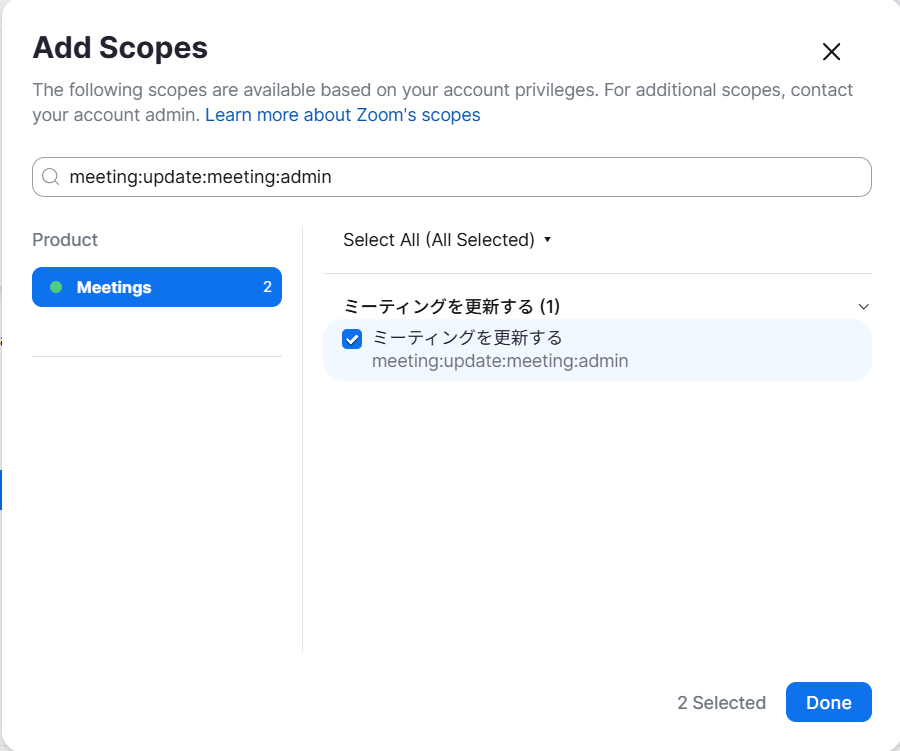
meeting:delete:meeting:admin
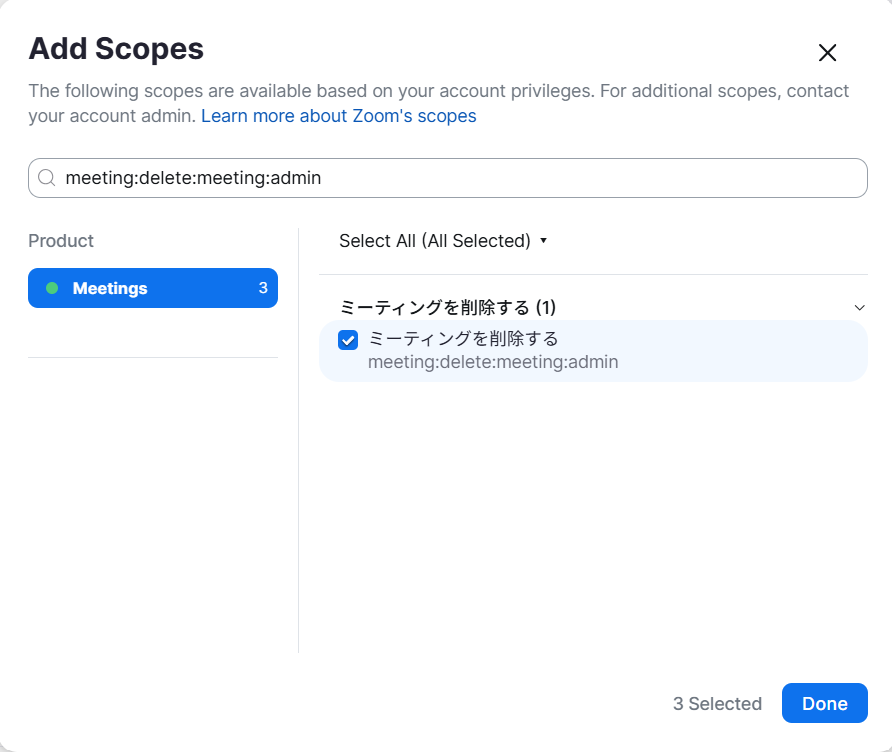
meeting:write:meeting:admin
user:read:list_users:admin
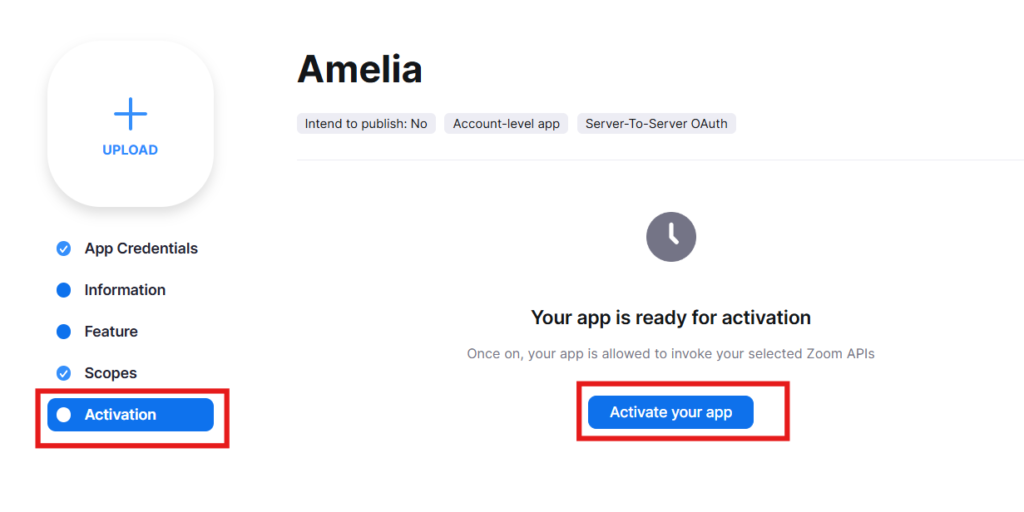
Make the Zoom app active
Finally, switch to the Activation tab and click the [Activate your app] button to activate it.
The Zoom app setup is complete.
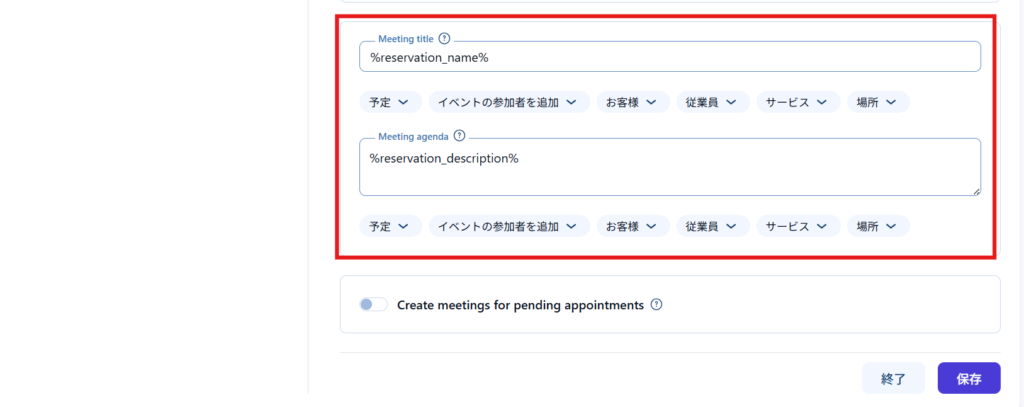
Setting Zoom MTG title details
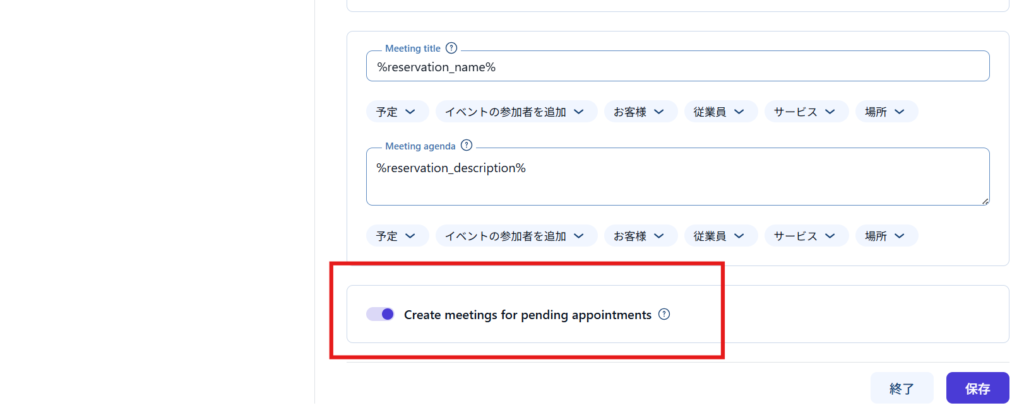
You can also customize the automatically generated Zoom app title with details.
It's in Amelia's Zoom settings setup.
Configure the settings in the block below where you previously entered the three codes: Account ID, Client ID, and Client Secret.
Will a Zoom URL be issued even for pending reservations?
If you want to issue a Zoom URL even for pending reservations, turn this on.
If it is OFF, the zoom URL will be issued when the reservation is confirmed.
Placeholders for emails
This is a placeholder for Zoom that can be used in notifications.
%zoom_host_url% – For employee notification
%zoom_join_url% – For customer notification
For events
%zoom_host_url_date%
%zoom_host_url_date_time%
%zoom_join_url_date%
%zoom_join_url_date_time%
How to connect different employees to different Zoom accounts
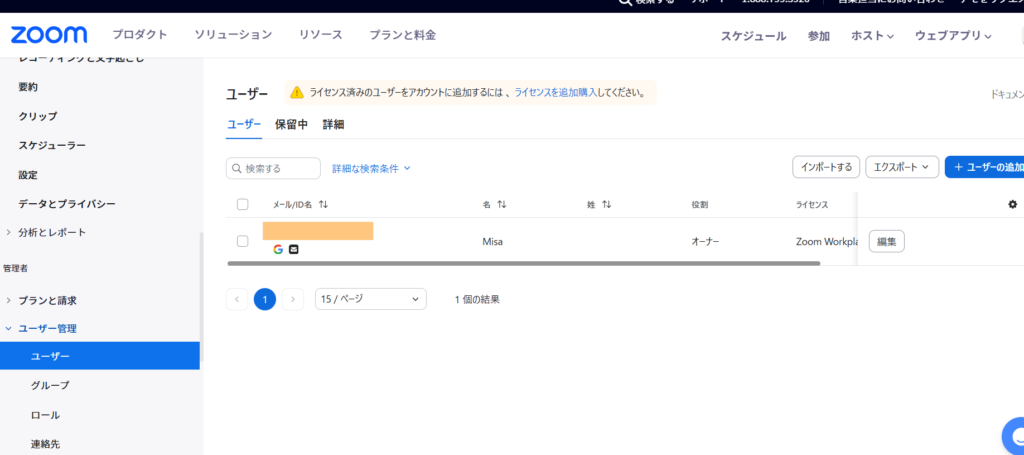
If a user has been added to User Management > Users in the Zoom settings (https://zoom.us/account/user#/), you can link the user registered on Amelia with Zoom.
This configuration requires an additional license.

We are available on weekends and holidays!
Please contact us if you have any problems with your website!

- Unable to log in to WordPress
Malware infection?
- The homepage suddenly stopped displaying!
- A PHP error is occurring.
We also offer support on weekends and holidays for those who need assistance.
If you are in a hurry, please call us now at 03-6694-7024.
Latest Articles

[Anti-Fraudulent Login Prevention] Is your WordPress user ID visible to external parties? We explain how to check and security measures to hide your user ID!


Timing and Process for Renewing Your Recruitment Website | Key Points to Review to Increase the Number of Applications
 English
  日本語
日本語