How to create a website using WordPress/How to use plugins/No-code construction blog




Build a membership-based online salon with WordPress using Paid Membership Pro! Payment settings explained
At HanamiWEB Online School,
●Ask questions in real-time in the virtual study room!
●Ask as many questions as you want via chat!
●E-learning materials that you can learn as much as you want, 24 hours a day!
All included for just 2,500 yen/month!
This article explains the payment settings for the Paid Membership Pro plugin, a WordPress plugin recommended for those who want to create a membership-based online salon.
Setting location
- membership
- setting
- Payment Gateways and SSL
This will be done.

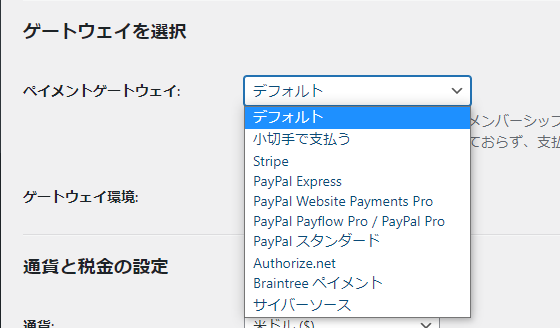
Set up your payment method
There are many types, but the most common payment services in Japan are
- Stripe
- PayPal Express
I think it's one or the other.
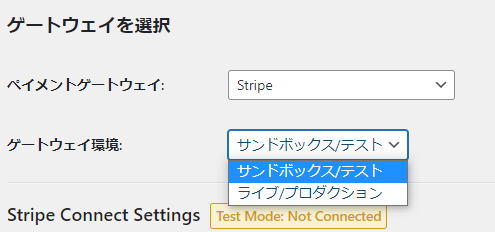
Test mode or production environment
- Sandbox/Test - No real payments are made in the test environment
- Live/Production - Payments are actually made in the production environment
Choose one:
Stripe connection
First, let's show you how to connect to Stripe, which you can do with just the click of a button.

If it looks like this, it's OK.
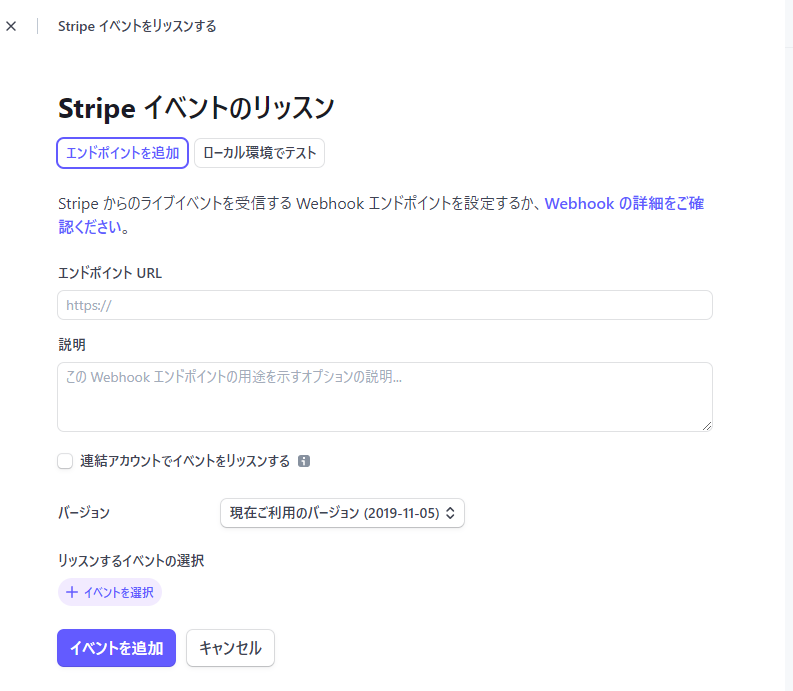
Webhook Settings
If you do not set up a Webhook, the Paid Membership plugin will not be able to receive payment status from Stripe.
Add a Webhook in the Stripe admin screen.
- End-hook URL – Enter the Webhook URL shown at the bottom of the Stripe settings for Paid Membership Pro.
- Version - The latest API version
- Events – Adds all customer and invoice events.
You can set this up in the Stripe dashboard.
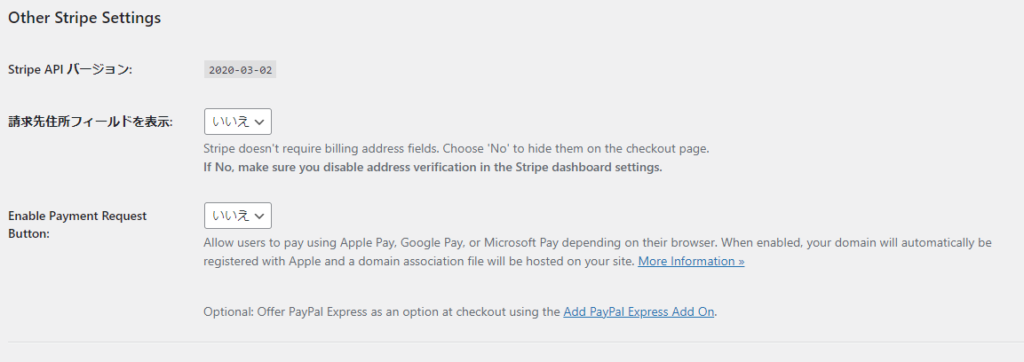
Other Stripe settings
- Show invoice address field – leave it as “No” if you want to show the address input field when checking out
- Enable Payment Request Button - Set this to "Yes" if you want to use payment methods other than credit cards provided by Stripe.
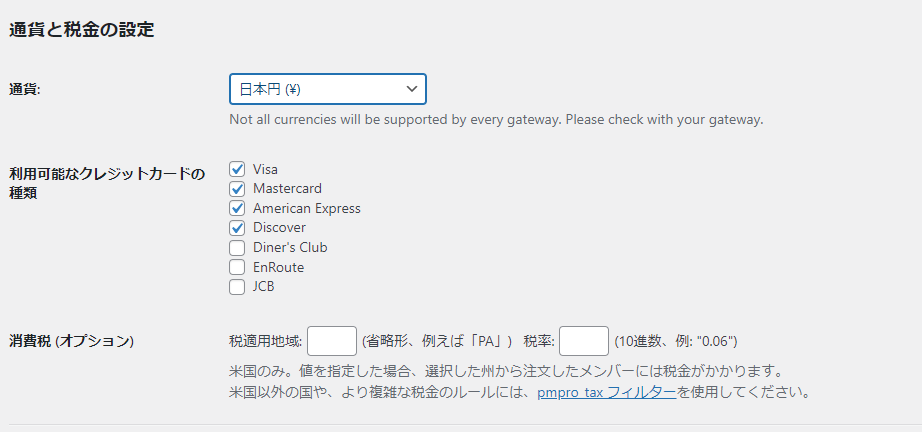
Currency settings
Set it to Japanese Yen and check the available credit card types.
Prices must include tax, so leave the consumption tax option blank.
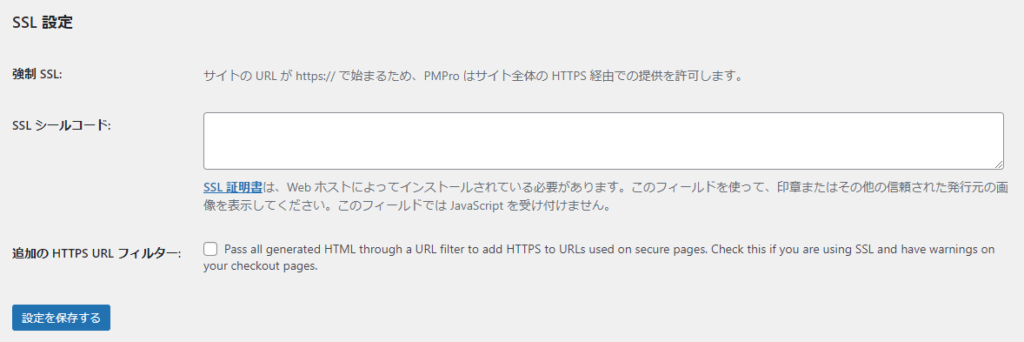
SSL Settings
In order to make a payment, the domain must support SSL. Normally, SSL settings are not configured here, but are applied for on the server, so leave this setting blank.

We are available on weekends and holidays!
Please contact us if you have any problems with your website!

- Unable to log in to WordPress
Malware infection?
- The homepage suddenly stopped displaying!
- A PHP error is occurring.
We also offer support on weekends and holidays for those who need assistance.
If you are in a hurry, please call us now at 03-6694-7024.
Latest Articles


Timing and Process for Renewing Your Recruitment Website | Key Points to Review to Increase the Number of Applications

7 Key Points for Creating a Recruitment Website | How to Create a Recruitment Site That Job Seekers Will Choose
What is the average cost of a recruitment website? A thorough explanation of pricing by production method.
 English
  日本語
日本語