How to create a website using WordPress/How to use plugins/No-code construction blog



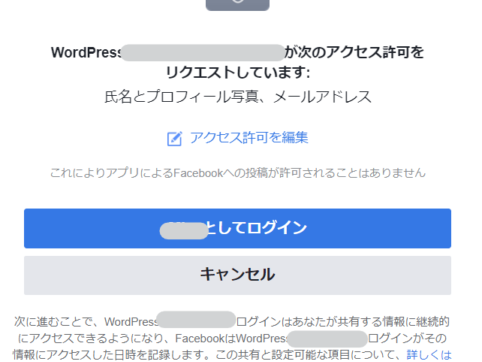
Explaining how to set up Facebook login for 2021!
At HanamiWEB Online School,
●Ask questions in real-time in the virtual study room!
●Ask as many questions as you want via chat!
●E-learning materials that you can learn as much as you want, 24 hours a day!
All included for just 2,500 yen/month!
HanamiWEB representative Misa (@hanami_web)is.
I am building a matching site with WordPress using the Matching Site theme, and the Matching Site theme has a Facebook login mechanism.
I needed to issue an API key to log in to Facebook, so I'll explain the procedure for issuing it!
Twitter login API key issuance / Google Login API key issueThis is summarized in a separate article.
Now, let's show you how to issue an API key for Facebook login!
The theme for the matching site we will be setting up this time is PremiumPress.
Facebook Login Create a new app
Facebook Login Log in to Facebook Developer to issue an API key.
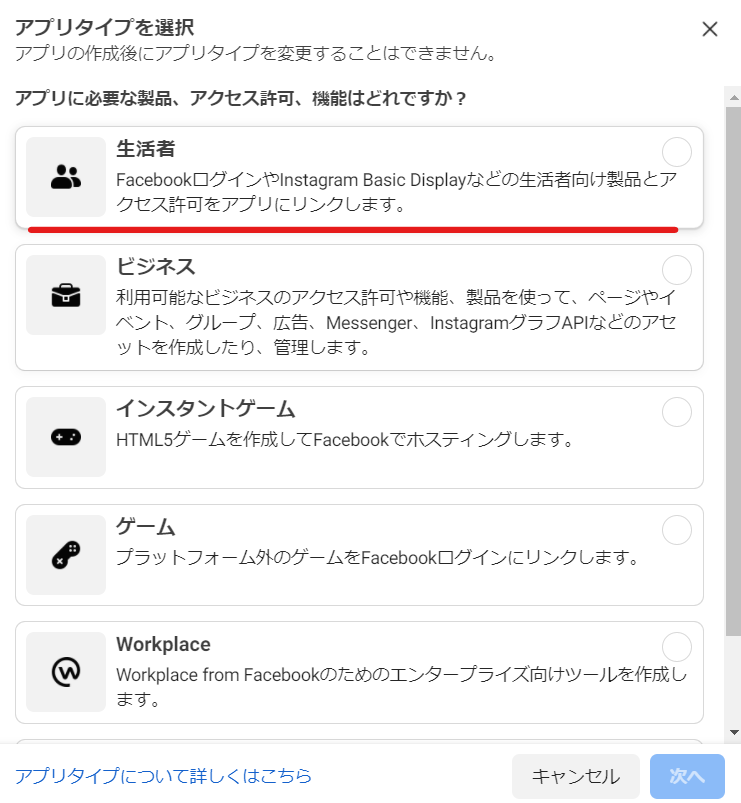
Click Create App.

If you want to create a Facebook login, select User
If you are logged in with Facebook, click Consumer to proceed to the next step.
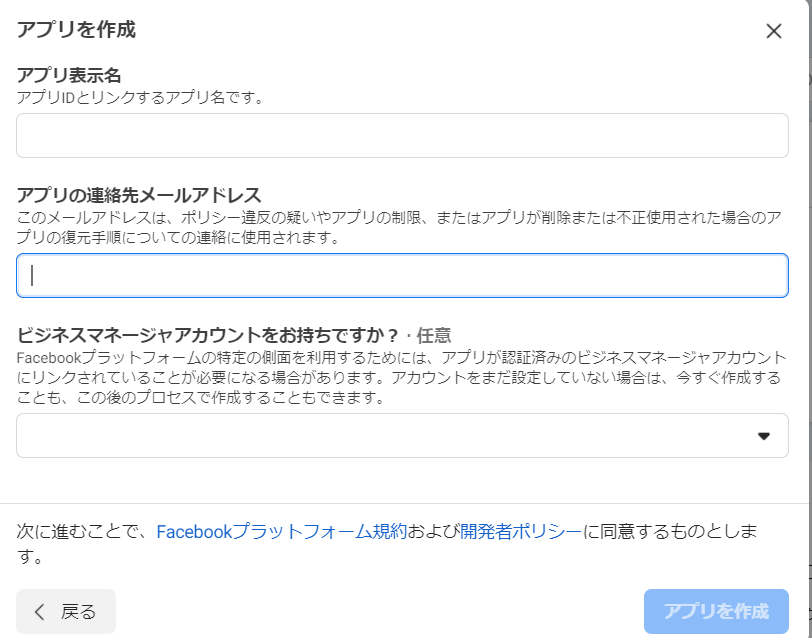
Enter the app display name for Facebook login
Enter the display name and email address for your Facebook login app and click [Create App].
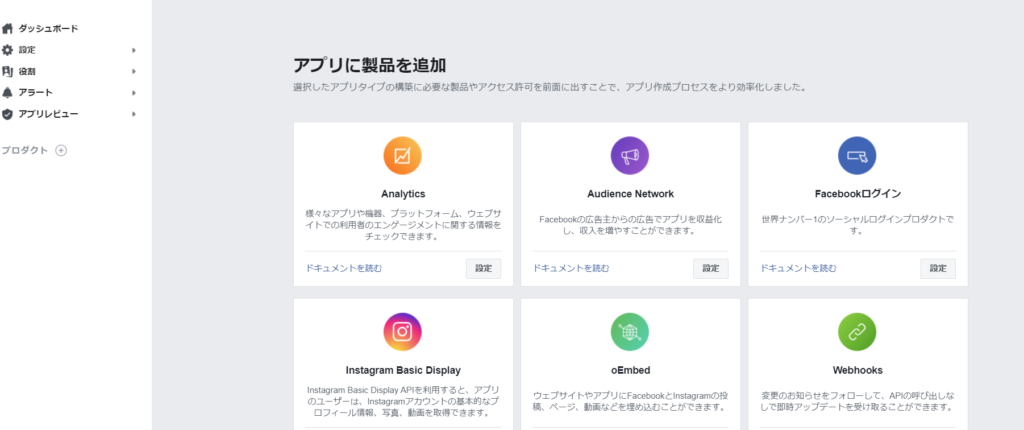
Select Facebook Login
Once you create the app, you will be taken to the dashboard below, so click on [Settings] under Facebook Login.
Facebook Login Select Web
This time, we will use Facebook login on a website, so select Web.

Enter the website URL to be implemented
Enter the URL of the website where you want to implement Facebook Login.
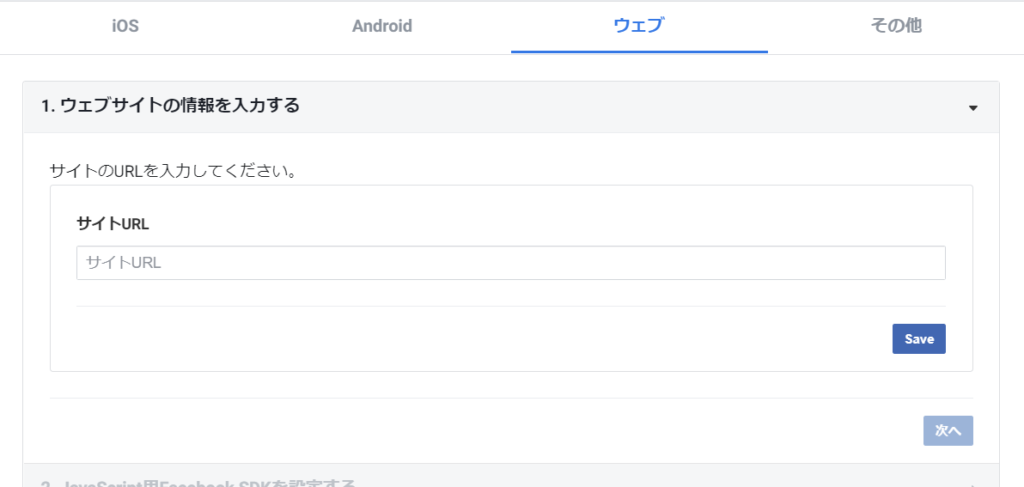
Continue moving forward
Various embed codes will be issued to implement Facebook login on your site, but since the PremiumPress theme we are using has already completed the embed codes, click [Next] to proceed.
Once complete, return to the dashboard
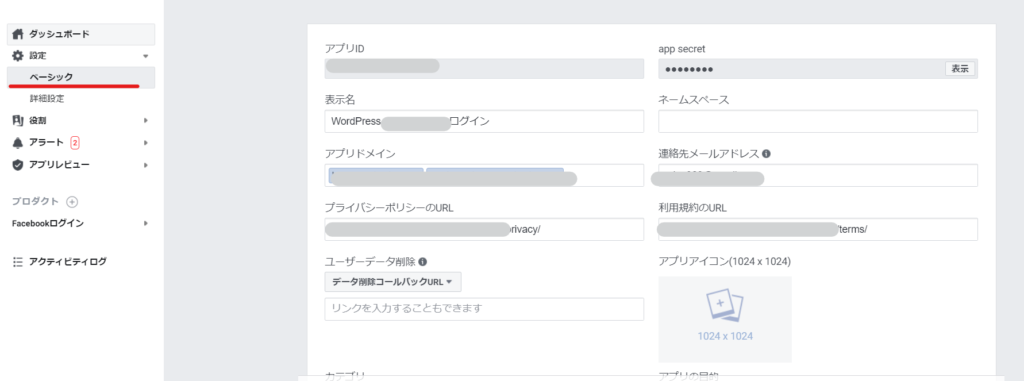
Facebook Login API Key/Secret Verification
In Settings > Basic
App ID ⇒ API key
app secret ⇒ Secret Key
Copy and paste this into the input section of your theme.
others
- display name
- App domain (the domain is the ●●●.com part below https://)
- Contact Email Address
- Privacy Policy URL
- Terms of Use URL
Enter and save.
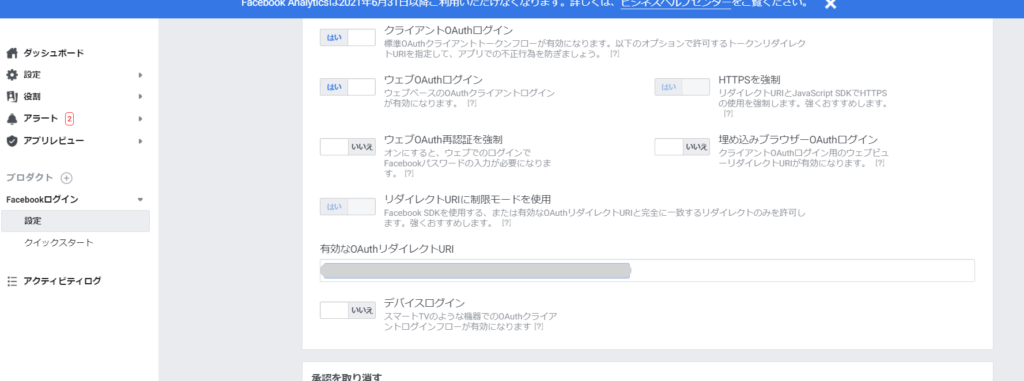
Enter a valid redirect URL
Facebook callback URL
Facebook Login > Settings
Enter a valid OAuth redirect URL in the field.
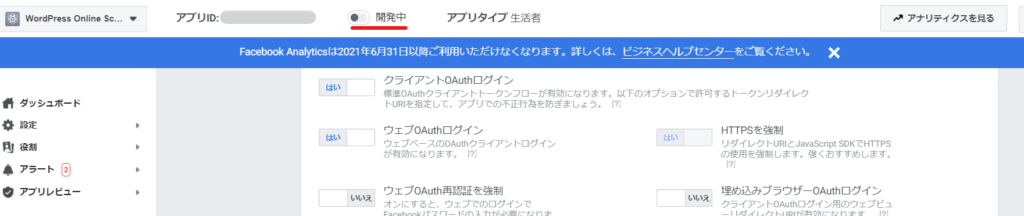
Facebook Login Publish
Toggle the "In Development" switch at the top to officially release the Facebook Login feature.
Facebook login implementation completed!
You have successfully logged in to Facebook as shown below!
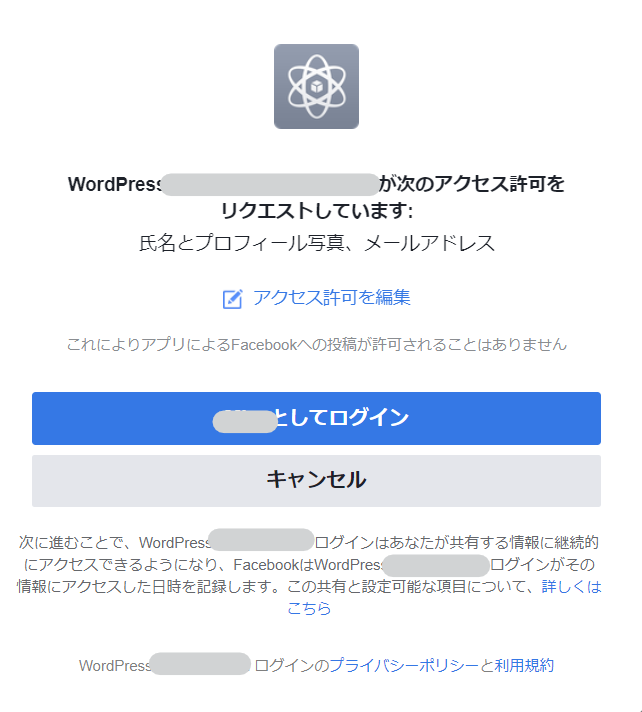
I was already registered as a Facebook Developer.
Facebook has had a Developer registration system for quite some time, so we will introduce it without going through the Facebook Developer registration process.
Facebook login was very easy as the instructions were in Japanese!
To build a matching site using WordPress, I use a theme called PremiumPress. Social media login can also be done through the theme settings, so it's excellent even without any plugins!
Twitter Login / Google Login We also explain how to set it up!

We are available on weekends and holidays!
Please contact us if you have any problems with your website!

- Unable to log in to WordPress
Malware infection?
- The homepage suddenly stopped displaying!
- A PHP error is occurring.
We also offer support on weekends and holidays for those who need assistance.
If you are in a hurry, please call us now at 03-6694-7024.
Latest Articles

[Anti-Fraudulent Login Prevention] Is your WordPress user ID visible to external parties? We explain how to check and security measures to hide your user ID!


Timing and Process for Renewing Your Recruitment Website | Key Points to Review to Increase the Number of Applications

7 Key Points for Creating a Recruitment Website | How to Create a Recruitment Site That Job Seekers Will Choose
 English
  日本語
日本語