How to create a website using WordPress/How to use plugins/No-code construction blog



How to create a matching homepage using WordPress [HivePress] User registration settings
At HanamiWEB Online School,
●Ask questions in real-time in the virtual study room!
●Ask as many questions as you want via chat!
●E-learning materials that you can learn as much as you want, 24 hours a day!
All included for just 2,500 yen/month!
This article explains the plugin HivePress, which is used to build a matching site using WordPress. This time, we will explain the settings related to user lanterns.
Creating a user registration page
Create your own static page.
- fixed page
- Create New
- Enter a title - User Registration, anything is fine
- Set permalink - English is best as this will be the URL. For example, registration.
- Select [User Registration Form] from the Add Block menu.
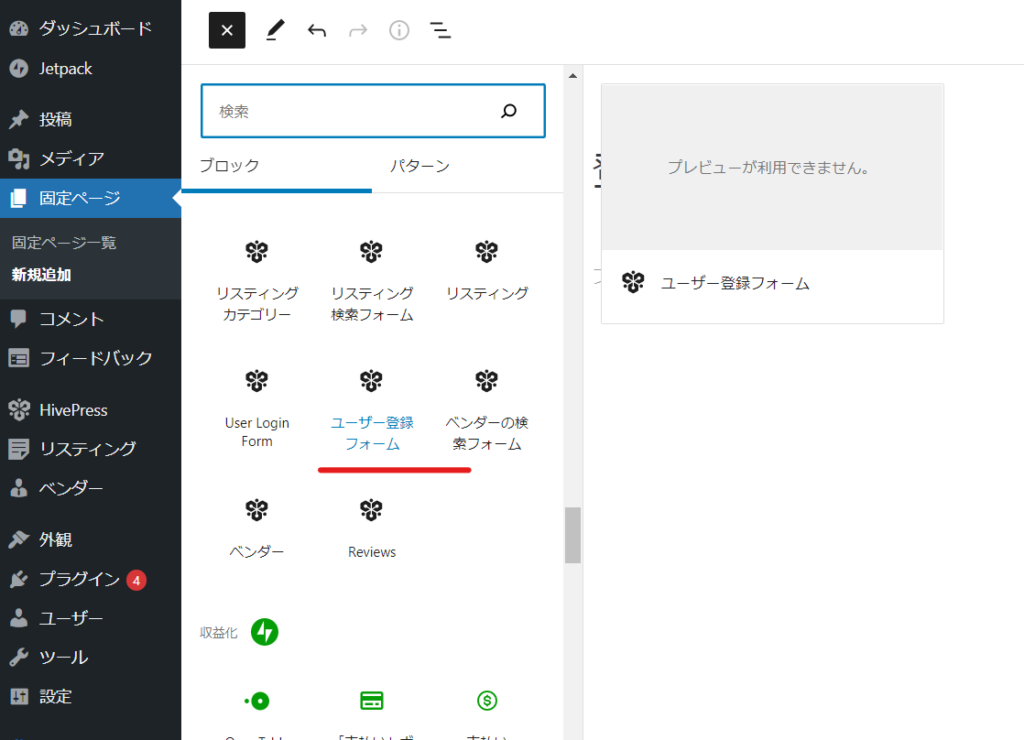
Registration form setup complete
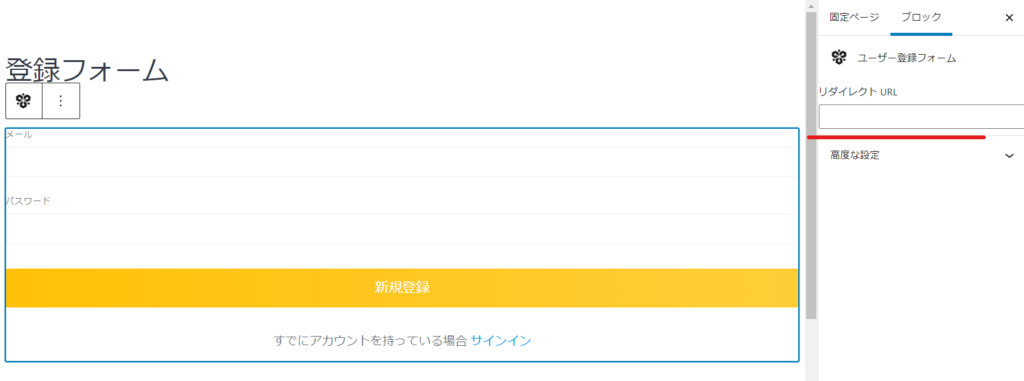
The only thing you can set here is the redirect page URL after registration is complete.
Since it uses the regular WordPress editor, you can freely add text and images wherever you like.
Add registration page to menu bar
As it is, the registration page can be linked anywhere on the site, so go to the menu bar settings.
- exterior
- menu
- Set the menu to edit to "Header"
- Select "Registration Form" from the static pages and click the Add button.
- Move the position
- Finally, click the "Save Menu" button.
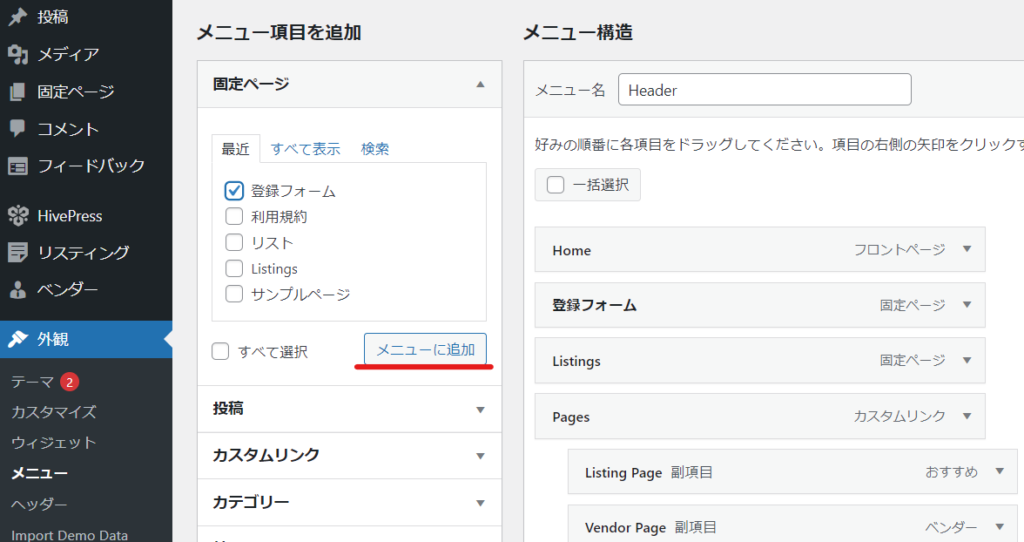
This will add a "Sign Up Form" link to your menu bar, allowing anyone to sign up from your site.
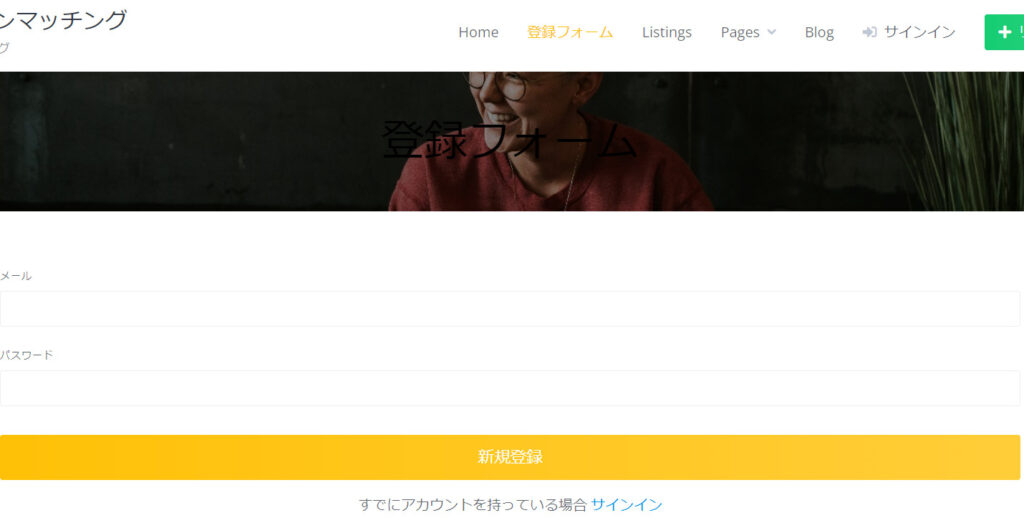
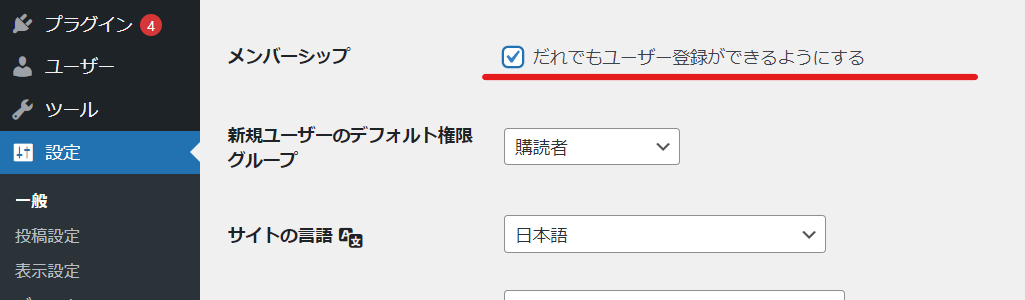
If you are having trouble registering, please check your WordPress settings.
You may not be able to register if the "Anyone can register" option in [Settings] > [General] is not checked.

We are available on weekends and holidays!
Please contact us if you have any problems with your website!

- Unable to log in to WordPress
Malware infection?
- The homepage suddenly stopped displaying!
- A PHP error is occurring.
We also offer support on weekends and holidays for those who need assistance.
If you are in a hurry, please call us now at 03-6694-7024.
Latest Articles
[Anti-Fraudulent Login Prevention] Is your WordPress user ID visible to external parties? We explain how to check and security measures to hide your user ID!


Timing and Process for Renewing Your Recruitment Website | Key Points to Review to Increase the Number of Applications

7 Key Points for Creating a Recruitment Website | How to Create a Recruitment Site That Job Seekers Will Choose
 English
  日本語
日本語