How to create a website using WordPress/How to use plugins/No-code construction blog




How to create a reservation-enabled homepage for hotels, private lodgings, and campsites using WordPress! How to create a reservation facility page using the Hbook plugin
At HanamiWEB Online School,
●Ask questions in real-time in the virtual study room!
●Ask as many questions as you want via chat!
●E-learning materials that you can learn as much as you want, 24 hours a day!
All included for just 2,500 yen/month!
This article explains how to set up Hbook, a WordPress reservation system plugin for hotels, private lodgings, and campsites.
This article explains how to create a reservation facility page, which is the first thing you need to set up when making a reservation on Hbook.
Reservation type setting location
- hotel
- New additions
We'll do it here.
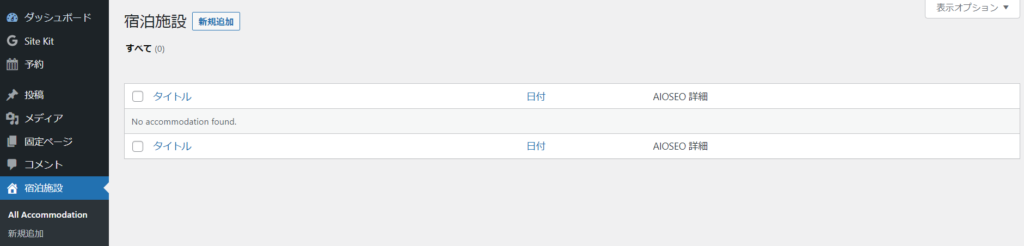
Accommodation registration
- Title - Accommodation Name
- Body - Configurable via Gutenberg blocks
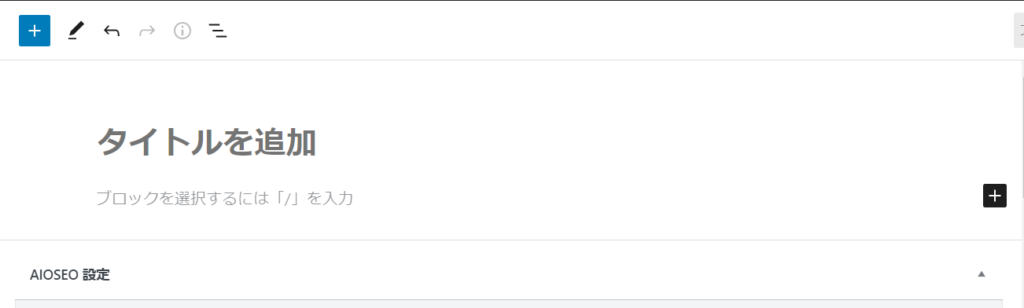
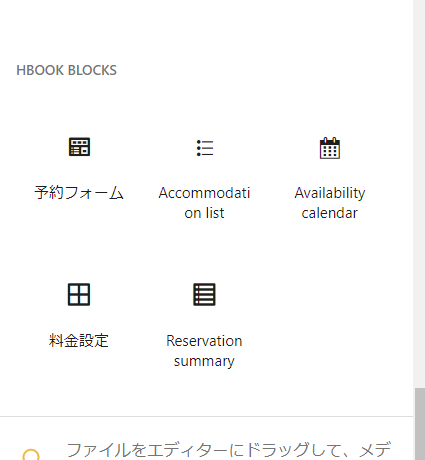
Block parts are registered in Gutenberg
- Reservation Form
- Accommodation List
- Availability calendar
- Pricing
- Reservation summary
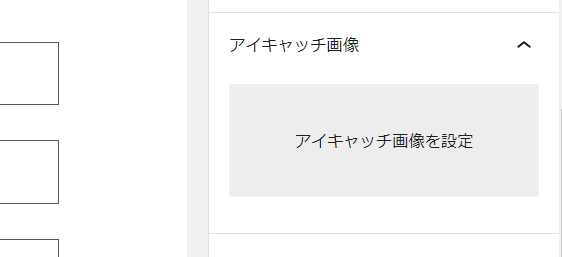
Featured image settings
Set the featured image

We are available on weekends and holidays!
Please contact us if you have any problems with your website!
- Unable to log in to WordPress
Malware infection?
- The homepage suddenly stopped displaying!
- A PHP error is occurring.
We also offer support on weekends and holidays for those who need assistance.
If you are in a hurry, please call us now at 03-6694-7024.
Latest Articles

[Anti-Fraudulent Login Prevention] Is your WordPress user ID visible to external parties? We explain how to check and security measures to hide your user ID!

Timing and Process for Renewing Your Recruitment Website | Key Points to Review to Increase the Number of Applications
 English
  日本語
日本語