How to create a website using WordPress/How to use plugins/No-code construction blog



WordPress security enhancement plugin All in one WP Security ~ smart404 features explained
At HanamiWEB Online School,
●Ask questions in real-time in the virtual study room!
●Ask as many questions as you want via chat!
●E-learning materials that you can learn as much as you want, 24 hours a day!
All included for just 2,500 yen/month!
A must-read for those who are concerned about the security of their WordPress site
We explain how to enhance security with the free All in one WP Security plugin.
This time, we will explain smart404 > smart 404 configuration.
This feature is only available if you upgrade to premium.
For more information, please see the All in one WP Security explanation table of contents!
There's an article that describes the steps taken to remove malware and restore a WordPress site after it was actually compromised by malware. Please refer to it.
→How to Prevent WordPress Tampering and Malware Infections, and How to Deal with Infections [Real-Life Experience Summary] "Anti-Malware Security"
Country block function
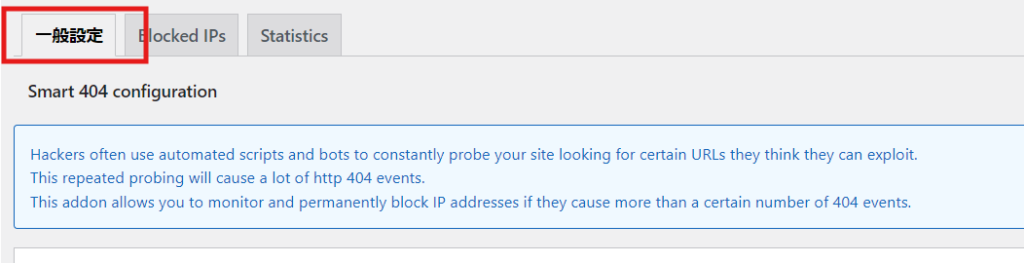
If you upgrade to All in one WP Security Premium, you can use the smart 404 feature. With the smart 404 configuration setting, you can set up a function to automatically block access when a large number of 404 errors are detected in a certain period of time due to a simultaneous attack by robots.
- WP Security
- smart 404
- smart 404 configuration
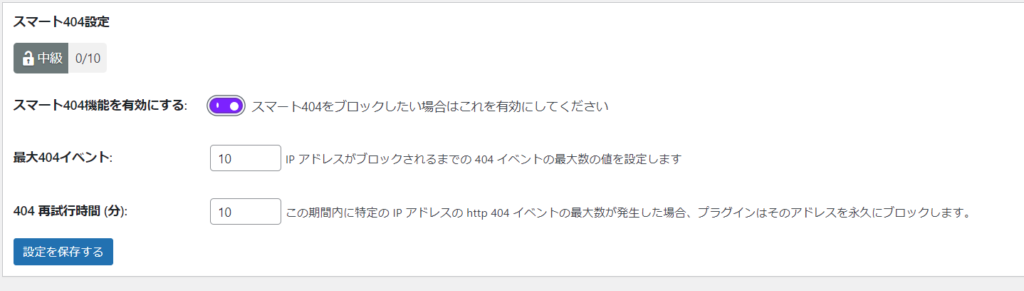
Smart 404 Settings
Turn on the Smart 404 setting, set the number of times 404 access is attempted and the time period, and then set it to automatically block.
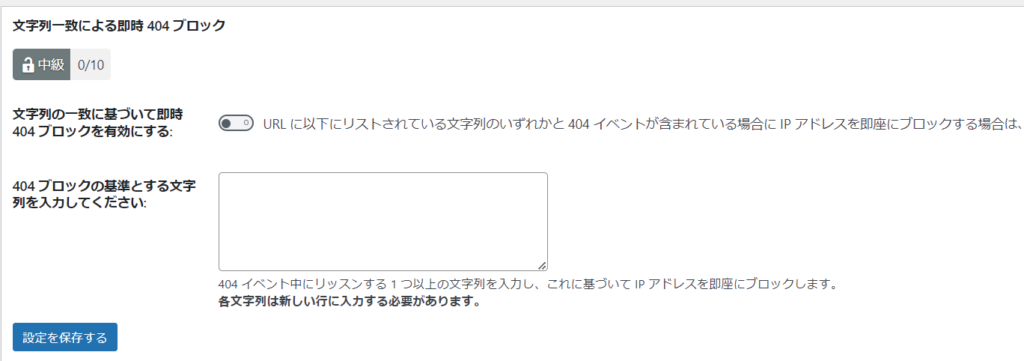
Instant 404 blocking by string match
You can set it to block if a specific string is used.
If there is no specific string, you do not need to set it.
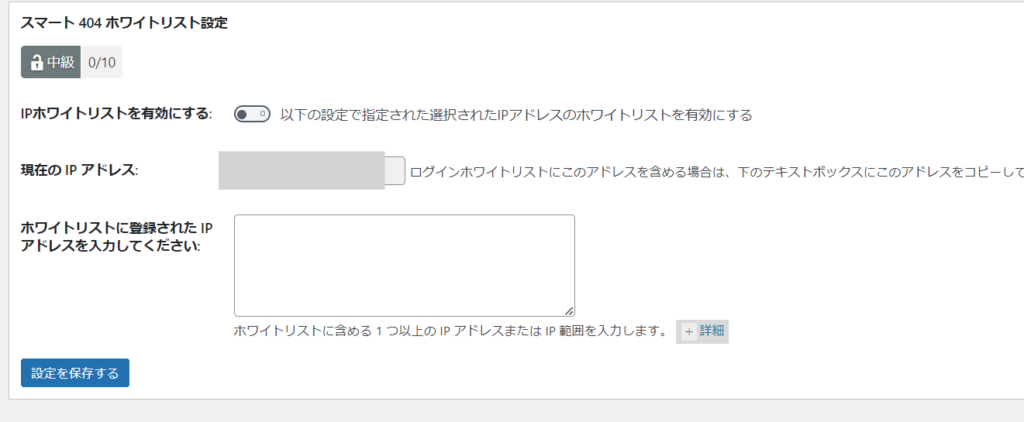
Smart 404 Whitelist
If you are using the malware scanning feature, the malware scanning robot may cause many 404 events, resulting in a permanent block.
It's a good idea to whitelist your current IP address.

We are available on weekends and holidays!
Please contact us if you have any problems with your website!
- Unable to log in to WordPress
Malware infection?
- The homepage suddenly stopped displaying!
- A PHP error is occurring.
We also offer support on weekends and holidays for those who need assistance.
If you are in a hurry, please call us now at 03-6694-7024.
Latest Articles

[Anti-Fraudulent Login Prevention] Is your WordPress user ID visible to external parties? We explain how to check and security measures to hide your user ID!
Timing and Process for Renewing Your Recruitment Website | Key Points to Review to Increase the Number of Applications
 English
  日本語
日本語