How to create a website using WordPress/How to use plugins/No-code construction blog




How to exclude administrators and related parties from access analysis in GA4 (IP address settings)
At HanamiWEB Online School,
●Ask questions in real-time in the virtual study room!
●Ask as many questions as you want via chat!
●E-learning materials that you can learn as much as you want, 24 hours a day!
All included for just 2,500 yen/month!
Although we use GA4 for access analysis, when we are improving the site, the number of visitors from internal stakeholders can increase, making it difficult to manage accurate user data.
Therefore, we will use screenshots to illustrate how to specify the IP addresses of administrators and related parties and set it up to exclude access from specific IP addresses from the analysis data!
Universal Analytics will no longer be available from July 1, 2023, so this article explains how to set it up in GA4.

Log in to GA4
First, log in to Google Analytics GA4.
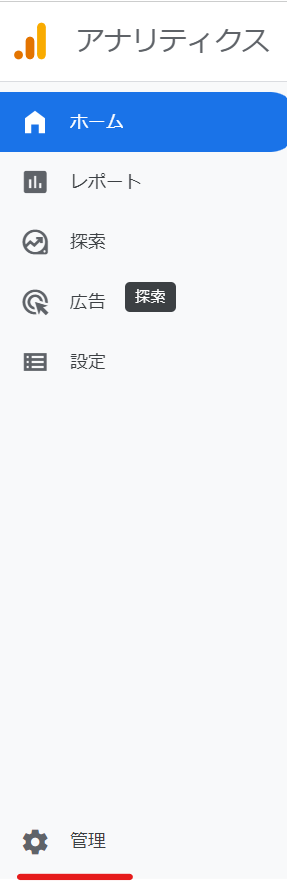
If the left side menu looks like the attached image, you are on the GA4 administration screen. Click [Administration] at the bottom left.
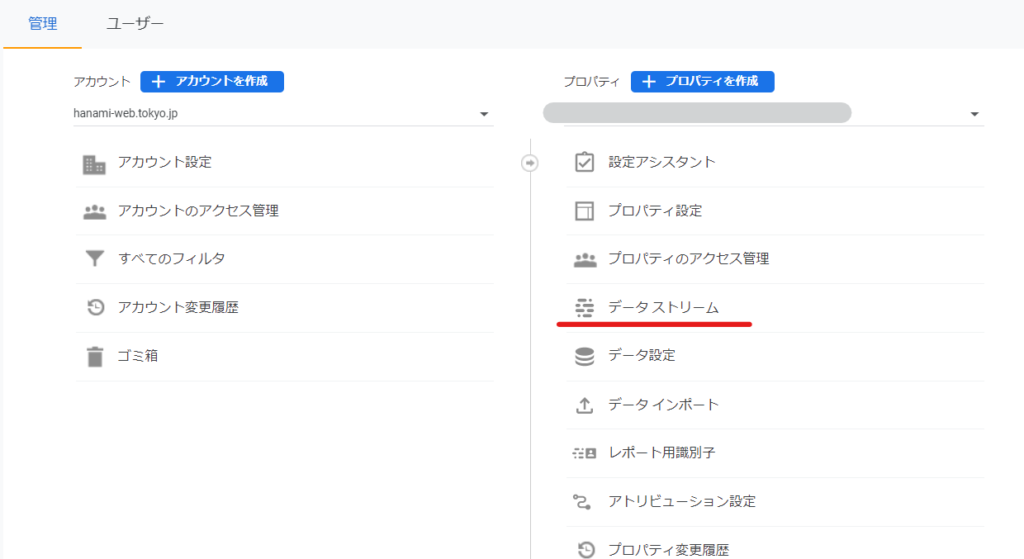
Data Stream
Next, click on Data Stream under Properties.
If data is being received, you should see the message "Receiving data traffic" as shown in the attachment. Click it to proceed to advanced settings.
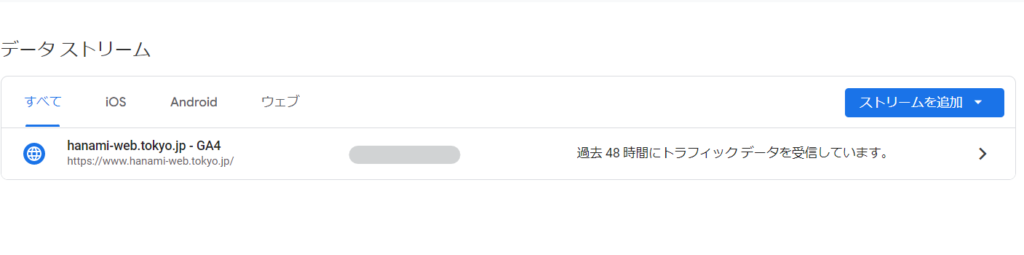
This contains the measurement ID, so remember that the place to check the measurement ID is in the data stream!
Tag configuration
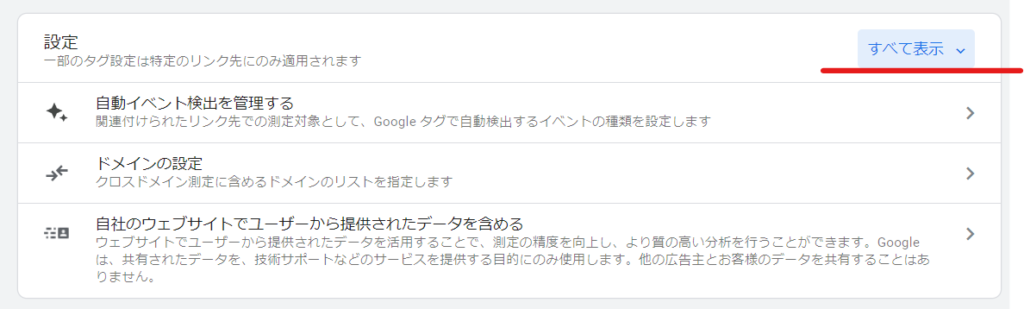
Click on Set tag to proceed with the setup.
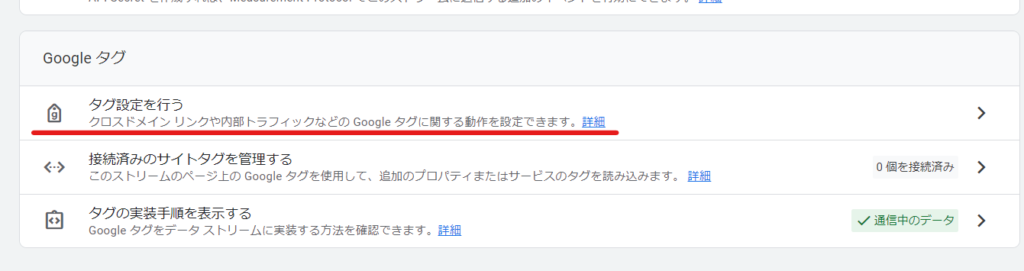
Click Show All
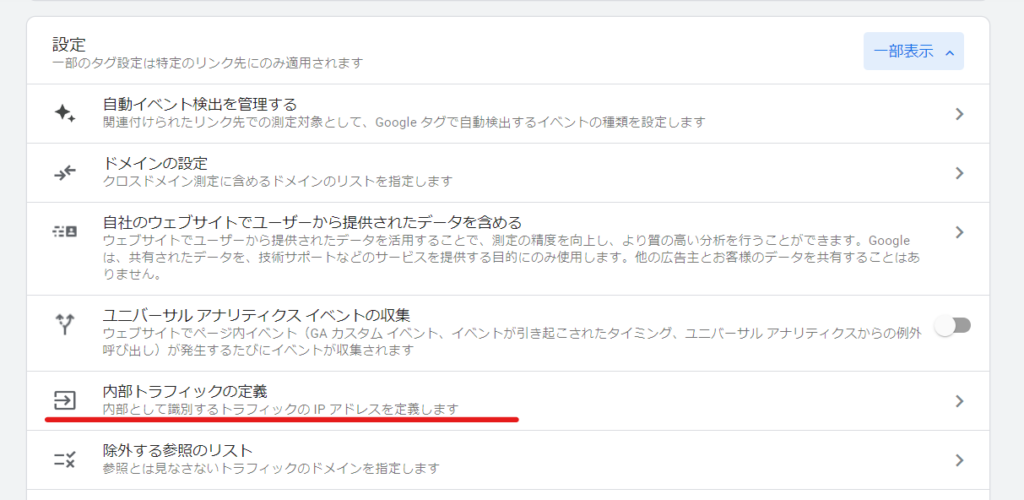
Defining Internal Traffic
If you show all, you will see an item called "Define internal traffic", so click on it.
create

IP Address Settings
You've arrived at the settings screen!
- Rule name: It is a good idea to give it an easy to understand name.
- traffic_type: This is internal by default, so leave it as is.
- IP Address: Select IP Address is equal to and enter the IP address you want to exclude. (You can enter multiple addresses.)
Once you have registered, click the [Save] button.
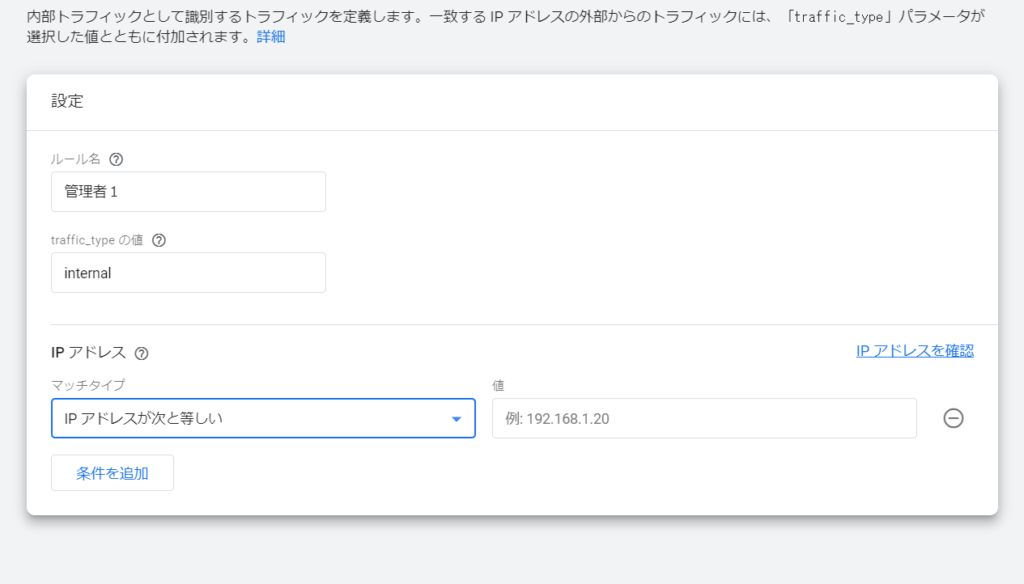
In this way, the setting to exclude access from the administrator's IP address from analysis has been completed.

What is an IP address?
It's like a unique address on the web for your device. However, please rest assured that it is not linked to any personal information.
How to check your IP address
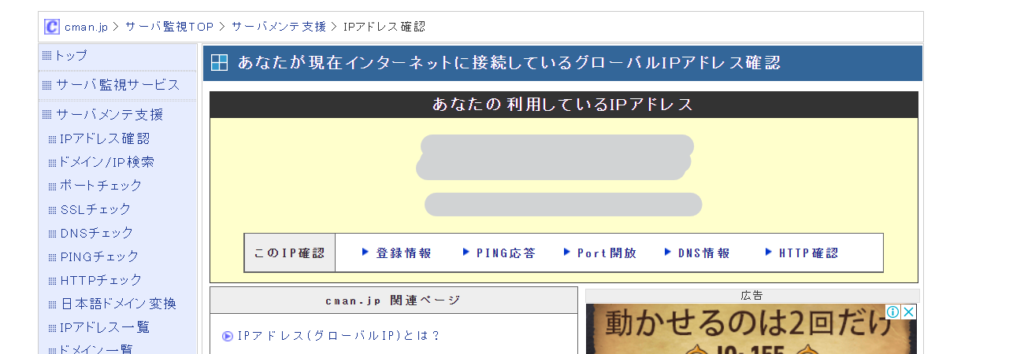
There are websites where you can check your IP address.
If you access a site where you can check your IP address, you will be able to find out your IP address, as shown in the attachment.

We are available on weekends and holidays!
Please contact us if you have any problems with your website!

- Unable to log in to WordPress
Malware infection?
- The homepage suddenly stopped displaying!
- A PHP error is occurring.
We also offer support on weekends and holidays for those who need assistance.
If you are in a hurry, please call us now at 03-6694-7024.
Latest Articles

[Anti-Fraudulent Login Prevention] Is your WordPress user ID visible to external parties? We explain how to check and security measures to hide your user ID!


Timing and Process for Renewing Your Recruitment Website | Key Points to Review to Increase the Number of Applications

7 Key Points for Creating a Recruitment Website | How to Create a Recruitment Site That Job Seekers Will Choose
 English
  日本語
日本語