How to create a website using WordPress/How to use plugins/No-code construction blog




Create a mega menu with the free WordPress theme Ocean WP
At HanamiWEB Online School,
●Ask questions in real-time in the virtual study room!
●Ask as many questions as you want via chat!
●E-learning materials that you can learn as much as you want, 24 hours a day!
All included for just 2,500 yen/month!
The theme is called OceanWP and is made overseas, but the settings screen is in Japanese and there are many things you can do with it, so I think it's very easy to use.
This time, I will explain how to create a mega menu using the OceanWP theme. Normally, it is a drop-down submenu, but now it will have a submenu on the side.
Mega menus that can be implemented
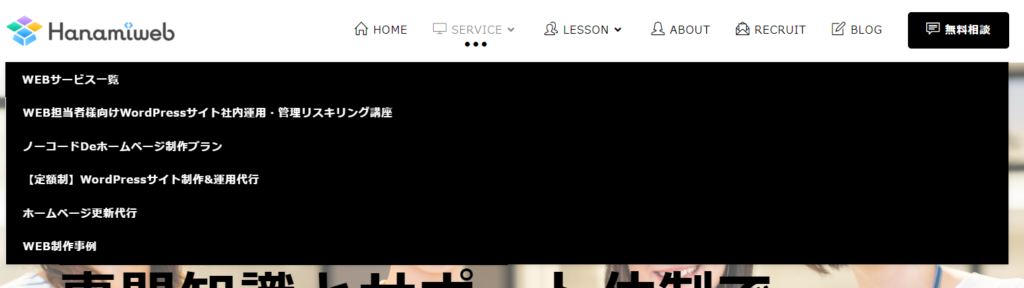
OceanWP's default submenu is output as a vertical dropdown.

When you turn on the mega menu setting
Menu Settings
[Appearance] > [Menu]
In the advanced settings of the parent menu you want to turn into a mega menu, check "Enable mega menu."
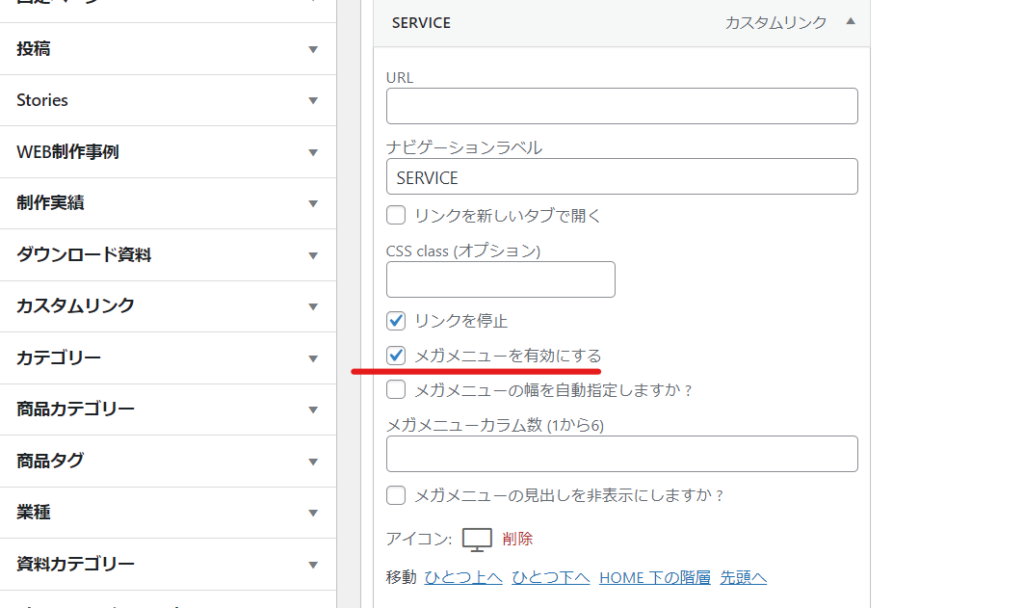
This will create a default two-column mega menu.

Specify the number of columns for the mega menu
OceanWP allows you to set up 1-6 columns.
What is a one-column mega menu?
I was curious about what it meant to set up a mega menu in one column, so I decided to implement it.
I found that it was no different from a normal drop-down format (it was wider than normal).
Mega menu with 6 columns
Since there were exactly six submenu items, I set the number of columns to 6.
It feels a little cramped.

Mega menu set to 3 columns
Three columns seemed like a good size. However, I needed to adjust the number of characters and make adjustments so that there were no menus that were two rows long.

Mega menu width adjustment
By default, it is set to fill the content width.
Check [Auto adjust mega menu width?] to set the width automatically.
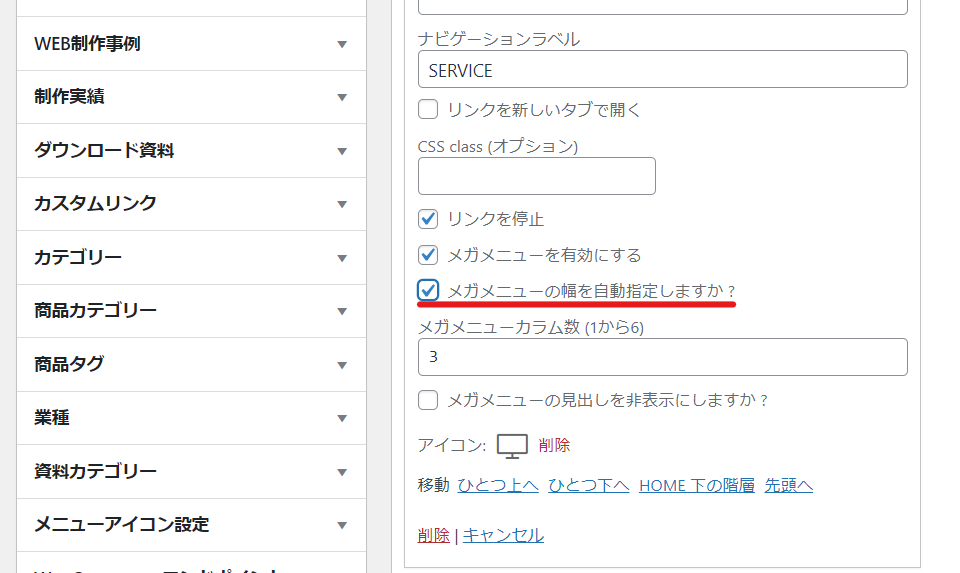
Since the width will be small, I don't think you need to set [Auto-specify mega menu width?].

What is Hiding Mega Menu Headings?
The next thing that caught my attention was the setting "Hide mega menu headings?".
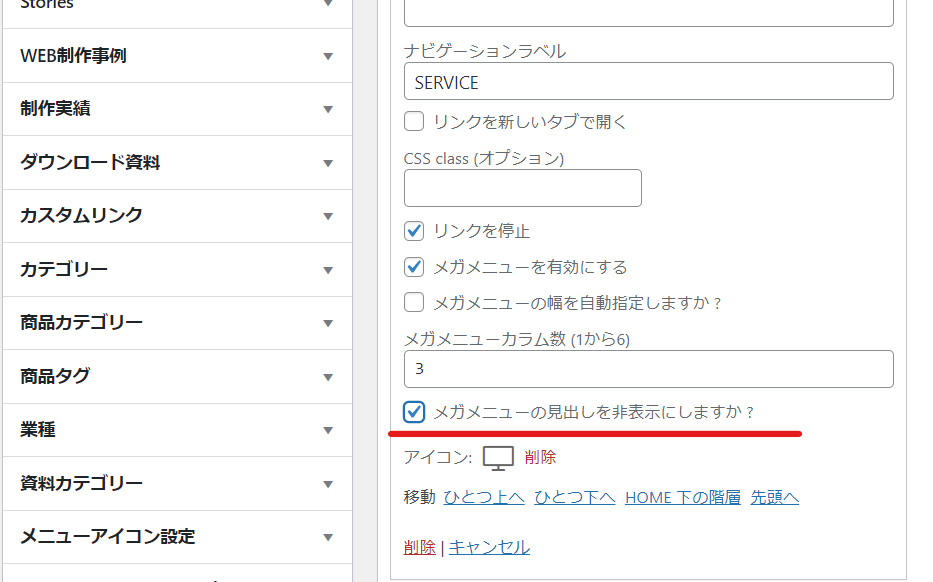
Nothing came out anymore.

Customizing with CSS
When the layout was two-tiered, there was no boundary between the first and second tiers, which made it difficult to understand, and I wanted to make the vertical width wider, so I added the following CSS.
.navigation li.megamenu-li .megamenu.col-3>li { border-bottom: 1px solid #f1f1f1; height: 40px; }Here is the mega menu after adjusting the text volume of the menu items and adding some CSS.


We are available on weekends and holidays!
Please contact us if you have any problems with your website!

- Unable to log in to WordPress
Malware infection?
- The homepage suddenly stopped displaying!
- A PHP error is occurring.
We also offer support on weekends and holidays for those who need assistance.
If you are in a hurry, please call us now at 03-6694-7024.
Latest Articles

[Anti-Fraudulent Login Prevention] Is your WordPress user ID visible to external parties? We explain how to check and security measures to hide your user ID!


Timing and Process for Renewing Your Recruitment Website | Key Points to Review to Increase the Number of Applications

7 Key Points for Creating a Recruitment Website | How to Create a Recruitment Site That Job Seekers Will Choose
 English
  日本語
日本語