How to create a website using WordPress/How to use plugins/No-code construction blog



LMS Plugin LearnDash Basic Settings
At HanamiWEB Online School,
●Ask questions in real-time in the virtual study room!
●Ask as many questions as you want via chat!
●E-learning materials that you can learn as much as you want, 24 hours a day!
All included for just 2,500 yen/month!
We explain LearnDash, a paid LMS (Learning management system) plugin that allows you to build an e-learning system using WordPress.
This time, we will explain the basic settings you will want to make first.
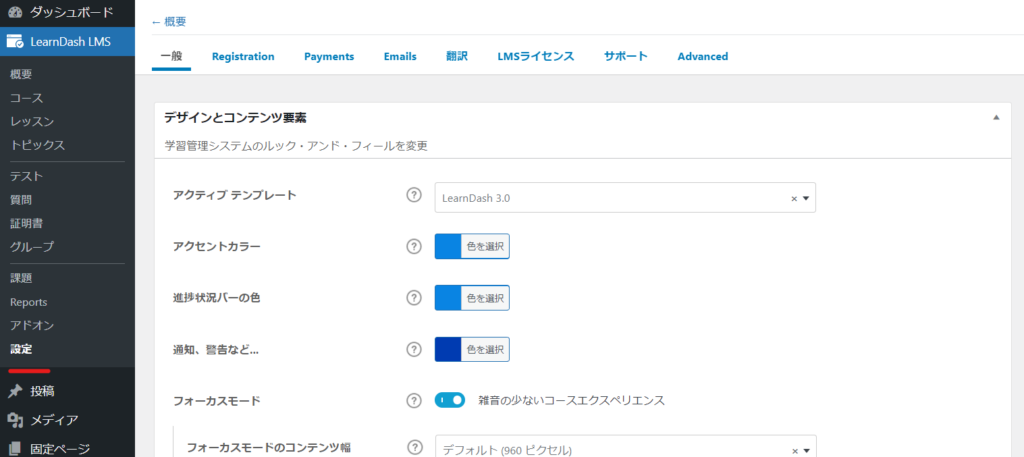
Design and content settings
- LearnDash LMS
- setting
- General
and configure it.
template
There is a section called Active Templates.
- Legacy
- LearnDash 3.0
There are two types, but Legacy is a design that predates version 2.6, so you should usually stick with LearnDash 3.0.
Color Settings
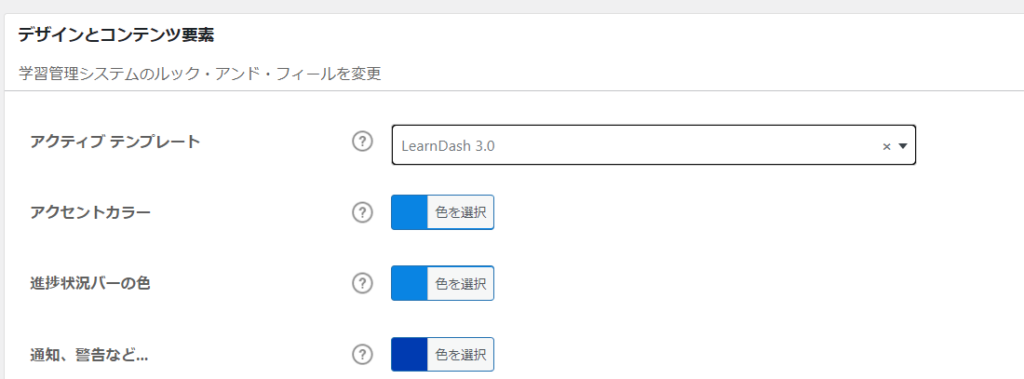
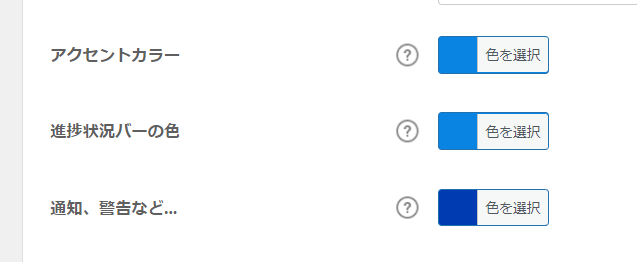
- Accent Color
- Progress Bar
- Notifications/Warnings
Set the color of . Since I imagined learning to be blue, I will leave it at the default setting.
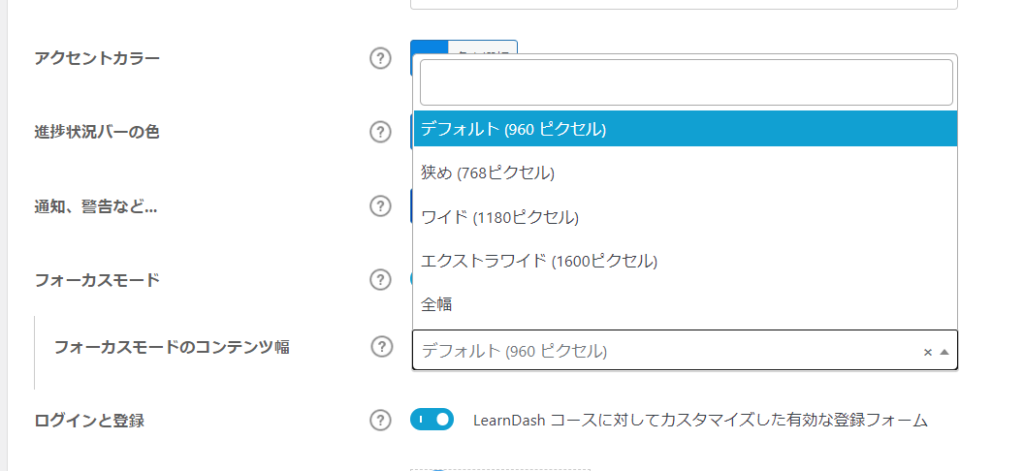
Focus Mode
You can set the content width as you progress through your studies.
- Default 960px
- Narrow 768px
- Wide 1180px
- Extra wide 1600px
- Overall width
You can choose from the following. I think it's easier to understand with a sidebar, so I'll set it to the default 960px.
Login/Registration Form Customization
When turned ON, you will be able to customize the registration form.

Logo Registration
Register your logo.

Video Responsive Settings
This is a required item when providing video teaching materials. It is turned on by default, and it will automatically resize to fit the screen width.

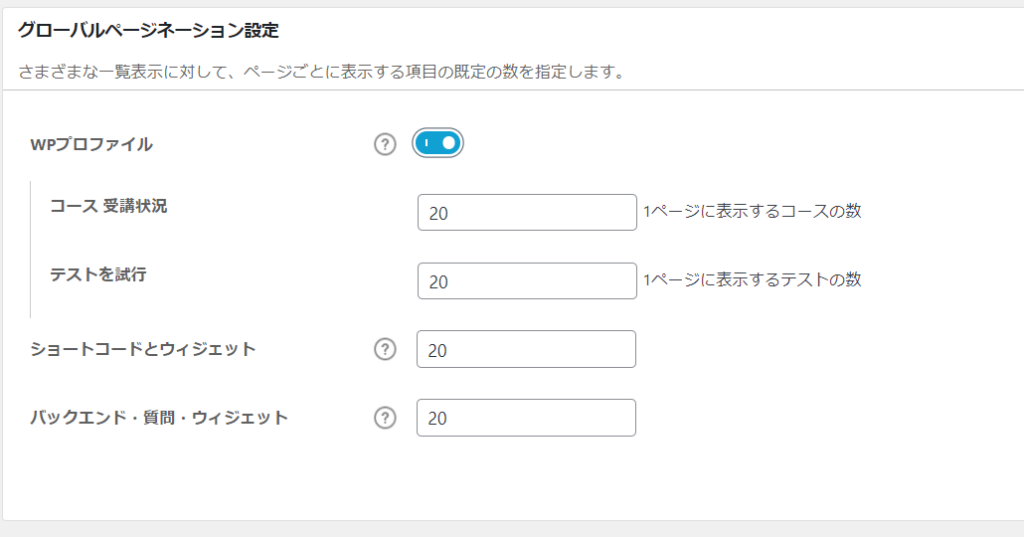
Display number setting
Set the number of items to display per page. The default is 20 items per page, and if you add more than that, pagination will be added.
If you turn on WP Profile, you will be able to set the number of items to display for course enrollment and tests.
Admin User Settings
- Auto-enroll Courses – If turned ON, administrators will automatically have access to all courses.
- Bypassing Course Restrictions - When ON, this will allow admins to view courses in any order they like, even for scheduled courses.
- Include in report - If OFF, will exclude administrator course activity.


We are available on weekends and holidays!
Please contact us if you have any problems with your website!

- Unable to log in to WordPress
Malware infection?
- The homepage suddenly stopped displaying!
- A PHP error is occurring.
We also offer support on weekends and holidays for those who need assistance.
If you are in a hurry, please call us now at 03-6694-7024.
Latest Articles

[Anti-Fraudulent Login Prevention] Is your WordPress user ID visible to external parties? We explain how to check and security measures to hide your user ID!


Timing and Process for Renewing Your Recruitment Website | Key Points to Review to Increase the Number of Applications
 English
  日本語
日本語