How to create a website using WordPress/How to use plugins/No-code construction blog



We will explain how to create lesson content using the LMS plugin LearnDash.
At HanamiWEB Online School,
●Ask questions in real-time in the virtual study room!
●Ask as many questions as you want via chat!
●E-learning materials that you can learn as much as you want, 24 hours a day!
All included for just 2,500 yen/month!
We explain LearnDash, a paid LMS (Learning management system) plugin that allows you to build an e-learning system using WordPress.
This time, we will explain how to create lesson content.
Lesson content creation
- LearnDash LMS
- lesson
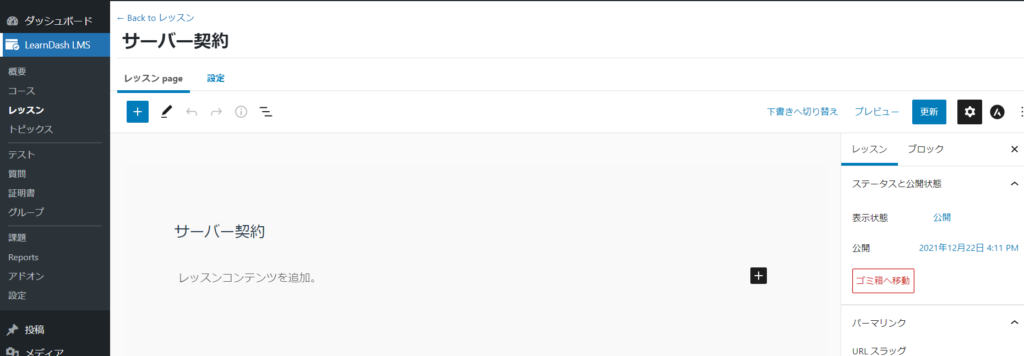
- Click on the title of the lesson you want to edit
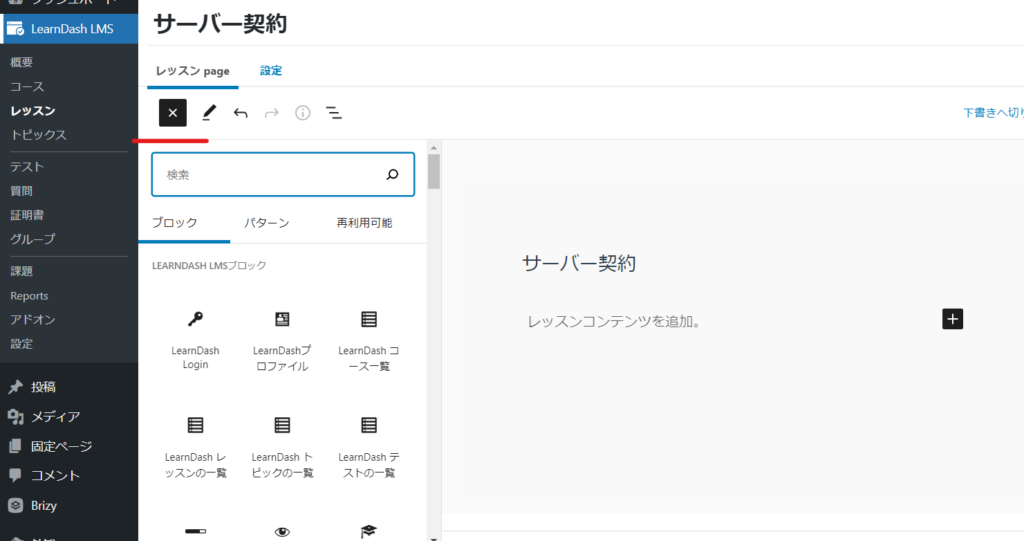
- Write content on the lesson page
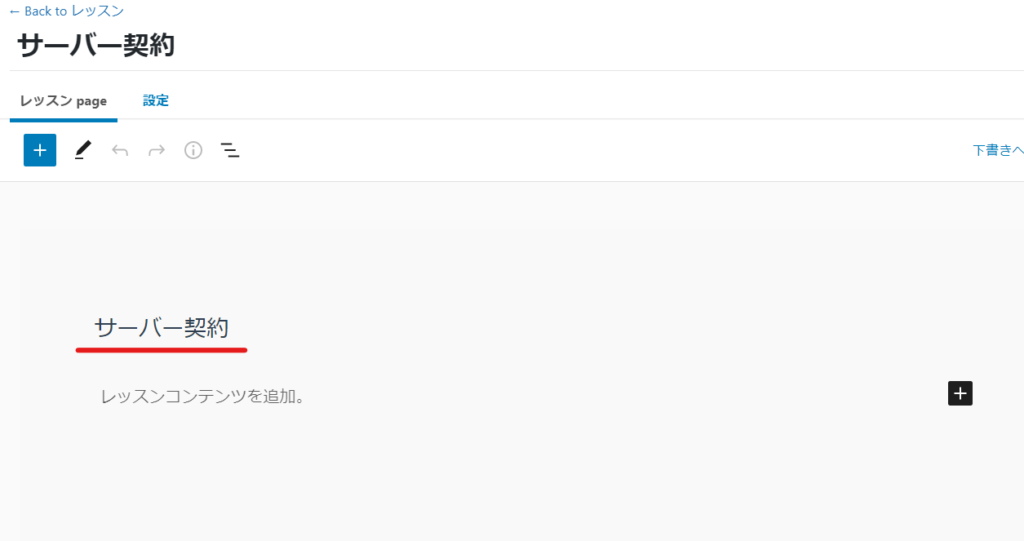
Lesson Title
If you created a course builder, it will already have a title, but you can edit it from here.
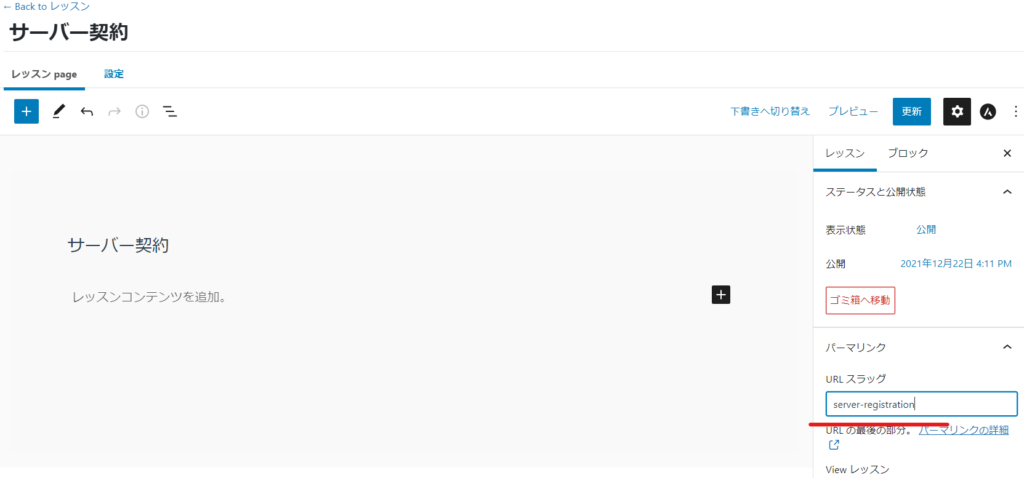
URL change
You can change the URL in the permalink section.
Lesson Content
The lesson content is the same as how to write a WordPress blog.
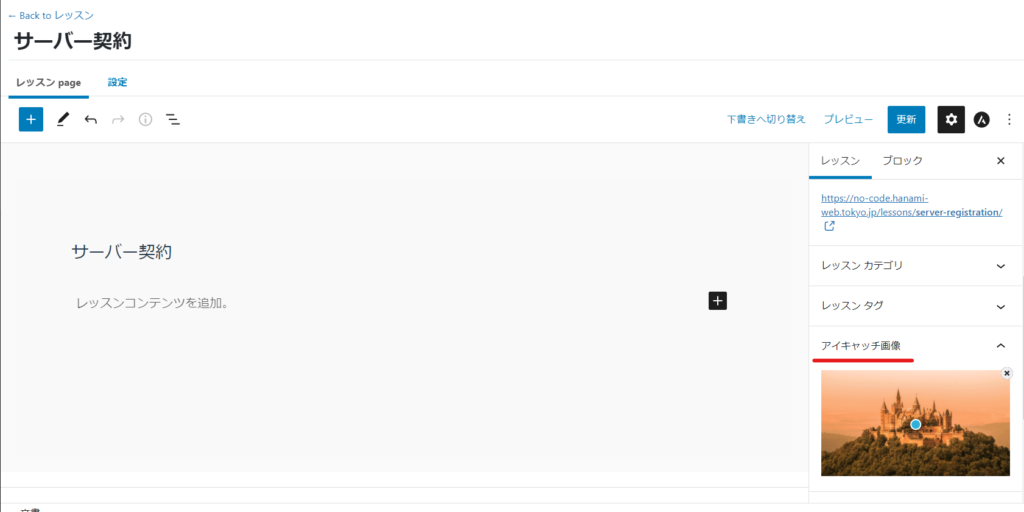
Featured Image
If you are using a grid add-on, the eye-catching image you set will be output on the lesson list page.
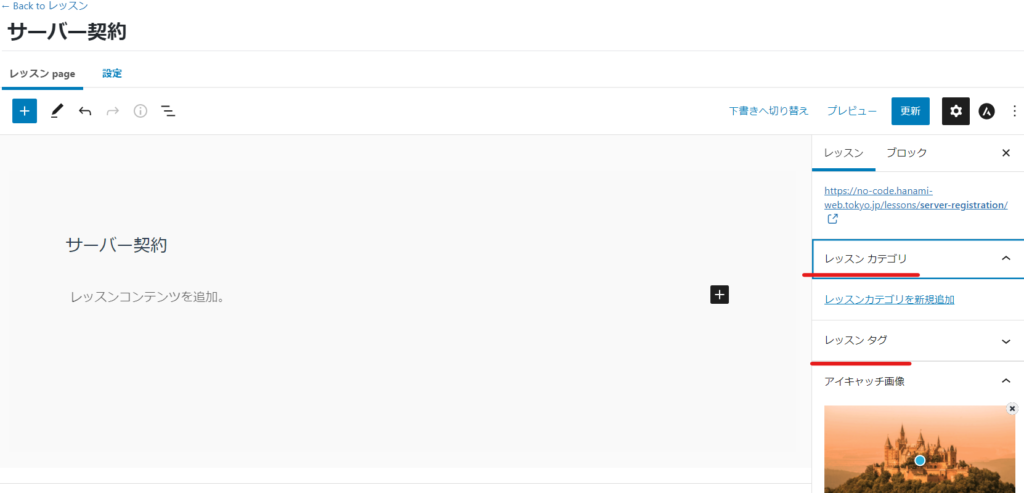
Lesson Category/Tags
Set the category and tags for your lesson here.

We are available on weekends and holidays!
Please contact us if you have any problems with your website!
- Unable to log in to WordPress
Malware infection?
- The homepage suddenly stopped displaying!
- A PHP error is occurring.
We also offer support on weekends and holidays for those who need assistance.
If you are in a hurry, please call us now at 03-6694-7024.
Latest Articles
[Anti-Fraudulent Login Prevention] Is your WordPress user ID visible to external parties? We explain how to check and security measures to hide your user ID!

Timing and Process for Renewing Your Recruitment Website | Key Points to Review to Increase the Number of Applications

7 Key Points for Creating a Recruitment Website | How to Create a Recruitment Site That Job Seekers Will Choose
 English
  日本語
日本語